
5 Shopify AI Tools for 2026: Build the Right Stack
5 Shopify AI Tools for 2026: Build the Right Stack
5 Shopify AI Tools for 2026: Build the Right Stack

not needed since no tags present. Here's the rewritten paragraph: The Shopify AI Toolkit isn't one thing. It's a stack. And that's the single most misunderstood fact about it, merchants keep asking whether they should "turn it on," developers keep asking which endpoint it lives at, and both are looking for the wrong answer. The AI Toolkit is actually three separate infrastructure layers Shopify shipped over the last six months, bundled under a single marketing umbrella: a developer toolchain for building Shopify apps with AI coding assistants, a set of MCP servers for letting AI shopping agents transact on Shopify stores, and an open protocol called UCP that lets agents, merchants, payment processors, and credential providers talk to each other in a standard way. That last layer matters more than it sounds: across 10 million+ Shopify orders, about 1 in 19 (5.2%) is edited after checkout (Revize, 2026), so any agent transacting on a merchant's behalf eventually runs into a change or cancellation it wasn't built to handle.
If you run a Shopify Plus store with over ten thousand orders a month, you care about this because your store is going to become agent-addressable whether you plan for it or not. If you're a CX-focused Advanced merchant obsessed with conversion quality, you care because the next wave of "shopping assistants" will either send qualified buyers your way or route them past you. And if you build Shopify apps — either for your own store or for the App Store — the dev side of the Toolkit cuts development time for typical admin workflows by 40-60% in the teams that have adopted it. This guide walks every layer, what it does, and where merchants should pay attention in 2026.
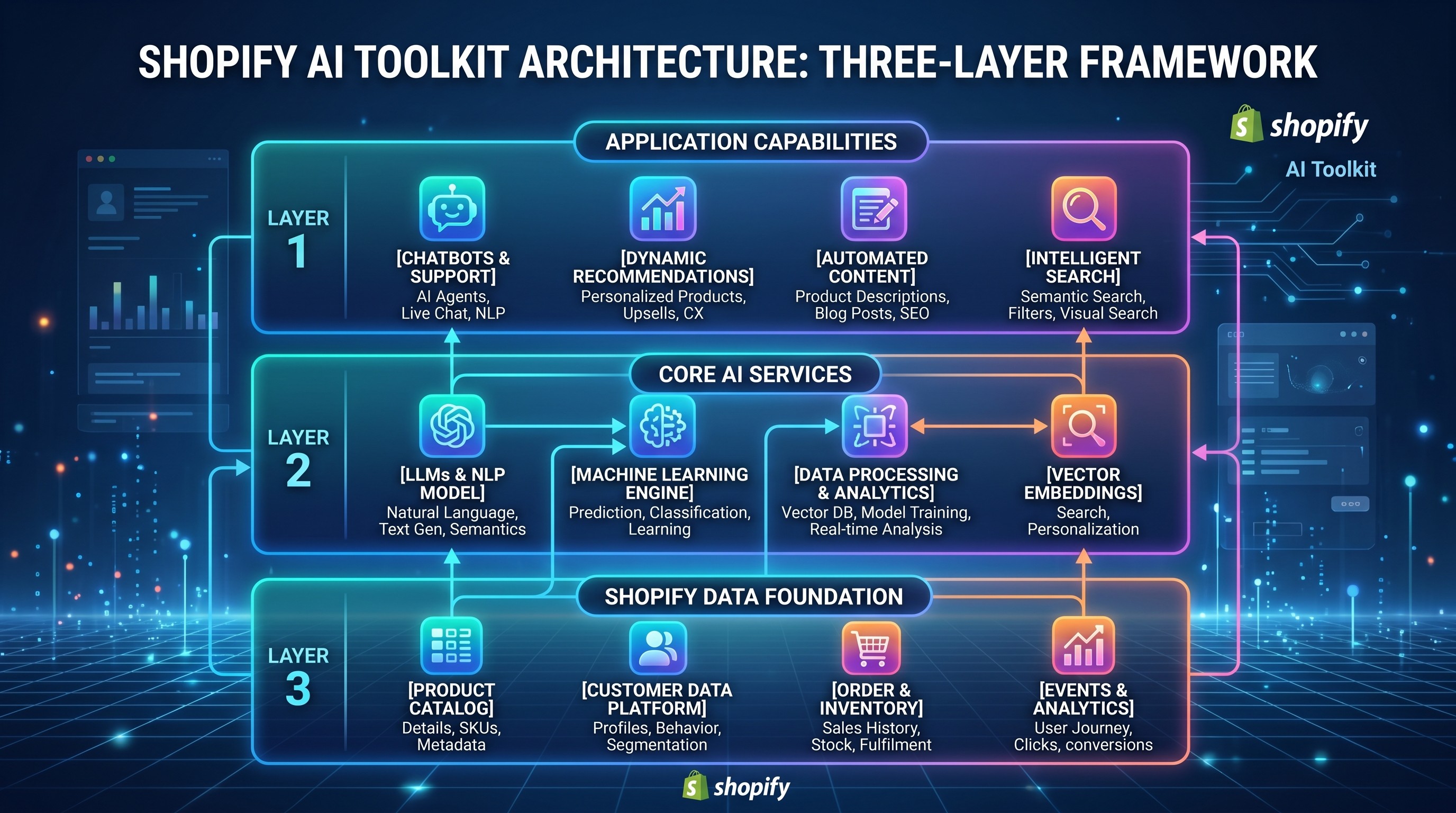
What Is the Shopify AI Toolkit?
The Shopify AI Toolkit is a developer-facing integration that connects AI coding assistants — Claude Code, Cursor, Gemini CLI, Codex, and VS Code — directly to Shopify's documentation, API schemas, and a local CLI-backed "store execute" capability. It ships as a plugin (recommended, auto-updating), a set of agent skills you can install manually, and a local Dev MCP server that runs on the developer's machine without authentication.
What it replaces: the old .dev Assistant VS Code extension, which was deprecated on March 3, 2025. What it's built on: the Model Context Protocol (MCP), the same open standard Anthropic shipped in late 2024 and that every major AI coding tool now supports.
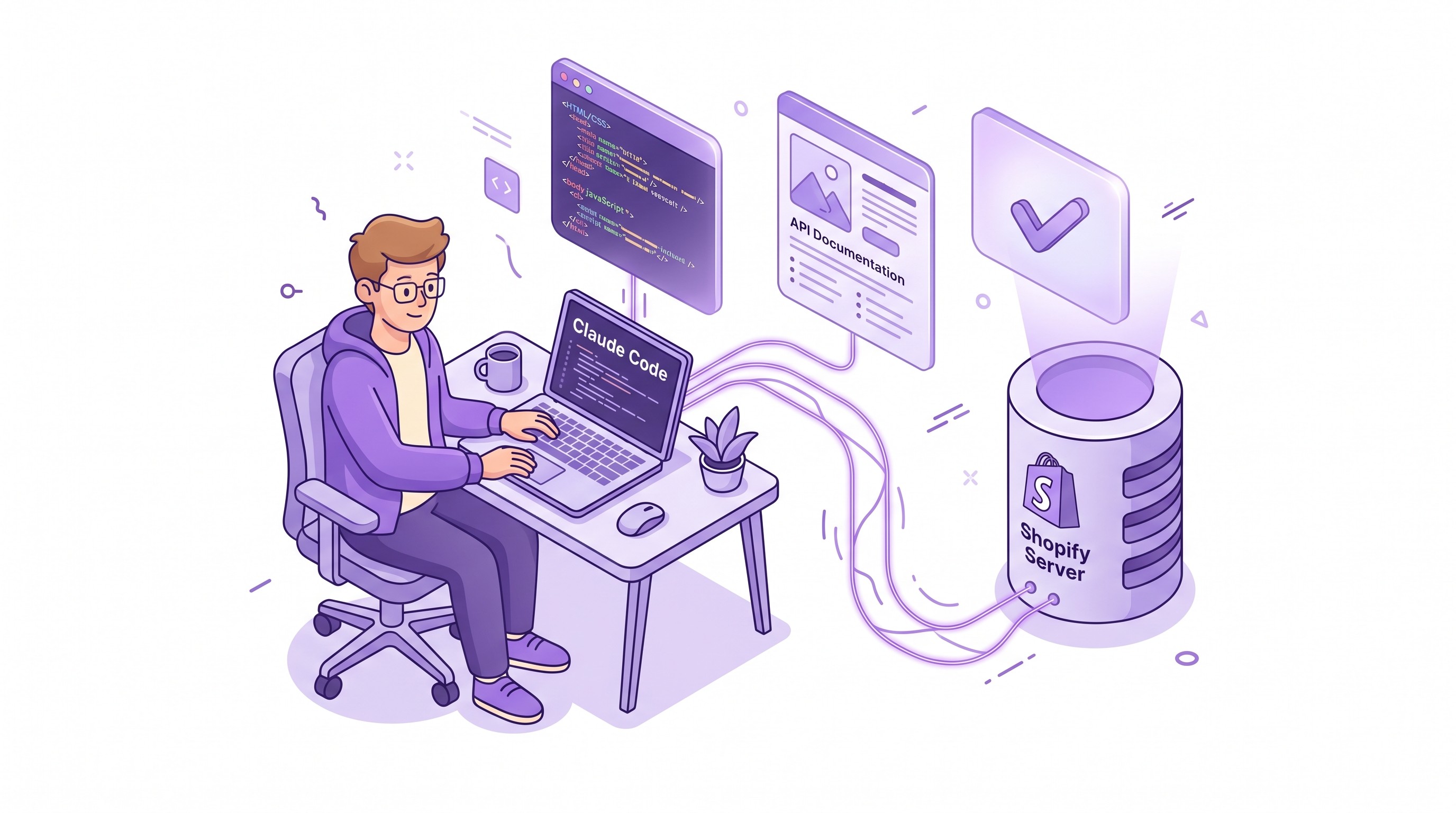
In practical terms, here's what the Dev MCP side of the Toolkit lets a developer do without leaving their AI-assisted editor:
Search live Shopify.dev docs with query relevance that matches current API version, not whatever was indexed by a general web crawler three months ago.
Introspect GraphQL Admin API schemas, so the AI assistant writes queries with correct field names and types instead of hallucinating fields that don't exist.
Validate generated GraphQL code and component code against the real schema before the developer even runs it.
Execute validated Admin operations against a specific store through
shopify store authandshopify store execute, turning "show me the first ten products" into an actual result from the developer's own store.
That last capability is the one that changes day-to-day development most. It collapses "write query → switch to admin → run it → check results → come back → iterate" into a single in-editor round trip.
But this is only one of the three layers. The confusion starts when people stop here.
The Three MCP Servers Every Merchant Should Know
Beyond the Dev MCP, Shopify ships three more MCP servers, and these are the ones that matter for merchants — because they define how AI shopping agents interact with your storefront, your catalog, and your customers' orders.
1. Storefront MCP — one merchant, one agent
The Storefront MCP server is the endpoint every single Shopify store exposes for agents to interact with that specific store. No authentication required. The endpoint pattern is https://{shop}.myshopify.com/api/mcp and it accepts JSON-RPC calls like this:
const mcpEndpoint = `https://your-store.myshopify.com/api/mcp`;

fetch(mcpEndpoint, {
  method: 'POST',
  headers: { 'Content-Type': 'application/json' },
  body: JSON.stringify({
    jsonrpc: '2.0',
    method: 'tools/call',
    id: 1,
    params: {
      name: 'search_shop_catalog',
      arguments: {
        query: 'organic coffee beans',
        context: 'customer preference for fair-trade single-origin'
      }
    }
  })
});
const mcpEndpoint = `https://your-store.myshopify.com/api/mcp`;

fetch(mcpEndpoint, {
  method: 'POST',
  headers: { 'Content-Type': 'application/json' },
  body: JSON.stringify({
    jsonrpc: '2.0',
    method: 'tools/call',
    id: 1,
    params: {
      name: 'search_shop_catalog',
      arguments: {
        query: 'organic coffee beans',
        context: 'customer preference for fair-trade single-origin'
      }
    }
  })
});
The tools Storefront MCP exposes include search_shop_catalog (find products by natural-language query), search_shop_policies_and_faqs (answer customer questions about shipping, returns, etc.), update_cart (add, remove, update quantities), get_order_status, and get_most_recent_order_status. That last one matters: an AI agent built against Storefront MCP can check a returning customer's order status, flag delays, and initiate returns — the kind of CX work a human support agent does.
2. Catalog MCP — one agent, every Shopify merchant
Catalog MCP is the opposite end. It's the global search layer that lets an agent query across all eligible Shopify merchants in a single call. Unlike Storefront MCP, it requires authentication (JWT tokens from the Dev Dashboard, 60-minute TTL, issued via client credentials). This is the server agents like ChatGPT's shopping mode, Perplexity's commerce layer, and Claude's agent integrations query when a user asks "find me running shoes under $120 that ship to Canada" — they hit Catalog MCP, not any individual store.
Its two main tools are search_global_products (cross-merchant search with price, shipping, and product-option filters) and get_global_product_details (Universal Product ID lookup that returns the full option matrix across all merchants selling that SKU). Results cluster by Universal Product ID (UPID) so duplicate SKUs across multiple stores don't flood the agent with redundant results.
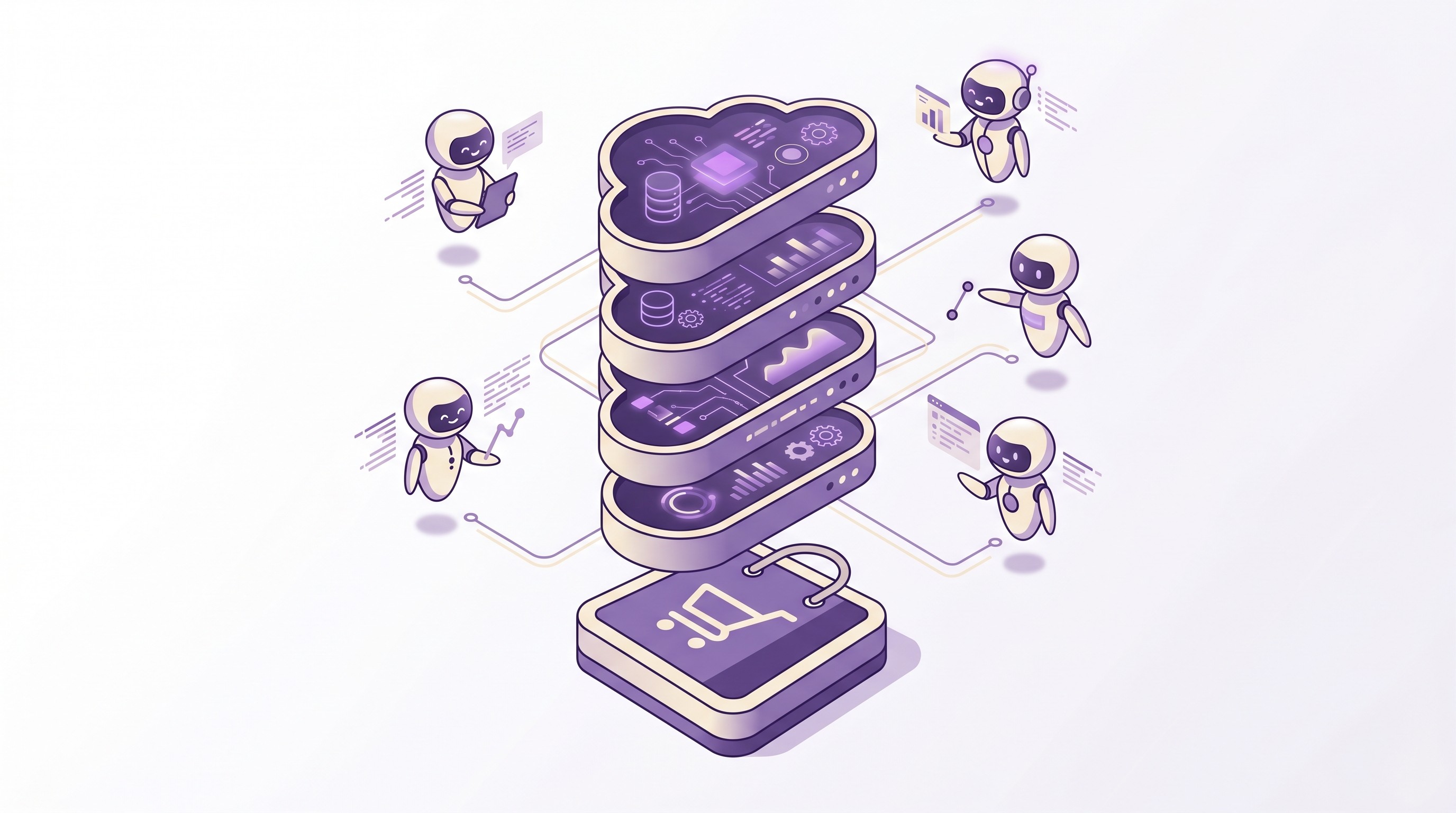
3. Customer Accounts MCP — agents that remember
The Customer Accounts MCP layer is the one most likely to reshape post-purchase. It gives an authenticated agent read access to a customer's order history, address book, and account state across the merchants where that customer has an account. Concretely: a shopper's personal agent can answer "when's my headphones order arriving?" by calling the Customer Accounts MCP, and it can trigger a return without the customer typing their order number into a support form.
For high-volume operators, this collapses a huge percentage of Tier-1 support into an agent-handled flow. For CX-obsessed merchants, this is either a wedge or a threat depending on whether the agent serving the customer is yours, Shopify's, or a third party's. Most of the early deployments are a hybrid: the merchant's own branded agent calls Customer Accounts MCP on behalf of its authenticated customers.
Server | Who calls it | Auth | Primary use |
|---|---|---|---|
Dev MCP | Developers via AI coding tools | None (local) | Search docs, introspect schemas, execute store operations |
Storefront MCP | Agents (branded or third-party) | None | Single-store search, cart ops, policy Q&A, order status |
Catalog MCP | Agents (third-party mostly) | JWT (Dev Dashboard) | Cross-merchant product search and lookup |
Customer Accounts MCP | Authenticated agents | OAuth via Shopify accounts | Order history, account info, post-purchase actions |
Universal Commerce Protocol (UCP): The Layer Under the Layers
All four MCP servers are UCP-compliant. That acronym matters. The Universal Commerce Protocol is the open standard Shopify published that defines how four types of actors — platforms (agents and applications), merchants, credential providers, and payment service providers — communicate consistently across the web for commerce transactions.
UCP isn't a Shopify-only thing; the spec is published, third-party implementations are encouraged, and the goal is explicitly an interoperable layer where an agent built by OpenAI can complete a checkout on Shopify, on BigCommerce, on a custom platform, without writing a new integration for each.
The three core capabilities UCP defines:
Discovery — search across merchants, retrieve product details, help buyers find what they want. Shopify implements this via Catalog MCP and Storefront MCP.
Checkout — create checkout sessions, collect buyer info, attach payment, complete the transaction. Shopify implements this via a combination of Storefront MCP cart tools and the separate Checkout Kit (which supports both embedded and browser-based checkouts).
Orders — track confirmed transactions, fulfillment events, refunds, returns. Shopify implements this via Customer Accounts MCP and existing Admin APIs.
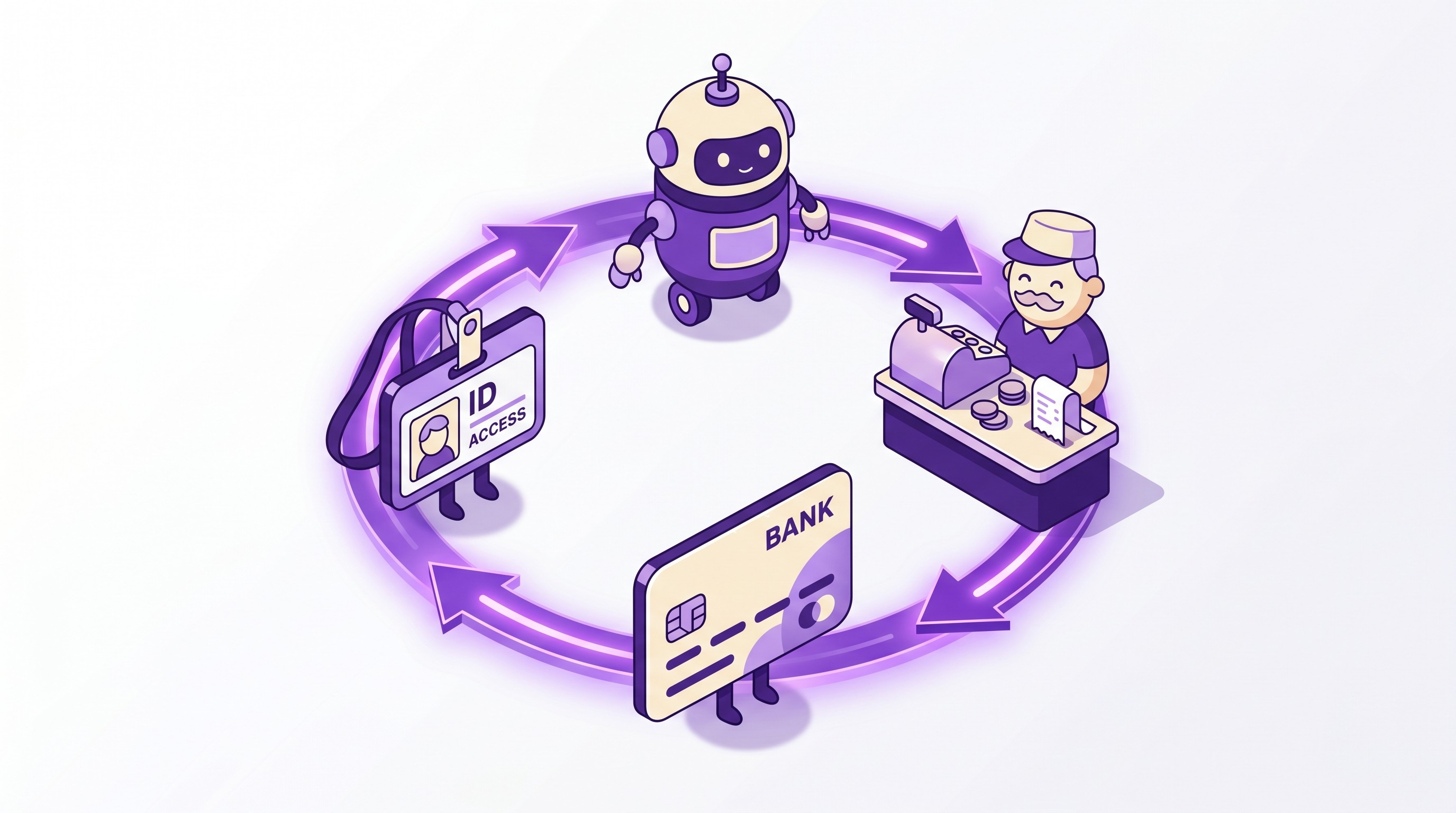
The practical implication for merchants: if you're on Shopify and you've enabled the Storefront MCP (which is on by default for most stores), your store is already discoverable to agents built on UCP. You don't need to "integrate with ChatGPT" or "integrate with Claude" — you integrate with UCP, and every UCP-compliant agent gets access. This is the same pattern SEO solved for organic search in 1999: one standard, many consumers. We broke down UCP in detail in a dedicated guide if you want the deeper specification walkthrough.
What Changes for Merchants in the Next 18 Months
Three concrete shifts, in decreasing order of certainty:
1. Agent-sourced traffic becomes a real channel, not a novelty. We're already seeing 3-8% of sessions on stores with high visibility in ChatGPT-sourced shopping arriving via agent referrals. By Q4 2026, most consumer-facing AI assistants will have commerce integrations. The how to sell on ChatGPT guide covers the tactical optimization for this channel specifically.
2. Post-purchase shifts from self-serve to agent-served. Order status lookups, return initiations, address changes, discount add-backs — all the Tier-1 work Revize and other post-purchase apps handle today — get wrapped in an agent conversation. The tool calls still happen against the same APIs, but the user interface moves from web forms to natural-language chat. Merchants who haven't solved the underlying workflows still won't be agent-ready; agents don't fix broken post-purchase, they expose it.
3. Product data quality becomes compounding ROI. In UCP, product details are what the agent uses to decide whether to surface your product to the buyer. Title, description, tech specs, materials, option combinations, inventory signals — every field is now evaluated by a model, not only by a human. Merchants with clean, structured product data out-rank merchants with sparse data in agent discovery the same way they out-rank in search. The difference is agents can't scroll past thin content the way humans do — thin data just gets deranked.
Using the AI Toolkit as a Developer or Agency
The setup flow for the developer side of the Toolkit is the simplest part of this whole thing.
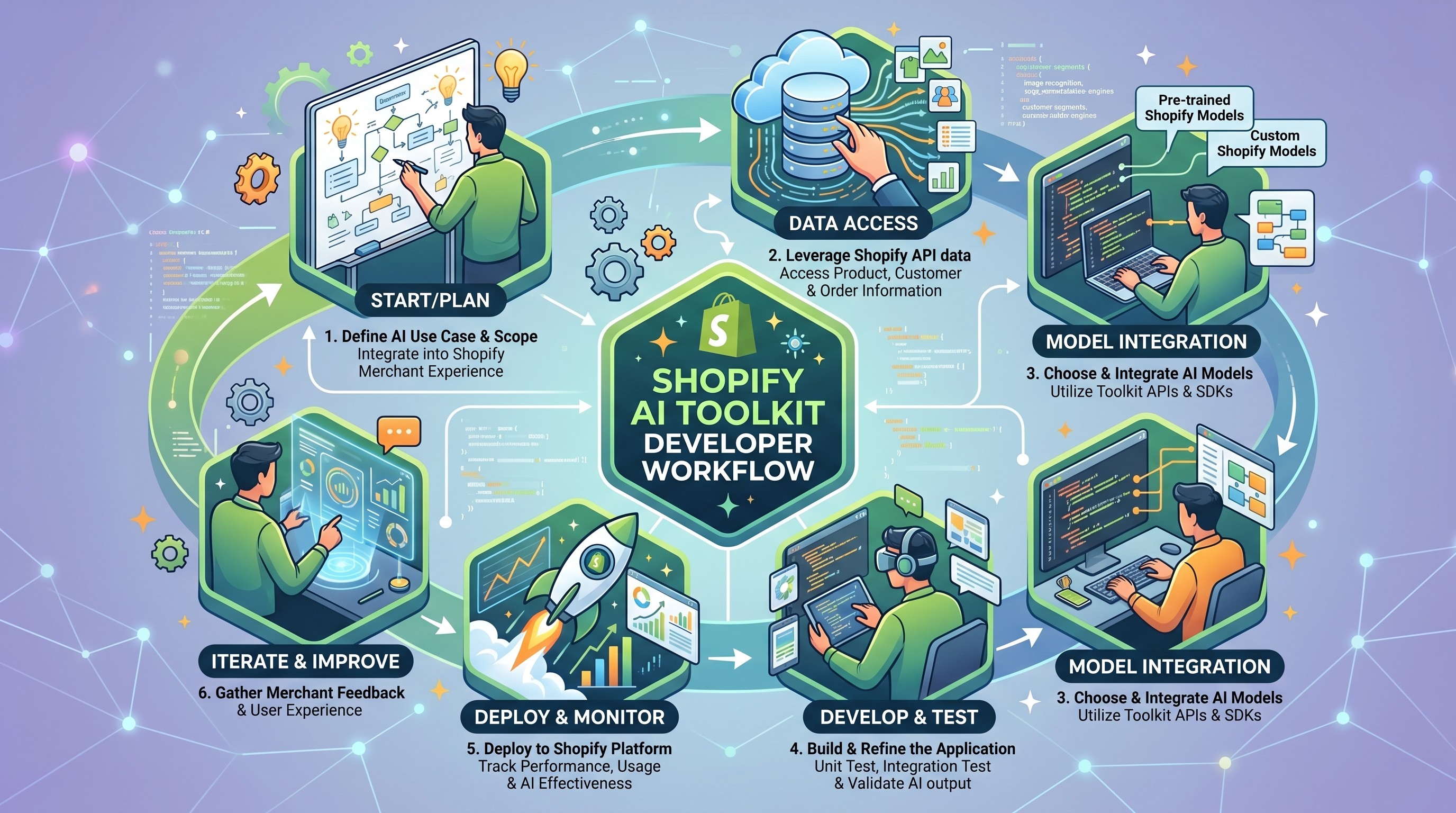
If you're on Claude Code, run the Shopify plugin install once and the Dev MCP server registers automatically. From then on, any conversation with Claude Code has doc search, schema introspection, and shopify store execute available as tool calls. No per-project configuration needed.
If you're on Cursor, add the Dev MCP server to your Cursor MCP config file. The setup is a five-line JSON block. Cursor picks up the tools on the next restart.
If you're on Gemini CLI, the integration is a skill install from the Shopify GitHub skills repository.
Agent skills (separate from the plugin) are markdown files you drop into your repo's .agent/skills/ directory. They're the right pattern if you want per-project customization — for example, a skill file that tells the AI about your store's naming conventions, your testing approach, and your deploy pipeline, so generated code conforms to your standards automatically.
The productivity lift is real but bounded. In teams that have deployed it seriously, we've seen app development velocity increase on tasks the AI is genuinely good at: boilerplate GraphQL queries, webhook handler scaffolding, Polaris component layouts, CLI workflow automation. It does not meaningfully accelerate architectural decisions, cross-system debugging, or performance optimization, because those tasks need context the Dev MCP doesn't expose.
Enabling Agent Shopping on Your Own Store
For most Shopify stores, the Storefront MCP endpoint is live by default. You can test it in 30 seconds:
curl -X POST https://YOUR-STORE.myshopify.com/api/mcp \
  -H "Content-Type: application/json" \
  -d '{
    "jsonrpc": "2.0",
    "method": "tools/list",
    "id": 1
  }'
curl -X POST https://YOUR-STORE.myshopify.com/api/mcp \
  -H "Content-Type: application/json" \
  -d '{
    "jsonrpc": "2.0",
    "method": "tools/list",
    "id": 1
  }'
If you get a tool list back, your store is agent-addressable. If you want to build a branded agent on top of it — a "shopping assistant" chat widget on your storefront — Shopify's Shop Chat Agent template is the fastest path. It's a starter repo with an embedded chat UI, an MCP client, streaming response handling, and swap-in support for Claude, GPT, or Gemini as the LLM.
The realistic 90-day rollout for a merchant who wants to ship their own agent:
Week 1-2: Clone the Shop Chat Agent template, customize the prompts and UI to match your brand, swap in the LLM you prefer.
Week 3-4: Deploy to a test theme, run internal QA against the cart, catalog, and order status flows.
Week 5-8: Soft launch to a small customer segment, measure containment rate (percent of support inquiries resolved by the agent without human escalation).
Week 9-13: Refine prompts based on transcripts, add brand-specific policies and product knowledge, roll out to full traffic.
The biggest unforced error we see is skipping week 3-4. Internal QA catches things that customer-facing launches expose publicly: agents confidently recommending products you don't actually carry, mishandling sale pricing, returning wrong shipping estimates.
Where Post-Purchase Infrastructure Fits in an Agentic Stack
Agents handle discovery and checkout well. They handle post-purchase poorly unless the merchant has post-purchase infrastructure that's ready to be agent-callable.
Order editing, address changes, exchanges, and post-checkout discount additions are the work an agent needs to do once a shopper asks "can you change my order?" The Customer Accounts MCP gives agents read access to orders; the write-side — the actual edit — still has to run somewhere. On most stores today it runs through support tickets and Shopify admin edits. That's the gap every merchant will have to close as agents become the primary CX surface.
Revize is the post-purchase edit layer built for exactly this — address changes, variant swaps, add-ons, cancellations, discount add-backs — and we're actively working on the agent-addressable edit endpoints so that when agents start calling, the underlying workflows are already in place. Revize is on the Shopify App Store if you're thinking about where post-purchase sits in your agent strategy.
Frequently Asked Questions
What is the Shopify AI Toolkit in one sentence?
The Shopify AI Toolkit is a three-layer bundle: a Dev MCP server for AI coding assistants, four UCP-compliant MCP servers (Storefront, Catalog, Customer Accounts, Dev) for AI shopping agents, and the Universal Commerce Protocol spec that ties them together.
Is the Shopify AI Toolkit free?
Yes. The Dev MCP server runs locally with no authentication and no cost. Storefront MCP endpoints are exposed on every store with no added fee. Catalog MCP requires a free Dev Dashboard account for the JWT credentials. Customer Accounts MCP uses existing Shopify customer authentication.
Does my store need to be on Shopify Plus to use MCP?
No. The Storefront MCP endpoint is live on every Shopify store by default, across all plans. Catalog MCP works for any merchant whose products meet Shopify's eligibility criteria regardless of plan. Only certain advanced agentic commerce features (saved catalogs, custom access scopes) require Plus.
What is the difference between Storefront MCP and Catalog MCP?
Storefront MCP is scoped to one merchant's store and requires no authentication — agents use it when the shopper has already chosen which store to shop from. Catalog MCP is cross-merchant, requires JWT authentication, and is used by agents when the shopper is searching across all Shopify stores.
What is the Universal Commerce Protocol?
UCP is Shopify's open specification for how AI agents, merchants, payment service providers, and credential providers communicate across a commerce transaction. It defines Discovery, Checkout, and Orders as its three core capabilities, and it's designed to be implementable by non-Shopify platforms too.
Will ChatGPT, Claude, and Gemini all use Shopify's MCP servers?
They already do, via their respective agent and shopping modes. Agents built on Anthropic's MCP standard can connect to Shopify's MCP servers natively. OpenAI's agent SDK supports MCP directly. Google's Gemini has a bridging pattern documented in Shopify's developer docs.
Does enabling agent shopping hurt my conversion rate?
Early data suggests no, and often the reverse. Agent-driven traffic tends to arrive with higher intent (the shopper already asked the agent what they want), and the Storefront MCP update_cart tool delivers a filled cart directly rather than requiring the shopper to browse. Where we've seen conversion drop is when the agent is poorly prompted and recommends products the store doesn't carry, which sends the shopper elsewhere.
How does the AI Toolkit handle customer data privacy?
Dev MCP runs locally on the developer's machine and doesn't transmit store data externally by default. Storefront MCP calls run server-to-server with no inherent PII exposure. Customer Accounts MCP requires explicit OAuth consent from the customer before an agent accesses their order history or account data. All four layers are subject to Shopify's API license and data processing agreements.
Can a competitor's agent transact on my store through MCP?
Yes — and this is the intended design. Any UCP-compliant agent can search your catalog and create checkouts through the Storefront MCP endpoint. If you want to restrict who can transact, the controls are the same ones you already use: rate limiting, IP blocking, and Shopify's merchant-level access restrictions for Catalog MCP. For most merchants, opening the storefront to more agents is net positive for revenue.
Do I need to do anything for my store to appear in agent search results?
You need clean product data. Agents surface products based on title quality, description relevance, tech spec completeness, and inventory signals — the same fields that drive SEO, scored by a model. Merchants with sparse product pages get deranked in agent discovery. This is the single highest-ROI lever for improving agent performance.
What's the relationship between the AI Toolkit and Shopify Functions?
Different layers, no overlap. Shopify Functions run custom checkout and cart logic on the merchant's behalf during checkout. The AI Toolkit lets agents interact with the storefront from the outside. An agent that hits Storefront MCP update_cart will trigger whatever Functions are configured on the store just like any other cart update. We cover Functions migration in depth here.
How do I debug what an agent is doing on my store?
Storefront MCP requests are logged like any other Storefront API call and appear in the store's API request logs in the admin. You can also build instrumentation into your branded agent — the Shop Chat Agent template includes a conversation log hook that writes every user message, tool call, and tool response to a backend of your choice. For third-party agents, you only see the outbound API calls, not the upstream agent conversation.
Related Articles
Universal Commerce Protocol (UCP): Shopify Developer Guide — the deeper spec walkthrough referenced above.
How to Sell on ChatGPT with Shopify Agentic Storefronts — channel-specific optimization for the largest consumer agent.
Shopify Functions Migration Tutorial (2026 Edition) — the other major 2026 migration, complementary infrastructure to this one.
Advanced Shopify Flow Workflows for 2025 — where in-admin automation still beats agent orchestration, and where it doesn't.
Updated August 2026. Revize is a Shopify app for customer self-serve post-purchase order editing, letting shoppers change the shipping address, swap a variant or product, cancel, and get a refund or store credit before fulfillment, without a support ticket. Learn more about letting customers edit their own Shopify orders, or find Revize on the Shopify App Store.
not needed since no tags present. Here's the rewritten paragraph: The Shopify AI Toolkit isn't one thing. It's a stack. And that's the single most misunderstood fact about it, merchants keep asking whether they should "turn it on," developers keep asking which endpoint it lives at, and both are looking for the wrong answer. The AI Toolkit is actually three separate infrastructure layers Shopify shipped over the last six months, bundled under a single marketing umbrella: a developer toolchain for building Shopify apps with AI coding assistants, a set of MCP servers for letting AI shopping agents transact on Shopify stores, and an open protocol called UCP that lets agents, merchants, payment processors, and credential providers talk to each other in a standard way. That last layer matters more than it sounds: across 10 million+ Shopify orders, about 1 in 19 (5.2%) is edited after checkout (Revize, 2026), so any agent transacting on a merchant's behalf eventually runs into a change or cancellation it wasn't built to handle.
If you run a Shopify Plus store with over ten thousand orders a month, you care about this because your store is going to become agent-addressable whether you plan for it or not. If you're a CX-focused Advanced merchant obsessed with conversion quality, you care because the next wave of "shopping assistants" will either send qualified buyers your way or route them past you. And if you build Shopify apps — either for your own store or for the App Store — the dev side of the Toolkit cuts development time for typical admin workflows by 40-60% in the teams that have adopted it. This guide walks every layer, what it does, and where merchants should pay attention in 2026.
What Is the Shopify AI Toolkit?
The Shopify AI Toolkit is a developer-facing integration that connects AI coding assistants — Claude Code, Cursor, Gemini CLI, Codex, and VS Code — directly to Shopify's documentation, API schemas, and a local CLI-backed "store execute" capability. It ships as a plugin (recommended, auto-updating), a set of agent skills you can install manually, and a local Dev MCP server that runs on the developer's machine without authentication.
What it replaces: the old .dev Assistant VS Code extension, which was deprecated on March 3, 2025. What it's built on: the Model Context Protocol (MCP), the same open standard Anthropic shipped in late 2024 and that every major AI coding tool now supports.
In practical terms, here's what the Dev MCP side of the Toolkit lets a developer do without leaving their AI-assisted editor:
Search live Shopify.dev docs with query relevance that matches current API version, not whatever was indexed by a general web crawler three months ago.
Introspect GraphQL Admin API schemas, so the AI assistant writes queries with correct field names and types instead of hallucinating fields that don't exist.
Validate generated GraphQL code and component code against the real schema before the developer even runs it.
Execute validated Admin operations against a specific store through
shopify store authandshopify store execute, turning "show me the first ten products" into an actual result from the developer's own store.
That last capability is the one that changes day-to-day development most. It collapses "write query → switch to admin → run it → check results → come back → iterate" into a single in-editor round trip.
But this is only one of the three layers. The confusion starts when people stop here.
The Three MCP Servers Every Merchant Should Know
Beyond the Dev MCP, Shopify ships three more MCP servers, and these are the ones that matter for merchants — because they define how AI shopping agents interact with your storefront, your catalog, and your customers' orders.
1. Storefront MCP — one merchant, one agent
The Storefront MCP server is the endpoint every single Shopify store exposes for agents to interact with that specific store. No authentication required. The endpoint pattern is https://{shop}.myshopify.com/api/mcp and it accepts JSON-RPC calls like this:
const mcpEndpoint = `https://your-store.myshopify.com/api/mcp`;

fetch(mcpEndpoint, {
  method: 'POST',
  headers: { 'Content-Type': 'application/json' },
  body: JSON.stringify({
    jsonrpc: '2.0',
    method: 'tools/call',
    id: 1,
    params: {
      name: 'search_shop_catalog',
      arguments: {
        query: 'organic coffee beans',
        context: 'customer preference for fair-trade single-origin'
      }
    }
  })
});
The tools Storefront MCP exposes include search_shop_catalog (find products by natural-language query), search_shop_policies_and_faqs (answer customer questions about shipping, returns, etc.), update_cart (add, remove, update quantities), get_order_status, and get_most_recent_order_status. That last one matters: an AI agent built against Storefront MCP can check a returning customer's order status, flag delays, and initiate returns — the kind of CX work a human support agent does.
2. Catalog MCP — one agent, every Shopify merchant
Catalog MCP is the opposite end. It's the global search layer that lets an agent query across all eligible Shopify merchants in a single call. Unlike Storefront MCP, it requires authentication (JWT tokens from the Dev Dashboard, 60-minute TTL, issued via client credentials). This is the server agents like ChatGPT's shopping mode, Perplexity's commerce layer, and Claude's agent integrations query when a user asks "find me running shoes under $120 that ship to Canada" — they hit Catalog MCP, not any individual store.
Its two main tools are search_global_products (cross-merchant search with price, shipping, and product-option filters) and get_global_product_details (Universal Product ID lookup that returns the full option matrix across all merchants selling that SKU). Results cluster by Universal Product ID (UPID) so duplicate SKUs across multiple stores don't flood the agent with redundant results.
3. Customer Accounts MCP — agents that remember
The Customer Accounts MCP layer is the one most likely to reshape post-purchase. It gives an authenticated agent read access to a customer's order history, address book, and account state across the merchants where that customer has an account. Concretely: a shopper's personal agent can answer "when's my headphones order arriving?" by calling the Customer Accounts MCP, and it can trigger a return without the customer typing their order number into a support form.
For high-volume operators, this collapses a huge percentage of Tier-1 support into an agent-handled flow. For CX-obsessed merchants, this is either a wedge or a threat depending on whether the agent serving the customer is yours, Shopify's, or a third party's. Most of the early deployments are a hybrid: the merchant's own branded agent calls Customer Accounts MCP on behalf of its authenticated customers.
Server | Who calls it | Auth | Primary use |
|---|---|---|---|
Dev MCP | Developers via AI coding tools | None (local) | Search docs, introspect schemas, execute store operations |
Storefront MCP | Agents (branded or third-party) | None | Single-store search, cart ops, policy Q&A, order status |
Catalog MCP | Agents (third-party mostly) | JWT (Dev Dashboard) | Cross-merchant product search and lookup |
Customer Accounts MCP | Authenticated agents | OAuth via Shopify accounts | Order history, account info, post-purchase actions |
Universal Commerce Protocol (UCP): The Layer Under the Layers
All four MCP servers are UCP-compliant. That acronym matters. The Universal Commerce Protocol is the open standard Shopify published that defines how four types of actors — platforms (agents and applications), merchants, credential providers, and payment service providers — communicate consistently across the web for commerce transactions.
UCP isn't a Shopify-only thing; the spec is published, third-party implementations are encouraged, and the goal is explicitly an interoperable layer where an agent built by OpenAI can complete a checkout on Shopify, on BigCommerce, on a custom platform, without writing a new integration for each.
The three core capabilities UCP defines:
Discovery — search across merchants, retrieve product details, help buyers find what they want. Shopify implements this via Catalog MCP and Storefront MCP.
Checkout — create checkout sessions, collect buyer info, attach payment, complete the transaction. Shopify implements this via a combination of Storefront MCP cart tools and the separate Checkout Kit (which supports both embedded and browser-based checkouts).
Orders — track confirmed transactions, fulfillment events, refunds, returns. Shopify implements this via Customer Accounts MCP and existing Admin APIs.
The practical implication for merchants: if you're on Shopify and you've enabled the Storefront MCP (which is on by default for most stores), your store is already discoverable to agents built on UCP. You don't need to "integrate with ChatGPT" or "integrate with Claude" — you integrate with UCP, and every UCP-compliant agent gets access. This is the same pattern SEO solved for organic search in 1999: one standard, many consumers. We broke down UCP in detail in a dedicated guide if you want the deeper specification walkthrough.
What Changes for Merchants in the Next 18 Months
Three concrete shifts, in decreasing order of certainty:
1. Agent-sourced traffic becomes a real channel, not a novelty. We're already seeing 3-8% of sessions on stores with high visibility in ChatGPT-sourced shopping arriving via agent referrals. By Q4 2026, most consumer-facing AI assistants will have commerce integrations. The how to sell on ChatGPT guide covers the tactical optimization for this channel specifically.
2. Post-purchase shifts from self-serve to agent-served. Order status lookups, return initiations, address changes, discount add-backs — all the Tier-1 work Revize and other post-purchase apps handle today — get wrapped in an agent conversation. The tool calls still happen against the same APIs, but the user interface moves from web forms to natural-language chat. Merchants who haven't solved the underlying workflows still won't be agent-ready; agents don't fix broken post-purchase, they expose it.
3. Product data quality becomes compounding ROI. In UCP, product details are what the agent uses to decide whether to surface your product to the buyer. Title, description, tech specs, materials, option combinations, inventory signals — every field is now evaluated by a model, not only by a human. Merchants with clean, structured product data out-rank merchants with sparse data in agent discovery the same way they out-rank in search. The difference is agents can't scroll past thin content the way humans do — thin data just gets deranked.
Using the AI Toolkit as a Developer or Agency
The setup flow for the developer side of the Toolkit is the simplest part of this whole thing.
If you're on Claude Code, run the Shopify plugin install once and the Dev MCP server registers automatically. From then on, any conversation with Claude Code has doc search, schema introspection, and shopify store execute available as tool calls. No per-project configuration needed.
If you're on Cursor, add the Dev MCP server to your Cursor MCP config file. The setup is a five-line JSON block. Cursor picks up the tools on the next restart.
If you're on Gemini CLI, the integration is a skill install from the Shopify GitHub skills repository.
Agent skills (separate from the plugin) are markdown files you drop into your repo's .agent/skills/ directory. They're the right pattern if you want per-project customization — for example, a skill file that tells the AI about your store's naming conventions, your testing approach, and your deploy pipeline, so generated code conforms to your standards automatically.
The productivity lift is real but bounded. In teams that have deployed it seriously, we've seen app development velocity increase on tasks the AI is genuinely good at: boilerplate GraphQL queries, webhook handler scaffolding, Polaris component layouts, CLI workflow automation. It does not meaningfully accelerate architectural decisions, cross-system debugging, or performance optimization, because those tasks need context the Dev MCP doesn't expose.
Enabling Agent Shopping on Your Own Store
For most Shopify stores, the Storefront MCP endpoint is live by default. You can test it in 30 seconds:
curl -X POST https://YOUR-STORE.myshopify.com/api/mcp \
  -H "Content-Type: application/json" \
  -d '{
    "jsonrpc": "2.0",
    "method": "tools/list",
    "id": 1
  }'
If you get a tool list back, your store is agent-addressable. If you want to build a branded agent on top of it — a "shopping assistant" chat widget on your storefront — Shopify's Shop Chat Agent template is the fastest path. It's a starter repo with an embedded chat UI, an MCP client, streaming response handling, and swap-in support for Claude, GPT, or Gemini as the LLM.
The realistic 90-day rollout for a merchant who wants to ship their own agent:
Week 1-2: Clone the Shop Chat Agent template, customize the prompts and UI to match your brand, swap in the LLM you prefer.
Week 3-4: Deploy to a test theme, run internal QA against the cart, catalog, and order status flows.
Week 5-8: Soft launch to a small customer segment, measure containment rate (percent of support inquiries resolved by the agent without human escalation).
Week 9-13: Refine prompts based on transcripts, add brand-specific policies and product knowledge, roll out to full traffic.
The biggest unforced error we see is skipping week 3-4. Internal QA catches things that customer-facing launches expose publicly: agents confidently recommending products you don't actually carry, mishandling sale pricing, returning wrong shipping estimates.
Where Post-Purchase Infrastructure Fits in an Agentic Stack
Agents handle discovery and checkout well. They handle post-purchase poorly unless the merchant has post-purchase infrastructure that's ready to be agent-callable.
Order editing, address changes, exchanges, and post-checkout discount additions are the work an agent needs to do once a shopper asks "can you change my order?" The Customer Accounts MCP gives agents read access to orders; the write-side — the actual edit — still has to run somewhere. On most stores today it runs through support tickets and Shopify admin edits. That's the gap every merchant will have to close as agents become the primary CX surface.
Revize is the post-purchase edit layer built for exactly this — address changes, variant swaps, add-ons, cancellations, discount add-backs — and we're actively working on the agent-addressable edit endpoints so that when agents start calling, the underlying workflows are already in place. Revize is on the Shopify App Store if you're thinking about where post-purchase sits in your agent strategy.
Frequently Asked Questions
What is the Shopify AI Toolkit in one sentence?
The Shopify AI Toolkit is a three-layer bundle: a Dev MCP server for AI coding assistants, four UCP-compliant MCP servers (Storefront, Catalog, Customer Accounts, Dev) for AI shopping agents, and the Universal Commerce Protocol spec that ties them together.
Is the Shopify AI Toolkit free?
Yes. The Dev MCP server runs locally with no authentication and no cost. Storefront MCP endpoints are exposed on every store with no added fee. Catalog MCP requires a free Dev Dashboard account for the JWT credentials. Customer Accounts MCP uses existing Shopify customer authentication.
Does my store need to be on Shopify Plus to use MCP?
No. The Storefront MCP endpoint is live on every Shopify store by default, across all plans. Catalog MCP works for any merchant whose products meet Shopify's eligibility criteria regardless of plan. Only certain advanced agentic commerce features (saved catalogs, custom access scopes) require Plus.
What is the difference between Storefront MCP and Catalog MCP?
Storefront MCP is scoped to one merchant's store and requires no authentication — agents use it when the shopper has already chosen which store to shop from. Catalog MCP is cross-merchant, requires JWT authentication, and is used by agents when the shopper is searching across all Shopify stores.
What is the Universal Commerce Protocol?
UCP is Shopify's open specification for how AI agents, merchants, payment service providers, and credential providers communicate across a commerce transaction. It defines Discovery, Checkout, and Orders as its three core capabilities, and it's designed to be implementable by non-Shopify platforms too.
Will ChatGPT, Claude, and Gemini all use Shopify's MCP servers?
They already do, via their respective agent and shopping modes. Agents built on Anthropic's MCP standard can connect to Shopify's MCP servers natively. OpenAI's agent SDK supports MCP directly. Google's Gemini has a bridging pattern documented in Shopify's developer docs.
Does enabling agent shopping hurt my conversion rate?
Early data suggests no, and often the reverse. Agent-driven traffic tends to arrive with higher intent (the shopper already asked the agent what they want), and the Storefront MCP update_cart tool delivers a filled cart directly rather than requiring the shopper to browse. Where we've seen conversion drop is when the agent is poorly prompted and recommends products the store doesn't carry, which sends the shopper elsewhere.
How does the AI Toolkit handle customer data privacy?
Dev MCP runs locally on the developer's machine and doesn't transmit store data externally by default. Storefront MCP calls run server-to-server with no inherent PII exposure. Customer Accounts MCP requires explicit OAuth consent from the customer before an agent accesses their order history or account data. All four layers are subject to Shopify's API license and data processing agreements.
Can a competitor's agent transact on my store through MCP?
Yes — and this is the intended design. Any UCP-compliant agent can search your catalog and create checkouts through the Storefront MCP endpoint. If you want to restrict who can transact, the controls are the same ones you already use: rate limiting, IP blocking, and Shopify's merchant-level access restrictions for Catalog MCP. For most merchants, opening the storefront to more agents is net positive for revenue.
Do I need to do anything for my store to appear in agent search results?
You need clean product data. Agents surface products based on title quality, description relevance, tech spec completeness, and inventory signals — the same fields that drive SEO, scored by a model. Merchants with sparse product pages get deranked in agent discovery. This is the single highest-ROI lever for improving agent performance.
What's the relationship between the AI Toolkit and Shopify Functions?
Different layers, no overlap. Shopify Functions run custom checkout and cart logic on the merchant's behalf during checkout. The AI Toolkit lets agents interact with the storefront from the outside. An agent that hits Storefront MCP update_cart will trigger whatever Functions are configured on the store just like any other cart update. We cover Functions migration in depth here.
How do I debug what an agent is doing on my store?
Storefront MCP requests are logged like any other Storefront API call and appear in the store's API request logs in the admin. You can also build instrumentation into your branded agent — the Shop Chat Agent template includes a conversation log hook that writes every user message, tool call, and tool response to a backend of your choice. For third-party agents, you only see the outbound API calls, not the upstream agent conversation.
Related Articles
Universal Commerce Protocol (UCP): Shopify Developer Guide — the deeper spec walkthrough referenced above.
How to Sell on ChatGPT with Shopify Agentic Storefronts — channel-specific optimization for the largest consumer agent.
Shopify Functions Migration Tutorial (2026 Edition) — the other major 2026 migration, complementary infrastructure to this one.
Advanced Shopify Flow Workflows for 2025 — where in-admin automation still beats agent orchestration, and where it doesn't.
Updated August 2026. Revize is a Shopify app for customer self-serve post-purchase order editing, letting shoppers change the shipping address, swap a variant or product, cancel, and get a refund or store credit before fulfillment, without a support ticket. Learn more about letting customers edit their own Shopify orders, or find Revize on the Shopify App Store.
not needed since no tags present. Here's the rewritten paragraph: The Shopify AI Toolkit isn't one thing. It's a stack. And that's the single most misunderstood fact about it, merchants keep asking whether they should "turn it on," developers keep asking which endpoint it lives at, and both are looking for the wrong answer. The AI Toolkit is actually three separate infrastructure layers Shopify shipped over the last six months, bundled under a single marketing umbrella: a developer toolchain for building Shopify apps with AI coding assistants, a set of MCP servers for letting AI shopping agents transact on Shopify stores, and an open protocol called UCP that lets agents, merchants, payment processors, and credential providers talk to each other in a standard way. That last layer matters more than it sounds: across 10 million+ Shopify orders, about 1 in 19 (5.2%) is edited after checkout (Revize, 2026), so any agent transacting on a merchant's behalf eventually runs into a change or cancellation it wasn't built to handle.
If you run a Shopify Plus store with over ten thousand orders a month, you care about this because your store is going to become agent-addressable whether you plan for it or not. If you're a CX-focused Advanced merchant obsessed with conversion quality, you care because the next wave of "shopping assistants" will either send qualified buyers your way or route them past you. And if you build Shopify apps — either for your own store or for the App Store — the dev side of the Toolkit cuts development time for typical admin workflows by 40-60% in the teams that have adopted it. This guide walks every layer, what it does, and where merchants should pay attention in 2026.
What Is the Shopify AI Toolkit?
The Shopify AI Toolkit is a developer-facing integration that connects AI coding assistants — Claude Code, Cursor, Gemini CLI, Codex, and VS Code — directly to Shopify's documentation, API schemas, and a local CLI-backed "store execute" capability. It ships as a plugin (recommended, auto-updating), a set of agent skills you can install manually, and a local Dev MCP server that runs on the developer's machine without authentication.
What it replaces: the old .dev Assistant VS Code extension, which was deprecated on March 3, 2025. What it's built on: the Model Context Protocol (MCP), the same open standard Anthropic shipped in late 2024 and that every major AI coding tool now supports.
In practical terms, here's what the Dev MCP side of the Toolkit lets a developer do without leaving their AI-assisted editor:
Search live Shopify.dev docs with query relevance that matches current API version, not whatever was indexed by a general web crawler three months ago.
Introspect GraphQL Admin API schemas, so the AI assistant writes queries with correct field names and types instead of hallucinating fields that don't exist.
Validate generated GraphQL code and component code against the real schema before the developer even runs it.
Execute validated Admin operations against a specific store through
shopify store authandshopify store execute, turning "show me the first ten products" into an actual result from the developer's own store.
That last capability is the one that changes day-to-day development most. It collapses "write query → switch to admin → run it → check results → come back → iterate" into a single in-editor round trip.
But this is only one of the three layers. The confusion starts when people stop here.
The Three MCP Servers Every Merchant Should Know
Beyond the Dev MCP, Shopify ships three more MCP servers, and these are the ones that matter for merchants — because they define how AI shopping agents interact with your storefront, your catalog, and your customers' orders.
1. Storefront MCP — one merchant, one agent
The Storefront MCP server is the endpoint every single Shopify store exposes for agents to interact with that specific store. No authentication required. The endpoint pattern is https://{shop}.myshopify.com/api/mcp and it accepts JSON-RPC calls like this:
const mcpEndpoint = `https://your-store.myshopify.com/api/mcp`;

fetch(mcpEndpoint, {
  method: 'POST',
  headers: { 'Content-Type': 'application/json' },
  body: JSON.stringify({
    jsonrpc: '2.0',
    method: 'tools/call',
    id: 1,
    params: {
      name: 'search_shop_catalog',
      arguments: {
        query: 'organic coffee beans',
        context: 'customer preference for fair-trade single-origin'
      }
    }
  })
});
The tools Storefront MCP exposes include search_shop_catalog (find products by natural-language query), search_shop_policies_and_faqs (answer customer questions about shipping, returns, etc.), update_cart (add, remove, update quantities), get_order_status, and get_most_recent_order_status. That last one matters: an AI agent built against Storefront MCP can check a returning customer's order status, flag delays, and initiate returns — the kind of CX work a human support agent does.
2. Catalog MCP — one agent, every Shopify merchant
Catalog MCP is the opposite end. It's the global search layer that lets an agent query across all eligible Shopify merchants in a single call. Unlike Storefront MCP, it requires authentication (JWT tokens from the Dev Dashboard, 60-minute TTL, issued via client credentials). This is the server agents like ChatGPT's shopping mode, Perplexity's commerce layer, and Claude's agent integrations query when a user asks "find me running shoes under $120 that ship to Canada" — they hit Catalog MCP, not any individual store.
Its two main tools are search_global_products (cross-merchant search with price, shipping, and product-option filters) and get_global_product_details (Universal Product ID lookup that returns the full option matrix across all merchants selling that SKU). Results cluster by Universal Product ID (UPID) so duplicate SKUs across multiple stores don't flood the agent with redundant results.
3. Customer Accounts MCP — agents that remember
The Customer Accounts MCP layer is the one most likely to reshape post-purchase. It gives an authenticated agent read access to a customer's order history, address book, and account state across the merchants where that customer has an account. Concretely: a shopper's personal agent can answer "when's my headphones order arriving?" by calling the Customer Accounts MCP, and it can trigger a return without the customer typing their order number into a support form.
For high-volume operators, this collapses a huge percentage of Tier-1 support into an agent-handled flow. For CX-obsessed merchants, this is either a wedge or a threat depending on whether the agent serving the customer is yours, Shopify's, or a third party's. Most of the early deployments are a hybrid: the merchant's own branded agent calls Customer Accounts MCP on behalf of its authenticated customers.
Server | Who calls it | Auth | Primary use |
|---|---|---|---|
Dev MCP | Developers via AI coding tools | None (local) | Search docs, introspect schemas, execute store operations |
Storefront MCP | Agents (branded or third-party) | None | Single-store search, cart ops, policy Q&A, order status |
Catalog MCP | Agents (third-party mostly) | JWT (Dev Dashboard) | Cross-merchant product search and lookup |
Customer Accounts MCP | Authenticated agents | OAuth via Shopify accounts | Order history, account info, post-purchase actions |
Universal Commerce Protocol (UCP): The Layer Under the Layers
All four MCP servers are UCP-compliant. That acronym matters. The Universal Commerce Protocol is the open standard Shopify published that defines how four types of actors — platforms (agents and applications), merchants, credential providers, and payment service providers — communicate consistently across the web for commerce transactions.
UCP isn't a Shopify-only thing; the spec is published, third-party implementations are encouraged, and the goal is explicitly an interoperable layer where an agent built by OpenAI can complete a checkout on Shopify, on BigCommerce, on a custom platform, without writing a new integration for each.
The three core capabilities UCP defines:
Discovery — search across merchants, retrieve product details, help buyers find what they want. Shopify implements this via Catalog MCP and Storefront MCP.
Checkout — create checkout sessions, collect buyer info, attach payment, complete the transaction. Shopify implements this via a combination of Storefront MCP cart tools and the separate Checkout Kit (which supports both embedded and browser-based checkouts).
Orders — track confirmed transactions, fulfillment events, refunds, returns. Shopify implements this via Customer Accounts MCP and existing Admin APIs.
The practical implication for merchants: if you're on Shopify and you've enabled the Storefront MCP (which is on by default for most stores), your store is already discoverable to agents built on UCP. You don't need to "integrate with ChatGPT" or "integrate with Claude" — you integrate with UCP, and every UCP-compliant agent gets access. This is the same pattern SEO solved for organic search in 1999: one standard, many consumers. We broke down UCP in detail in a dedicated guide if you want the deeper specification walkthrough.
What Changes for Merchants in the Next 18 Months
Three concrete shifts, in decreasing order of certainty:
1. Agent-sourced traffic becomes a real channel, not a novelty. We're already seeing 3-8% of sessions on stores with high visibility in ChatGPT-sourced shopping arriving via agent referrals. By Q4 2026, most consumer-facing AI assistants will have commerce integrations. The how to sell on ChatGPT guide covers the tactical optimization for this channel specifically.
2. Post-purchase shifts from self-serve to agent-served. Order status lookups, return initiations, address changes, discount add-backs — all the Tier-1 work Revize and other post-purchase apps handle today — get wrapped in an agent conversation. The tool calls still happen against the same APIs, but the user interface moves from web forms to natural-language chat. Merchants who haven't solved the underlying workflows still won't be agent-ready; agents don't fix broken post-purchase, they expose it.
3. Product data quality becomes compounding ROI. In UCP, product details are what the agent uses to decide whether to surface your product to the buyer. Title, description, tech specs, materials, option combinations, inventory signals — every field is now evaluated by a model, not only by a human. Merchants with clean, structured product data out-rank merchants with sparse data in agent discovery the same way they out-rank in search. The difference is agents can't scroll past thin content the way humans do — thin data just gets deranked.
Using the AI Toolkit as a Developer or Agency
The setup flow for the developer side of the Toolkit is the simplest part of this whole thing.
If you're on Claude Code, run the Shopify plugin install once and the Dev MCP server registers automatically. From then on, any conversation with Claude Code has doc search, schema introspection, and shopify store execute available as tool calls. No per-project configuration needed.
If you're on Cursor, add the Dev MCP server to your Cursor MCP config file. The setup is a five-line JSON block. Cursor picks up the tools on the next restart.
If you're on Gemini CLI, the integration is a skill install from the Shopify GitHub skills repository.
Agent skills (separate from the plugin) are markdown files you drop into your repo's .agent/skills/ directory. They're the right pattern if you want per-project customization — for example, a skill file that tells the AI about your store's naming conventions, your testing approach, and your deploy pipeline, so generated code conforms to your standards automatically.
The productivity lift is real but bounded. In teams that have deployed it seriously, we've seen app development velocity increase on tasks the AI is genuinely good at: boilerplate GraphQL queries, webhook handler scaffolding, Polaris component layouts, CLI workflow automation. It does not meaningfully accelerate architectural decisions, cross-system debugging, or performance optimization, because those tasks need context the Dev MCP doesn't expose.
Enabling Agent Shopping on Your Own Store
For most Shopify stores, the Storefront MCP endpoint is live by default. You can test it in 30 seconds:
curl -X POST https://YOUR-STORE.myshopify.com/api/mcp \
  -H "Content-Type: application/json" \
  -d '{
    "jsonrpc": "2.0",
    "method": "tools/list",
    "id": 1
  }'
If you get a tool list back, your store is agent-addressable. If you want to build a branded agent on top of it — a "shopping assistant" chat widget on your storefront — Shopify's Shop Chat Agent template is the fastest path. It's a starter repo with an embedded chat UI, an MCP client, streaming response handling, and swap-in support for Claude, GPT, or Gemini as the LLM.
The realistic 90-day rollout for a merchant who wants to ship their own agent:
Week 1-2: Clone the Shop Chat Agent template, customize the prompts and UI to match your brand, swap in the LLM you prefer.
Week 3-4: Deploy to a test theme, run internal QA against the cart, catalog, and order status flows.
Week 5-8: Soft launch to a small customer segment, measure containment rate (percent of support inquiries resolved by the agent without human escalation).
Week 9-13: Refine prompts based on transcripts, add brand-specific policies and product knowledge, roll out to full traffic.
The biggest unforced error we see is skipping week 3-4. Internal QA catches things that customer-facing launches expose publicly: agents confidently recommending products you don't actually carry, mishandling sale pricing, returning wrong shipping estimates.
Where Post-Purchase Infrastructure Fits in an Agentic Stack
Agents handle discovery and checkout well. They handle post-purchase poorly unless the merchant has post-purchase infrastructure that's ready to be agent-callable.
Order editing, address changes, exchanges, and post-checkout discount additions are the work an agent needs to do once a shopper asks "can you change my order?" The Customer Accounts MCP gives agents read access to orders; the write-side — the actual edit — still has to run somewhere. On most stores today it runs through support tickets and Shopify admin edits. That's the gap every merchant will have to close as agents become the primary CX surface.
Revize is the post-purchase edit layer built for exactly this — address changes, variant swaps, add-ons, cancellations, discount add-backs — and we're actively working on the agent-addressable edit endpoints so that when agents start calling, the underlying workflows are already in place. Revize is on the Shopify App Store if you're thinking about where post-purchase sits in your agent strategy.
Frequently Asked Questions
What is the Shopify AI Toolkit in one sentence?
The Shopify AI Toolkit is a three-layer bundle: a Dev MCP server for AI coding assistants, four UCP-compliant MCP servers (Storefront, Catalog, Customer Accounts, Dev) for AI shopping agents, and the Universal Commerce Protocol spec that ties them together.
Is the Shopify AI Toolkit free?
Yes. The Dev MCP server runs locally with no authentication and no cost. Storefront MCP endpoints are exposed on every store with no added fee. Catalog MCP requires a free Dev Dashboard account for the JWT credentials. Customer Accounts MCP uses existing Shopify customer authentication.
Does my store need to be on Shopify Plus to use MCP?
No. The Storefront MCP endpoint is live on every Shopify store by default, across all plans. Catalog MCP works for any merchant whose products meet Shopify's eligibility criteria regardless of plan. Only certain advanced agentic commerce features (saved catalogs, custom access scopes) require Plus.
What is the difference between Storefront MCP and Catalog MCP?
Storefront MCP is scoped to one merchant's store and requires no authentication — agents use it when the shopper has already chosen which store to shop from. Catalog MCP is cross-merchant, requires JWT authentication, and is used by agents when the shopper is searching across all Shopify stores.
What is the Universal Commerce Protocol?
UCP is Shopify's open specification for how AI agents, merchants, payment service providers, and credential providers communicate across a commerce transaction. It defines Discovery, Checkout, and Orders as its three core capabilities, and it's designed to be implementable by non-Shopify platforms too.
Will ChatGPT, Claude, and Gemini all use Shopify's MCP servers?
They already do, via their respective agent and shopping modes. Agents built on Anthropic's MCP standard can connect to Shopify's MCP servers natively. OpenAI's agent SDK supports MCP directly. Google's Gemini has a bridging pattern documented in Shopify's developer docs.
Does enabling agent shopping hurt my conversion rate?
Early data suggests no, and often the reverse. Agent-driven traffic tends to arrive with higher intent (the shopper already asked the agent what they want), and the Storefront MCP update_cart tool delivers a filled cart directly rather than requiring the shopper to browse. Where we've seen conversion drop is when the agent is poorly prompted and recommends products the store doesn't carry, which sends the shopper elsewhere.
How does the AI Toolkit handle customer data privacy?
Dev MCP runs locally on the developer's machine and doesn't transmit store data externally by default. Storefront MCP calls run server-to-server with no inherent PII exposure. Customer Accounts MCP requires explicit OAuth consent from the customer before an agent accesses their order history or account data. All four layers are subject to Shopify's API license and data processing agreements.
Can a competitor's agent transact on my store through MCP?
Yes — and this is the intended design. Any UCP-compliant agent can search your catalog and create checkouts through the Storefront MCP endpoint. If you want to restrict who can transact, the controls are the same ones you already use: rate limiting, IP blocking, and Shopify's merchant-level access restrictions for Catalog MCP. For most merchants, opening the storefront to more agents is net positive for revenue.
Do I need to do anything for my store to appear in agent search results?
You need clean product data. Agents surface products based on title quality, description relevance, tech spec completeness, and inventory signals — the same fields that drive SEO, scored by a model. Merchants with sparse product pages get deranked in agent discovery. This is the single highest-ROI lever for improving agent performance.
What's the relationship between the AI Toolkit and Shopify Functions?
Different layers, no overlap. Shopify Functions run custom checkout and cart logic on the merchant's behalf during checkout. The AI Toolkit lets agents interact with the storefront from the outside. An agent that hits Storefront MCP update_cart will trigger whatever Functions are configured on the store just like any other cart update. We cover Functions migration in depth here.
How do I debug what an agent is doing on my store?
Storefront MCP requests are logged like any other Storefront API call and appear in the store's API request logs in the admin. You can also build instrumentation into your branded agent — the Shop Chat Agent template includes a conversation log hook that writes every user message, tool call, and tool response to a backend of your choice. For third-party agents, you only see the outbound API calls, not the upstream agent conversation.
Related Articles
Universal Commerce Protocol (UCP): Shopify Developer Guide — the deeper spec walkthrough referenced above.
How to Sell on ChatGPT with Shopify Agentic Storefronts — channel-specific optimization for the largest consumer agent.
Shopify Functions Migration Tutorial (2026 Edition) — the other major 2026 migration, complementary infrastructure to this one.
Advanced Shopify Flow Workflows for 2025 — where in-admin automation still beats agent orchestration, and where it doesn't.
Updated August 2026. Revize is a Shopify app for customer self-serve post-purchase order editing, letting shoppers change the shipping address, swap a variant or product, cancel, and get a refund or store credit before fulfillment, without a support ticket. Learn more about letting customers edit their own Shopify orders, or find Revize on the Shopify App Store.

Revize your Shopify store. Lead with customer experience.

© Copyright 2026, All Rights Reserved
Revize your Shopify store. Lead with customer experience.
© Copyright 2026, All Rights Reserved
Revize your Shopify store. Lead with customer experience.
© Copyright 2026, All Rights Reserved
Revize your Shopify store. Lead with customer experience.
© Copyright 2026, All Rights Reserved