
Mar 25, 2026

How to Sell on ChatGPT With Shopify: Complete Agentic Storefronts Guide (2026)

How to Sell on ChatGPT With Shopify: Complete Agentic Storefronts Guide (2026)

How to Sell on ChatGPT With Shopify: Complete Agentic Storefronts Guide (2026)

Purple title graphic reading “How to Sell on ChatGPT With Shopify: Complete Agentic Storefronts Guide (2026)” with faint ecommerce icons in the background.

Shopify merchants can now sell their products inside ChatGPT. As of March 24, 2026, every eligible Shopify store is automatically discoverable by ChatGPT's 880 million monthly active users through a feature called Agentic Storefronts. No app to install. No opt-in required. Your products are already there.

This is not a small update. Revize works within the Shopify post-purchase ecosystem, and this changes the front end of commerce entirely — how customers find products, how they buy, and what the post-purchase experience looks like when someone's first interaction with your brand happens inside an AI chat.

AI-driven traffic to Shopify stores has increased 7x since January 2025. AI-attributed orders are up 11x over the same period. And that was before this launch.

This guide covers everything: what Agentic Storefronts are, how they work, how to set them up, what each AI channel costs, how to optimize your product data so AI actually recommends you, and what happens after someone buys from you through ChatGPT.
Flat purple vector illustration of a large chat bubble with a glowing Shopify shopping bag emerging from it, surrounded by floating ecommerce icons including a credit card, checkmark, delivery truck, and price tag. A simplified person stands beside it, tapping a smartphone against a white background with soft purple blob shapes and sparkles.

What Are Shopify Agentic Storefronts?

Shopify Agentic Storefronts are a built-in feature that makes your products discoverable and purchasable across AI platforms — ChatGPT, Google AI Mode, Gemini, and Microsoft Copilot. It is a new sales channel, managed centrally from your Shopify admin, that syndicates your product data to AI agents so they can recommend and sell your products during conversations.

This is not a chatbot on your website. It is not traditional SEO. It is a fundamentally new way products get discovered.

Here is what happens in practice: a ChatGPT user types "what's a good carry-on bag under $200 for a Europe trip?" ChatGPT searches Shopify's product catalog, finds relevant products from merchants across the platform, displays them with real-time pricing and availability, and the shopper can buy without leaving the chat. On mobile, checkout opens in an in-app browser. On desktop, it opens your store in a new tab.

Your products. Your checkout. Your customer relationship. ChatGPT is just the discovery layer.

Shopify CEO Tobi Lütke has been building toward this for years. The company announced Agentic Storefronts in its Winter '26 Edition in December 2025, and the ChatGPT integration went live for all eligible stores on March 24, 2026. Brands like Glossier, Spanx, Vuori, Away, Stanley 1913, Steve Madden, and Fenty Beauty are already selling through it.

How Selling on ChatGPT Actually Works

The mechanics are straightforward, but there are important details most articles skip.
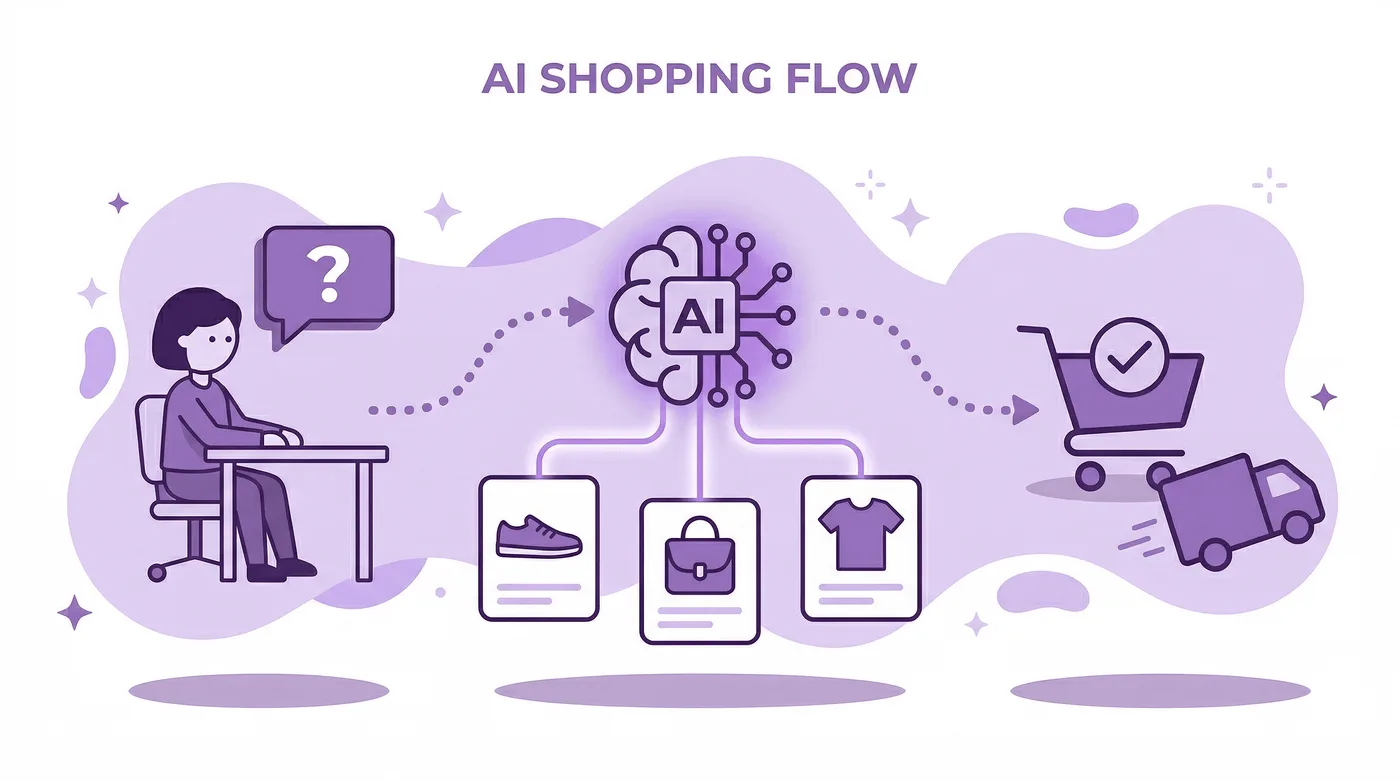
Flat purple vector flow diagram showing AI shopping from left to right: a person asking a question, an AI brain connecting to product cards, and a Shopify checkout with a departing delivery truck. Dotted arrows, sparkles, and soft purple background shapes reinforce the step by step process.

Step 1: Product Discovery

When a ChatGPT user asks about a product, ChatGPT searches Shopify Catalog — a massive structured product database that uses specialized LLMs to categorize, enrich, and standardize product data from millions of merchants. Your products are automatically included in this catalog if you are on an eligible Shopify plan.

ChatGPT does not just show random products. It matches the user's intent, comparing attributes like price, features, reviews, and availability to find the most relevant options. Your product titles, descriptions, images, categories, and variant data all influence whether you show up.

Step 2: Product Display

ChatGPT displays a selection of recommended products with images, pricing, and key details. The user can compare products, ask follow-up questions ("does this come in blue?", "what's the return policy?"), and narrow down their choice — all within the conversation.

Your brand name is clearly visible. This is not anonymous aggregation. Shoppers see who they are buying from.

Step 3: Checkout

This is where the original plan changed — and it actually works out better for merchants.

OpenAI originally launched "Instant Checkout" in September 2025, where users could buy directly inside the ChatGPT conversation without ever leaving. That feature is being scaled back and moved to ChatGPT's Apps experience.

Instead, the current model works like this:

On mobile (ChatGPT app): When the shopper taps "Buy," your store's checkout opens in an in-app browser within ChatGPT. The customer completes the purchase on your actual storefront.

On desktop (ChatGPT web): The checkout opens in a new browser tab, taking the customer to your store directly.

Why this is better for you: you retain your full checkout experience. Your brand customizations, payment methods, upsells, checkout blocks, and post-purchase flows all stay intact. You are the merchant of record. You own the customer data and the customer relationship.

Step 4: Order Fulfillment

Orders from ChatGPT flow into your Shopify admin exactly like orders from any other sales channel. They appear with ChatGPT referral attribution so you can see where the sale originated. You can track ChatGPT-sourced revenue in Analytics → Reports → Total sales by referrer.

Fulfillment, returns, customer service — everything works through your existing Shopify processes. Nothing changes on the backend.

How to Set Up Agentic Storefronts (It Is Already On)

Here is the thing most merchants do not realize: Agentic Storefronts for ChatGPT launched by default. If you are on an eligible Shopify plan, your products are already discoverable in ChatGPT. You did not need to do anything.
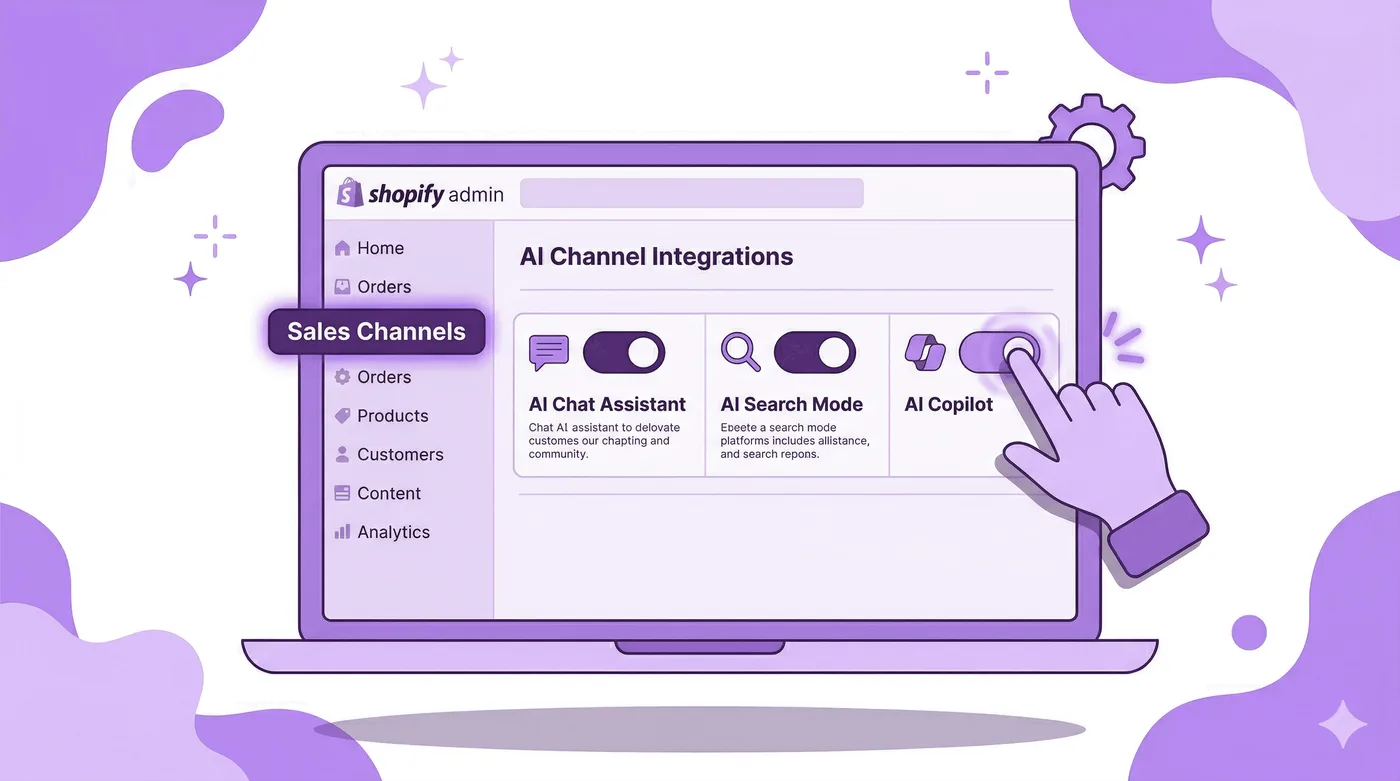
Flat purple vector illustration of a floating laptop displaying a simplified Shopify admin dashboard with Sales Channels highlighted in the sidebar. Three AI platform toggles appear across the screen, with two already on and a hand switching on the third, while a settings gear floats above.

But you should still review and optimize your settings:

Step 1: Go to Settings → Sales channels in your Shopify admin.

Step 2: Look for the Agentic Storefronts section. If you do not see it yet, Shopify is still rolling out to your store. You can sign up at shopify.com/chatgpt to get notified.

Step 3: Click on the ChatGPT agentic storefront to review your settings. For ChatGPT specifically, there is no "opt-in" toggle for checkout — it is a discovery channel. Customers always complete their purchase on your store.

Step 4: For other agentic storefronts (Microsoft Copilot, Google AI Mode, Gemini — still in early access), you can toggle the "Allow customers to purchase directly in this sales channel" setting on or off. When on, customers can check out using a Shopify-powered built-in checkout inside the AI platform. When off, they are redirected to your store.

Step 5: If you want to completely hide specific products from AI channels, you can do that through Shopify's product visibility settings. But think carefully before you do — hiding products means AI agents cannot recommend them at all.

No app installation needed. No API configuration. No developer work. Shopify handles the technical complexity of syndicating your catalog to AI platforms.

What If You Are Not on Shopify?

Shopify launched a new Agentic Plan alongside this feature. It lets brands that do not use Shopify for their primary e-commerce platform add their products to Shopify Catalog and become shoppable across ChatGPT, Microsoft Copilot, Google AI Mode, Gemini, and the Shop App — without migrating their entire store to Shopify.

This means Shopify is positioning itself as the infrastructure layer for all AI commerce, regardless of what platform you run your store on.

Every AI Channel Compared: ChatGPT vs Google vs Copilot vs Gemini

Not all agentic storefronts work the same way. Here is what you need to know about each:
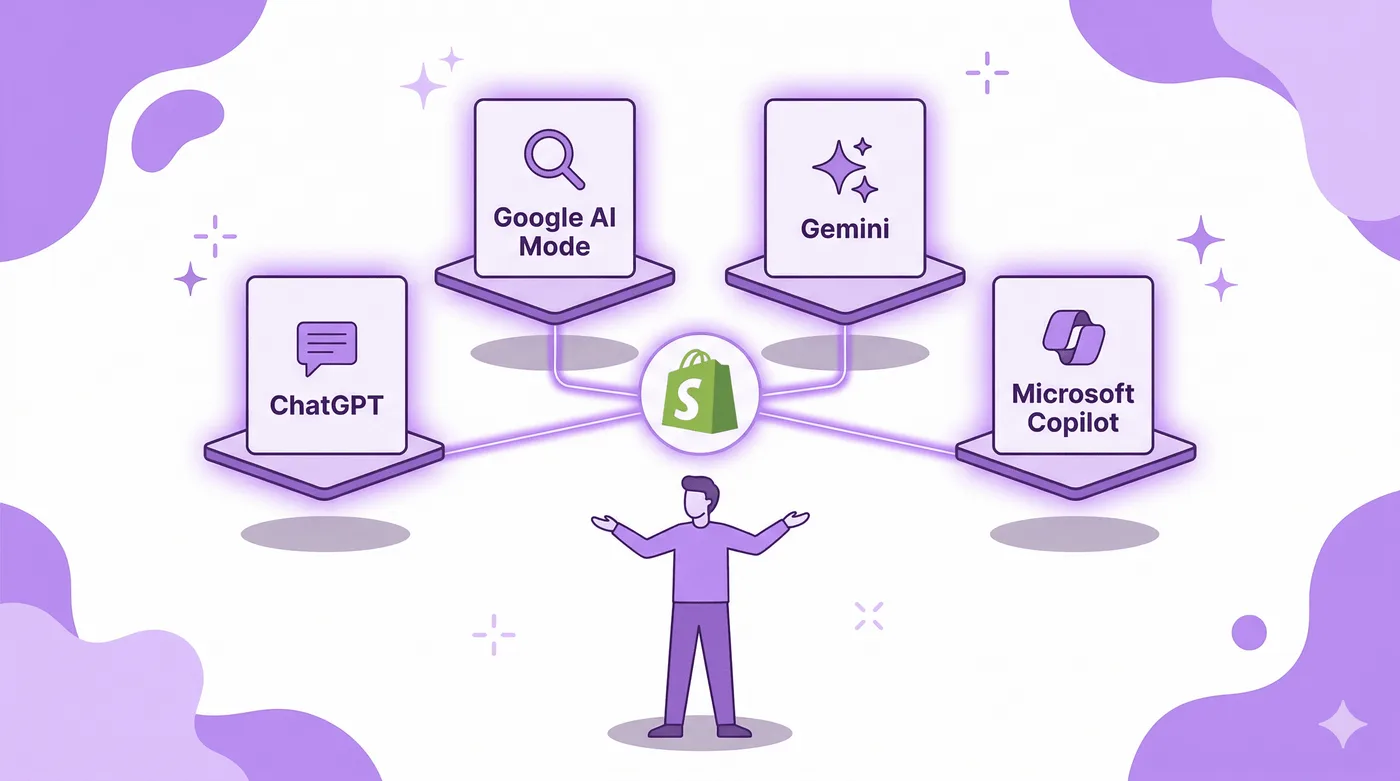
Flat purple vector illustration of four floating AI platform cards arranged in a semicircle around a central Shopify shopping bag icon connected by glowing lines. A simplified person stands below with arms outstretched, presenting ChatGPT, Google AI Mode, Gemini, and Microsoft Copilot as connected sales channels.

ChatGPT

Status: Live for all eligible Shopify stores (March 24, 2026)

Checkout: Customers complete purchase on your store (in-app browser on mobile, new tab on desktop). No in-chat checkout.

Fees: No additional transaction fees beyond standard Shopify processing rates. (Note: Earlier reports mentioned a 4% OpenAI fee, but the current live implementation routes checkout through your own store with no additional platform fees.)

Reach: 880 million monthly active users. 700 million weekly.

Attribution: Orders show in admin with ChatGPT referral source. Trackable in Analytics → Reports → Total sales by referrer.

Google AI Mode and Gemini

Status: Early access. Rolling out to eligible stores.

Checkout: Customers can complete purchases in an embedded Shopify-powered checkout within Google AI Mode and the Gemini app.

Fees: No additional fees from Google, for now.

Special feature: Select merchants are eligible for Google's Direct Offers pilot — exclusive deals that appear directly in AI Mode conversations.

Protocol: Powered by the Universal Commerce Protocol (UCP), co-developed by Shopify and Google, backed by Walmart, Target, Etsy, American Express, Mastercard, Stripe, and Visa.

Microsoft Copilot

Status: Early access. Thousands of merchants already selling through it.

Checkout: Embedded Shopify-powered checkout directly inside Copilot (Copilot Checkout).

Fees: Not publicly confirmed. No reports of additional fees beyond standard processing.

Perplexity

Status: Product discovery enabled through Shopify Catalog. Checkout details not yet confirmed.

What This Means for Your Strategy

ChatGPT is the highest-reach channel right now. Google AI Mode will likely become the highest-conversion channel because of shopping intent. Copilot targets the productivity and enterprise audience. Having your products optimized for all of them simultaneously — which Agentic Storefronts does automatically — is the play.

How to Optimize Your Products for AI Discovery

Your products are in the catalog by default. But being in the catalog and being recommended are two very different things. AI agents do not show every product — they show the most relevant ones. Here is how to make sure that is you.
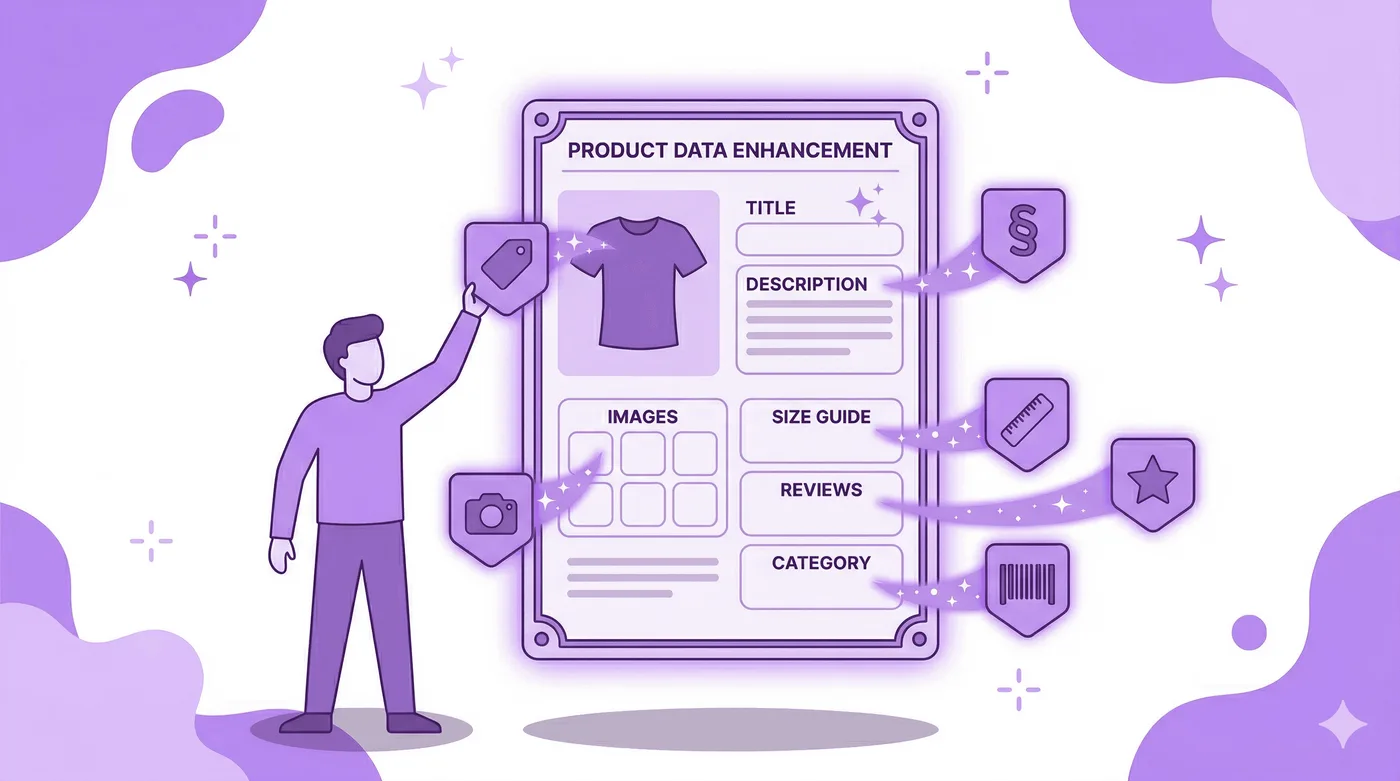
Flat purple vector illustration of a glowing product card with a t-shirt silhouette as metadata badges attach around it, including title, description, images, size guide, reviews, and category. A simplified person places one badge onto the card, showing product optimization for AI discovery.

Product Titles

AI agents parse titles semantically, not just for keywords. Write titles that describe what the product actually is, including the key attributes a shopper would specify.

Bad: "The Alpine Pro"
Good: "Alpine Pro Waterproof Hiking Boot — Men's, Vibram Sole, Mid-Height"

The second title answers five questions an AI is trying to resolve: what is it, what is it for, who is it for, what is special about it, and what variant is this.

Product Descriptions

Write descriptions that answer the questions a shopper would ask in a conversation. AI agents extract facts from descriptions to answer follow-up queries like "is this machine washable?" or "does this work for wide feet?"

Include: materials, dimensions, use cases, care instructions, compatibility, and anything that differentiates your product from similar ones. AI agents weigh specificity heavily when choosing between products.

Product Categories and Tags

Use Shopify's standard product categories and be specific. "Clothing" is weak. "Women's Activewear > Running Shorts > Lined" is strong. Shopify Catalog uses specialized LLMs to categorize your products, but accurate categorization on your end helps.

Images

High-quality, multiple angles, lifestyle context. AI platforms display your product images directly in the conversation. A single flat-lay photo loses to a product shot with a model showing scale and fit.

Pricing and Inventory Accuracy

Shopify Catalog continuously syncs your pricing and inventory in real time. If a product is out of stock or the price is wrong, the AI agent either skips you or shows inaccurate data — both are bad. Make sure your inventory tracking is accurate and your pricing is current.

Reviews and Social Proof

AI agents consider review data when choosing which products to recommend. Stores with strong review profiles (high ratings, high volume) get recommended more than stores without them. If you are not actively collecting reviews, this is another reason to start.

The Knowledge Base App

Shopify released a Knowledge Base App that lets you define your brand voice, FAQ answers, return policies, and key brand information. AI agents use this data to answer follow-up questions about your brand during conversations. Set it up — it directly influences how accurately AI represents your store.

What Happens After a ChatGPT Sale: The Post-Purchase Experience

This is where most guides about selling on ChatGPT stop. But for merchants, this is where the real work begins — and where Revize becomes critical.
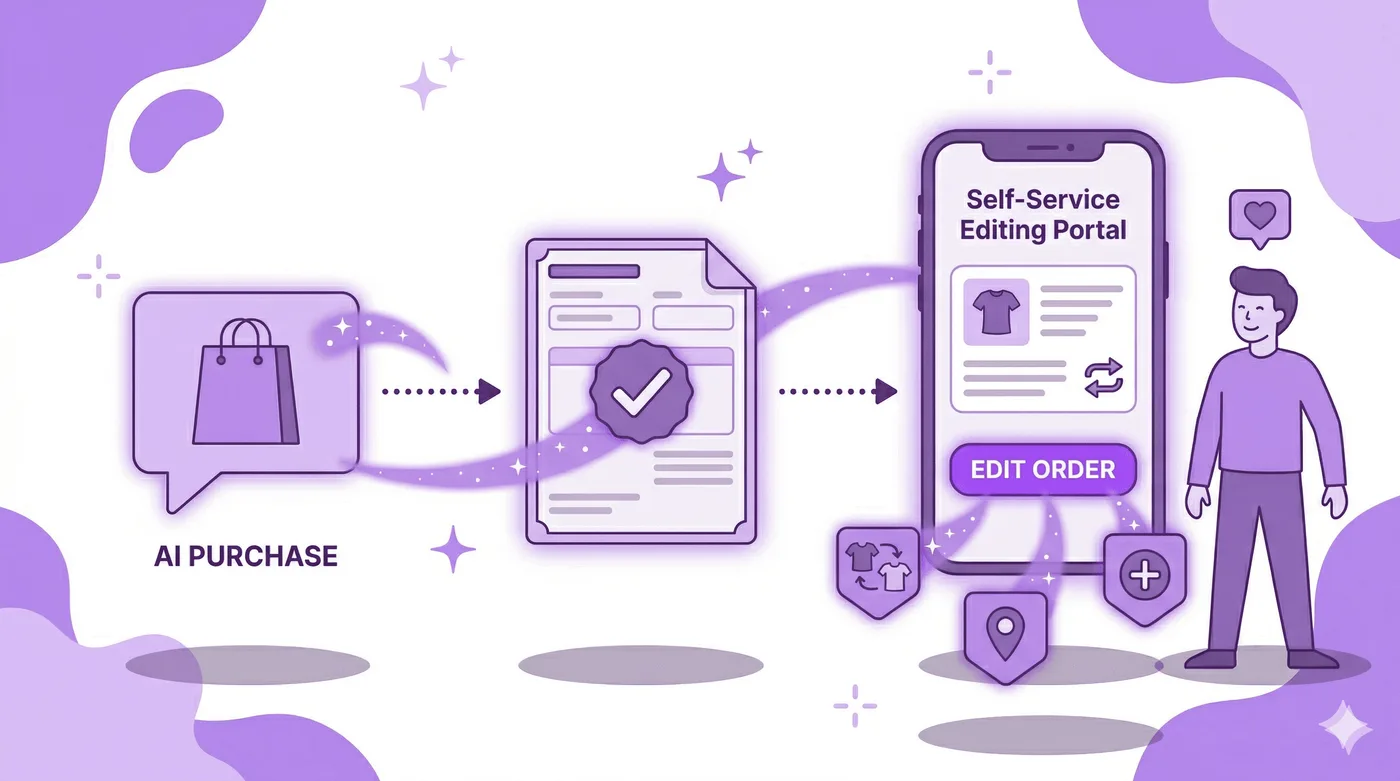
Flat purple vector illustration of the post-purchase journey, showing an AI purchase chat bubble, an order confirmation document, and a smartphone with a self-service editing portal connected by dotted arrows. Small icons for size swap, address change, and add item float below, while a satisfied person stands beside the phone.

When someone buys from your store through ChatGPT, they had zero prior relationship with your brand. They did not browse your homepage. They did not read your story. They did not see your Instagram. Their entire brand experience so far is a product card in a chat conversation.

That makes the post-purchase experience exponentially more important.

The First Touchpoint: Order Confirmation

The order confirmation email or order status page is likely the first time this customer sees your actual brand. Make it count. A generic Shopify template wastes the moment. A customized confirmation email with your brand voice, product care tips, and a clear path to manage their order builds the relationship from the first second.

If you have not optimized your order confirmation email, read our complete guide on how to edit your Shopify order confirmation email.

The Customer Needs to Edit Their Order

Here is a scenario that will happen more with AI-originated orders: a customer asks ChatGPT to find them running shoes, ChatGPT shows options, they pick one quickly and buy. Ten minutes later they realize they picked the wrong size. Or the wrong color. Or they meant to order two pairs.

On a traditional store visit, they might have caught this before checkout. In a fast AI conversation, purchase decisions happen faster — and so do mistakes.

This is where self-service order editing through Revize becomes essential. Instead of that customer emailing your support team (remember, they have zero loyalty to your brand at this point — they will just request a refund), they can:

  • Swap the wrong size for the right size from the order status page

  • Change the color

  • Add a product they forgot

  • Apply a discount code they remembered after buying

  • Update their shipping address

All of this happens before the order ships. The correct item goes out the first time. No return shipping. No lost sale. No support ticket.

For stores that are about to receive a new wave of customers who discovered them through AI — customers with no brand allegiance and high expectations for instant resolution — self-service post-purchase editing is not optional. It is the difference between retaining a ChatGPT-originated customer and losing them permanently.

Tracking AI-Originated Orders

Use the ChatGPT referral attribution in your Shopify analytics to segment AI-originated orders. Track:

  • Conversion rate of ChatGPT traffic vs traditional channels

  • Average order value from AI-originated orders

  • Return and exchange rates from AI customers

  • Support ticket volume from AI customers

This data will tell you whether AI commerce is bringing you valuable customers or just volume — and help you optimize your product data and post-purchase experience accordingly.

What This Means for the Future of Shopify Commerce

This launch is bigger than ChatGPT. Shopify is positioning itself as the commerce infrastructure layer for the entire AI ecosystem. Through Agentic Storefronts + Shopify Catalog + the Universal Commerce Protocol (UCP), Shopify merchants can sell across every major AI platform from a single admin dashboard.

The UCP — co-developed with Google and backed by Walmart, Target, Etsy, American Express, Mastercard, Stripe, and Visa — is an open standard that lets AI agents complete checkout on behalf of customers. It supports discount codes, loyalty credentials, subscription billing cadences, and works with any payment processor.

Here is what this means practically:

Discovery is no longer just search engines. A meaningful chunk of product discovery is now happening inside AI conversations. The stores that show up in those conversations — with accurate, structured, optimized product data — will capture sales that never would have existed through traditional channels.

Your storefront is no longer your only front door. AI agents are the new front door. Your website becomes the checkout and fulfillment engine behind it. This does not make your storefront less important — it makes it more important, because the checkout experience is now the first real brand touchpoint for AI-originated customers.

Post-purchase is where you build the relationship. When customers discover you through AI, the post-purchase experience is all you have to earn their loyalty. Order confirmation, order editing, shipping updates, returns experience — every touchpoint matters more when the customer's first impression was a product card in a chat.

Current Limitations to Know About

Be aware of what does not work yet:

  • Subscriptions and product bundles are not supported for direct purchase through agentic storefronts. AI agents can recommend them, but customers need to complete those purchases on your store.

  • Checkout blocks — ChatGPT does not support Shopify checkout blocks. Other AI channels may only support essential blocks. If you are on Shopify Plus with heavy checkout customization, test how your checkout appears when accessed from an AI channel.

  • Self-serve returns through agentic storefronts are not available. Returns and exchanges for AI-originated orders flow through your standard process.

  • Discount codes work only if you have configured a discount code input field in the agentic storefront checkout settings.

  • International selling — verify that multi-currency checkout works correctly when accessed from AI channels. Test orders in each currency/market you support.

  • No dedicated ChatGPT app. Shopify confirmed it has no plans to build a dedicated ChatGPT app. Agentic Storefronts handles everything natively through Shopify's data infrastructure.

Frequently Asked Questions

How do I sell my Shopify products on ChatGPT?

Your products are already discoverable on ChatGPT if you are on an eligible Shopify plan. Agentic Storefronts launched by default for all eligible stores on March 24, 2026. Go to Settings → Sales channels → Agentic Storefronts in your Shopify admin to review your settings. No app installation or API setup is needed.

Do I need to pay extra to sell on ChatGPT?

No additional transaction fees beyond your standard Shopify processing rates. Earlier reports mentioned a 4% OpenAI fee, but the current implementation routes checkout through your own store. Google AI Mode and Microsoft Copilot also currently charge no additional platform fees.

Can customers buy directly inside ChatGPT?

Not through in-chat checkout anymore. OpenAI scaled back its Instant Checkout feature. Customers now discover products in ChatGPT and complete their purchase on your store's checkout — either in an in-app browser (mobile) or a new tab (desktop). You retain your full checkout experience, customer data, and merchant of record status.

Do I need to install an app for Agentic Storefronts?

No. Agentic Storefronts is a native Shopify feature that works through Shopify Catalog. Your product data is automatically syndicated to AI platforms. No apps, no plugins, no developer work required.

How do I opt out of selling on ChatGPT?

You cannot fully opt out of ChatGPT discovery through the Agentic Storefronts toggle because it is a discovery-focused channel. To hide specific products, use Shopify's product visibility settings for AI channels. To completely prevent AI crawlers from indexing your products, you would need to block them at the web crawling level, but this is not recommended.

How do I track sales from ChatGPT?

Orders from ChatGPT appear in your Shopify admin with ChatGPT referral attribution. Go to Analytics → Reports → Total sales by referrer to see ChatGPT-originated revenue. You can also filter your order list by channel.

What AI platforms does Shopify Agentic Storefronts support?

ChatGPT (live for all eligible stores), Google AI Mode and Gemini (early access), Microsoft Copilot (early access), and Perplexity (discovery enabled). All are managed from a single settings page in your Shopify admin.

How do I make my products show up more in ChatGPT?

Optimize your product titles to be descriptive and attribute-rich, write detailed product descriptions that answer common shopper questions, use specific Shopify product categories, upload multiple high-quality product images, maintain accurate pricing and inventory, collect product reviews, and set up Shopify's Knowledge Base App with your brand FAQ and policies.

What happens to orders from ChatGPT after purchase?

Orders flow into your Shopify admin like any other sales channel. Fulfillment, returns, exchanges, and customer service all work through your existing processes. The customer lands on your order status page after purchase, where they interact with your store directly for all post-purchase needs.

Does this work for Shopify Plus stores?

Yes. All Shopify plans are eligible for Agentic Storefronts. Shopify Plus merchants should note that heavy checkout customizations (custom blocks, validations, custom fields) may not fully render in the embedded checkouts of AI channels other than ChatGPT. Test your checkout flow from each AI channel before relying on it.

Can non-Shopify stores sell on ChatGPT through this?

Yes. Shopify launched the Agentic Plan, which lets brands on any e-commerce platform add their products to Shopify Catalog and sell across ChatGPT, Google AI Mode, Gemini, Microsoft Copilot, and the Shop App — without migrating their full store to Shopify.

Related Articles

Shopify merchants can now sell their products inside ChatGPT. As of March 24, 2026, every eligible Shopify store is automatically discoverable by ChatGPT's 880 million monthly active users through a feature called Agentic Storefronts. No app to install. No opt-in required. Your products are already there.

This is not a small update. Revize works within the Shopify post-purchase ecosystem, and this changes the front end of commerce entirely — how customers find products, how they buy, and what the post-purchase experience looks like when someone's first interaction with your brand happens inside an AI chat.

AI-driven traffic to Shopify stores has increased 7x since January 2025. AI-attributed orders are up 11x over the same period. And that was before this launch.

This guide covers everything: what Agentic Storefronts are, how they work, how to set them up, what each AI channel costs, how to optimize your product data so AI actually recommends you, and what happens after someone buys from you through ChatGPT.

Flat purple vector illustration of a large chat bubble with a glowing Shopify shopping bag emerging from it, surrounded by floating ecommerce icons including a credit card, checkmark, delivery truck, and price tag. A simplified person stands beside it, tapping a smartphone against a white background with soft purple blob shapes and sparkles.

What Are Shopify Agentic Storefronts?

Shopify Agentic Storefronts are a built-in feature that makes your products discoverable and purchasable across AI platforms — ChatGPT, Google AI Mode, Gemini, and Microsoft Copilot. It is a new sales channel, managed centrally from your Shopify admin, that syndicates your product data to AI agents so they can recommend and sell your products during conversations.

This is not a chatbot on your website. It is not traditional SEO. It is a fundamentally new way products get discovered.

Here is what happens in practice: a ChatGPT user types "what's a good carry-on bag under $200 for a Europe trip?" ChatGPT searches Shopify's product catalog, finds relevant products from merchants across the platform, displays them with real-time pricing and availability, and the shopper can buy without leaving the chat. On mobile, checkout opens in an in-app browser. On desktop, it opens your store in a new tab.

Your products. Your checkout. Your customer relationship. ChatGPT is just the discovery layer.

Shopify CEO Tobi Lütke has been building toward this for years. The company announced Agentic Storefronts in its Winter '26 Edition in December 2025, and the ChatGPT integration went live for all eligible stores on March 24, 2026. Brands like Glossier, Spanx, Vuori, Away, Stanley 1913, Steve Madden, and Fenty Beauty are already selling through it.

How Selling on ChatGPT Actually Works

The mechanics are straightforward, but there are important details most articles skip.

Flat purple vector flow diagram showing AI shopping from left to right: a person asking a question, an AI brain connecting to product cards, and a Shopify checkout with a departing delivery truck. Dotted arrows, sparkles, and soft purple background shapes reinforce the step by step process.

Step 1: Product Discovery

When a ChatGPT user asks about a product, ChatGPT searches Shopify Catalog — a massive structured product database that uses specialized LLMs to categorize, enrich, and standardize product data from millions of merchants. Your products are automatically included in this catalog if you are on an eligible Shopify plan.

ChatGPT does not just show random products. It matches the user's intent, comparing attributes like price, features, reviews, and availability to find the most relevant options. Your product titles, descriptions, images, categories, and variant data all influence whether you show up.

Step 2: Product Display

ChatGPT displays a selection of recommended products with images, pricing, and key details. The user can compare products, ask follow-up questions ("does this come in blue?", "what's the return policy?"), and narrow down their choice — all within the conversation.

Your brand name is clearly visible. This is not anonymous aggregation. Shoppers see who they are buying from.

Step 3: Checkout

This is where the original plan changed — and it actually works out better for merchants.

OpenAI originally launched "Instant Checkout" in September 2025, where users could buy directly inside the ChatGPT conversation without ever leaving. That feature is being scaled back and moved to ChatGPT's Apps experience.

Instead, the current model works like this:

On mobile (ChatGPT app): When the shopper taps "Buy," your store's checkout opens in an in-app browser within ChatGPT. The customer completes the purchase on your actual storefront.

On desktop (ChatGPT web): The checkout opens in a new browser tab, taking the customer to your store directly.

Why this is better for you: you retain your full checkout experience. Your brand customizations, payment methods, upsells, checkout blocks, and post-purchase flows all stay intact. You are the merchant of record. You own the customer data and the customer relationship.

Step 4: Order Fulfillment

Orders from ChatGPT flow into your Shopify admin exactly like orders from any other sales channel. They appear with ChatGPT referral attribution so you can see where the sale originated. You can track ChatGPT-sourced revenue in Analytics → Reports → Total sales by referrer.

Fulfillment, returns, customer service — everything works through your existing Shopify processes. Nothing changes on the backend.

How to Set Up Agentic Storefronts (It Is Already On)

Here is the thing most merchants do not realize: Agentic Storefronts for ChatGPT launched by default. If you are on an eligible Shopify plan, your products are already discoverable in ChatGPT. You did not need to do anything.

Flat purple vector illustration of a floating laptop displaying a simplified Shopify admin dashboard with Sales Channels highlighted in the sidebar. Three AI platform toggles appear across the screen, with two already on and a hand switching on the third, while a settings gear floats above.

But you should still review and optimize your settings:

Step 1: Go to Settings → Sales channels in your Shopify admin.

Step 2: Look for the Agentic Storefronts section. If you do not see it yet, Shopify is still rolling out to your store. You can sign up at shopify.com/chatgpt to get notified.

Step 3: Click on the ChatGPT agentic storefront to review your settings. For ChatGPT specifically, there is no "opt-in" toggle for checkout — it is a discovery channel. Customers always complete their purchase on your store.

Step 4: For other agentic storefronts (Microsoft Copilot, Google AI Mode, Gemini — still in early access), you can toggle the "Allow customers to purchase directly in this sales channel" setting on or off. When on, customers can check out using a Shopify-powered built-in checkout inside the AI platform. When off, they are redirected to your store.

Step 5: If you want to completely hide specific products from AI channels, you can do that through Shopify's product visibility settings. But think carefully before you do — hiding products means AI agents cannot recommend them at all.

No app installation needed. No API configuration. No developer work. Shopify handles the technical complexity of syndicating your catalog to AI platforms.

What If You Are Not on Shopify?

Shopify launched a new Agentic Plan alongside this feature. It lets brands that do not use Shopify for their primary e-commerce platform add their products to Shopify Catalog and become shoppable across ChatGPT, Microsoft Copilot, Google AI Mode, Gemini, and the Shop App — without migrating their entire store to Shopify.

This means Shopify is positioning itself as the infrastructure layer for all AI commerce, regardless of what platform you run your store on.

Every AI Channel Compared: ChatGPT vs Google vs Copilot vs Gemini

Not all agentic storefronts work the same way. Here is what you need to know about each:

Flat purple vector illustration of four floating AI platform cards arranged in a semicircle around a central Shopify shopping bag icon connected by glowing lines. A simplified person stands below with arms outstretched, presenting ChatGPT, Google AI Mode, Gemini, and Microsoft Copilot as connected sales channels.

ChatGPT

Status: Live for all eligible Shopify stores (March 24, 2026)

Checkout: Customers complete purchase on your store (in-app browser on mobile, new tab on desktop). No in-chat checkout.

Fees: No additional transaction fees beyond standard Shopify processing rates. (Note: Earlier reports mentioned a 4% OpenAI fee, but the current live implementation routes checkout through your own store with no additional platform fees.)

Reach: 880 million monthly active users. 700 million weekly.

Attribution: Orders show in admin with ChatGPT referral source. Trackable in Analytics → Reports → Total sales by referrer.

Google AI Mode and Gemini

Status: Early access. Rolling out to eligible stores.

Checkout: Customers can complete purchases in an embedded Shopify-powered checkout within Google AI Mode and the Gemini app.

Fees: No additional fees from Google, for now.

Special feature: Select merchants are eligible for Google's Direct Offers pilot — exclusive deals that appear directly in AI Mode conversations.

Protocol: Powered by the Universal Commerce Protocol (UCP), co-developed by Shopify and Google, backed by Walmart, Target, Etsy, American Express, Mastercard, Stripe, and Visa.

Microsoft Copilot

Status: Early access. Thousands of merchants already selling through it.

Checkout: Embedded Shopify-powered checkout directly inside Copilot (Copilot Checkout).

Fees: Not publicly confirmed. No reports of additional fees beyond standard processing.

Perplexity

Status: Product discovery enabled through Shopify Catalog. Checkout details not yet confirmed.

What This Means for Your Strategy

ChatGPT is the highest-reach channel right now. Google AI Mode will likely become the highest-conversion channel because of shopping intent. Copilot targets the productivity and enterprise audience. Having your products optimized for all of them simultaneously — which Agentic Storefronts does automatically — is the play.

How to Optimize Your Products for AI Discovery

Your products are in the catalog by default. But being in the catalog and being recommended are two very different things. AI agents do not show every product — they show the most relevant ones. Here is how to make sure that is you.

Flat purple vector illustration of a glowing product card with a t-shirt silhouette as metadata badges attach around it, including title, description, images, size guide, reviews, and category. A simplified person places one badge onto the card, showing product optimization for AI discovery.

Product Titles

AI agents parse titles semantically, not just for keywords. Write titles that describe what the product actually is, including the key attributes a shopper would specify.

Bad: "The Alpine Pro"
Good: "Alpine Pro Waterproof Hiking Boot — Men's, Vibram Sole, Mid-Height"

The second title answers five questions an AI is trying to resolve: what is it, what is it for, who is it for, what is special about it, and what variant is this.

Product Descriptions

Write descriptions that answer the questions a shopper would ask in a conversation. AI agents extract facts from descriptions to answer follow-up queries like "is this machine washable?" or "does this work for wide feet?"

Include: materials, dimensions, use cases, care instructions, compatibility, and anything that differentiates your product from similar ones. AI agents weigh specificity heavily when choosing between products.

Product Categories and Tags

Use Shopify's standard product categories and be specific. "Clothing" is weak. "Women's Activewear > Running Shorts > Lined" is strong. Shopify Catalog uses specialized LLMs to categorize your products, but accurate categorization on your end helps.

Images

High-quality, multiple angles, lifestyle context. AI platforms display your product images directly in the conversation. A single flat-lay photo loses to a product shot with a model showing scale and fit.

Pricing and Inventory Accuracy

Shopify Catalog continuously syncs your pricing and inventory in real time. If a product is out of stock or the price is wrong, the AI agent either skips you or shows inaccurate data — both are bad. Make sure your inventory tracking is accurate and your pricing is current.

Reviews and Social Proof

AI agents consider review data when choosing which products to recommend. Stores with strong review profiles (high ratings, high volume) get recommended more than stores without them. If you are not actively collecting reviews, this is another reason to start.

The Knowledge Base App

Shopify released a Knowledge Base App that lets you define your brand voice, FAQ answers, return policies, and key brand information. AI agents use this data to answer follow-up questions about your brand during conversations. Set it up — it directly influences how accurately AI represents your store.

What Happens After a ChatGPT Sale: The Post-Purchase Experience

This is where most guides about selling on ChatGPT stop. But for merchants, this is where the real work begins — and where Revize becomes critical.

Flat purple vector illustration of the post-purchase journey, showing an AI purchase chat bubble, an order confirmation document, and a smartphone with a self-service editing portal connected by dotted arrows. Small icons for size swap, address change, and add item float below, while a satisfied person stands beside the phone.

When someone buys from your store through ChatGPT, they had zero prior relationship with your brand. They did not browse your homepage. They did not read your story. They did not see your Instagram. Their entire brand experience so far is a product card in a chat conversation.

That makes the post-purchase experience exponentially more important.

The First Touchpoint: Order Confirmation

The order confirmation email or order status page is likely the first time this customer sees your actual brand. Make it count. A generic Shopify template wastes the moment. A customized confirmation email with your brand voice, product care tips, and a clear path to manage their order builds the relationship from the first second.

If you have not optimized your order confirmation email, read our complete guide on how to edit your Shopify order confirmation email.

The Customer Needs to Edit Their Order

Here is a scenario that will happen more with AI-originated orders: a customer asks ChatGPT to find them running shoes, ChatGPT shows options, they pick one quickly and buy. Ten minutes later they realize they picked the wrong size. Or the wrong color. Or they meant to order two pairs.

On a traditional store visit, they might have caught this before checkout. In a fast AI conversation, purchase decisions happen faster — and so do mistakes.

This is where self-service order editing through Revize becomes essential. Instead of that customer emailing your support team (remember, they have zero loyalty to your brand at this point — they will just request a refund), they can:

  • Swap the wrong size for the right size from the order status page

  • Change the color

  • Add a product they forgot

  • Apply a discount code they remembered after buying

  • Update their shipping address

All of this happens before the order ships. The correct item goes out the first time. No return shipping. No lost sale. No support ticket.

For stores that are about to receive a new wave of customers who discovered them through AI — customers with no brand allegiance and high expectations for instant resolution — self-service post-purchase editing is not optional. It is the difference between retaining a ChatGPT-originated customer and losing them permanently.

Tracking AI-Originated Orders

Use the ChatGPT referral attribution in your Shopify analytics to segment AI-originated orders. Track:

  • Conversion rate of ChatGPT traffic vs traditional channels

  • Average order value from AI-originated orders

  • Return and exchange rates from AI customers

  • Support ticket volume from AI customers

This data will tell you whether AI commerce is bringing you valuable customers or just volume — and help you optimize your product data and post-purchase experience accordingly.

What This Means for the Future of Shopify Commerce

This launch is bigger than ChatGPT. Shopify is positioning itself as the commerce infrastructure layer for the entire AI ecosystem. Through Agentic Storefronts + Shopify Catalog + the Universal Commerce Protocol (UCP), Shopify merchants can sell across every major AI platform from a single admin dashboard.

The UCP — co-developed with Google and backed by Walmart, Target, Etsy, American Express, Mastercard, Stripe, and Visa — is an open standard that lets AI agents complete checkout on behalf of customers. It supports discount codes, loyalty credentials, subscription billing cadences, and works with any payment processor.

Here is what this means practically:

Discovery is no longer just search engines. A meaningful chunk of product discovery is now happening inside AI conversations. The stores that show up in those conversations — with accurate, structured, optimized product data — will capture sales that never would have existed through traditional channels.

Your storefront is no longer your only front door. AI agents are the new front door. Your website becomes the checkout and fulfillment engine behind it. This does not make your storefront less important — it makes it more important, because the checkout experience is now the first real brand touchpoint for AI-originated customers.

Post-purchase is where you build the relationship. When customers discover you through AI, the post-purchase experience is all you have to earn their loyalty. Order confirmation, order editing, shipping updates, returns experience — every touchpoint matters more when the customer's first impression was a product card in a chat.

Current Limitations to Know About

Be aware of what does not work yet:

  • Subscriptions and product bundles are not supported for direct purchase through agentic storefronts. AI agents can recommend them, but customers need to complete those purchases on your store.

  • Checkout blocks — ChatGPT does not support Shopify checkout blocks. Other AI channels may only support essential blocks. If you are on Shopify Plus with heavy checkout customization, test how your checkout appears when accessed from an AI channel.

  • Self-serve returns through agentic storefronts are not available. Returns and exchanges for AI-originated orders flow through your standard process.

  • Discount codes work only if you have configured a discount code input field in the agentic storefront checkout settings.

  • International selling — verify that multi-currency checkout works correctly when accessed from AI channels. Test orders in each currency/market you support.

  • No dedicated ChatGPT app. Shopify confirmed it has no plans to build a dedicated ChatGPT app. Agentic Storefronts handles everything natively through Shopify's data infrastructure.

Frequently Asked Questions

How do I sell my Shopify products on ChatGPT?

Your products are already discoverable on ChatGPT if you are on an eligible Shopify plan. Agentic Storefronts launched by default for all eligible stores on March 24, 2026. Go to Settings → Sales channels → Agentic Storefronts in your Shopify admin to review your settings. No app installation or API setup is needed.

Do I need to pay extra to sell on ChatGPT?

No additional transaction fees beyond your standard Shopify processing rates. Earlier reports mentioned a 4% OpenAI fee, but the current implementation routes checkout through your own store. Google AI Mode and Microsoft Copilot also currently charge no additional platform fees.

Can customers buy directly inside ChatGPT?

Not through in-chat checkout anymore. OpenAI scaled back its Instant Checkout feature. Customers now discover products in ChatGPT and complete their purchase on your store's checkout — either in an in-app browser (mobile) or a new tab (desktop). You retain your full checkout experience, customer data, and merchant of record status.

Do I need to install an app for Agentic Storefronts?

No. Agentic Storefronts is a native Shopify feature that works through Shopify Catalog. Your product data is automatically syndicated to AI platforms. No apps, no plugins, no developer work required.

How do I opt out of selling on ChatGPT?

You cannot fully opt out of ChatGPT discovery through the Agentic Storefronts toggle because it is a discovery-focused channel. To hide specific products, use Shopify's product visibility settings for AI channels. To completely prevent AI crawlers from indexing your products, you would need to block them at the web crawling level, but this is not recommended.

How do I track sales from ChatGPT?

Orders from ChatGPT appear in your Shopify admin with ChatGPT referral attribution. Go to Analytics → Reports → Total sales by referrer to see ChatGPT-originated revenue. You can also filter your order list by channel.

What AI platforms does Shopify Agentic Storefronts support?

ChatGPT (live for all eligible stores), Google AI Mode and Gemini (early access), Microsoft Copilot (early access), and Perplexity (discovery enabled). All are managed from a single settings page in your Shopify admin.

How do I make my products show up more in ChatGPT?

Optimize your product titles to be descriptive and attribute-rich, write detailed product descriptions that answer common shopper questions, use specific Shopify product categories, upload multiple high-quality product images, maintain accurate pricing and inventory, collect product reviews, and set up Shopify's Knowledge Base App with your brand FAQ and policies.

What happens to orders from ChatGPT after purchase?

Orders flow into your Shopify admin like any other sales channel. Fulfillment, returns, exchanges, and customer service all work through your existing processes. The customer lands on your order status page after purchase, where they interact with your store directly for all post-purchase needs.

Does this work for Shopify Plus stores?

Yes. All Shopify plans are eligible for Agentic Storefronts. Shopify Plus merchants should note that heavy checkout customizations (custom blocks, validations, custom fields) may not fully render in the embedded checkouts of AI channels other than ChatGPT. Test your checkout flow from each AI channel before relying on it.

Can non-Shopify stores sell on ChatGPT through this?

Yes. Shopify launched the Agentic Plan, which lets brands on any e-commerce platform add their products to Shopify Catalog and sell across ChatGPT, Google AI Mode, Gemini, Microsoft Copilot, and the Shop App — without migrating their full store to Shopify.

Related Articles

Revize your Shopify store, and lead with
customer experience

© Copyright 2024, All Rights Reserved

Revize your Shopify store, and lead with
customer experience

© Copyright 2024, All Rights Reserved

Revize your Shopify store, and lead with
customer experience

© Copyright 2024, All Rights Reserved

Revize your Shopify store, and lead with
customer experience

© Copyright 2024, All Rights Reserved

The Universal Commerce Protocol UCP Guide How to Start a Shopify Store in 2026 The True Cost of Returns Guide How to Change Shipping Address on Shopify Best Shopify Customer Service Apps 10 Advanced Shopify Flow Workflows How to Add Discount on Shopify After Checkout How to Edit an Order on Shopify Shopify Draft Orders Complete Guide How to Do a Partial Refund on Shopify Shopify Social Login Complete Guide Post Purchase Email Marketing Automating E-commerce with Shopify Flow Customize Shopify Login Redirect Shopify New Customer Accounts Migration Guide How Poor Customer Support Can Sabotage Your Business How Refunds Work on Shopify In-House Warranty Management vs Shopify Apps Shopify Checkout Extensibility 2026: You Missed the Deadline. Now What? How to Let Customers Cancel Orders on Shopify Shopify Legacy Customer Accounts Are Deprecated: What Every Merchant Needs to Do Right Now How to Edit Your Shopify Order Confirmation Email How to Do an Exchange on Shopify How to Sell on ChatGPT with Shopify Agentic Storefronts