
Shopify Legacy Customer Accounts Deprecated (2026 Guide)
Shopify Legacy Customer Accounts Deprecated (2026 Guide)
Shopify Legacy Customer Accounts Deprecated (2026 Guide)
If you logged into your Shopify admin this week and saw a banner about "legacy customer accounts," you're not imagining things.
Shopify just made it official. As of February 2026, legacy customer accounts are deprecated. Not "being considered for deprecation." Not "might change eventually." Deprecated. Right now.
New stores can't even use the old version anymore. Existing stores that weren't actively using it? Locked out. And for everyone still running legacy customer accounts, Shopify has announced that a final sunset date is coming later this year.
Translation: the clock is ticking, and the old email-plus-password login your customers have been using is on borrowed time.
Here's the good news — the new version of Shopify customer accounts is genuinely better. Passwordless sign-in. Built-in store credit. Self-serve returns. 800+ apps already integrated. The upgrade path is straightforward if you know what to do.
This guide walks you through everything: what's actually changing, what breaks if you don't act, the exact steps to upgrade, and what this means for your apps, theme, and customer experience.
Quick Answer: What's Happening with Shopify Legacy Customer Accounts?
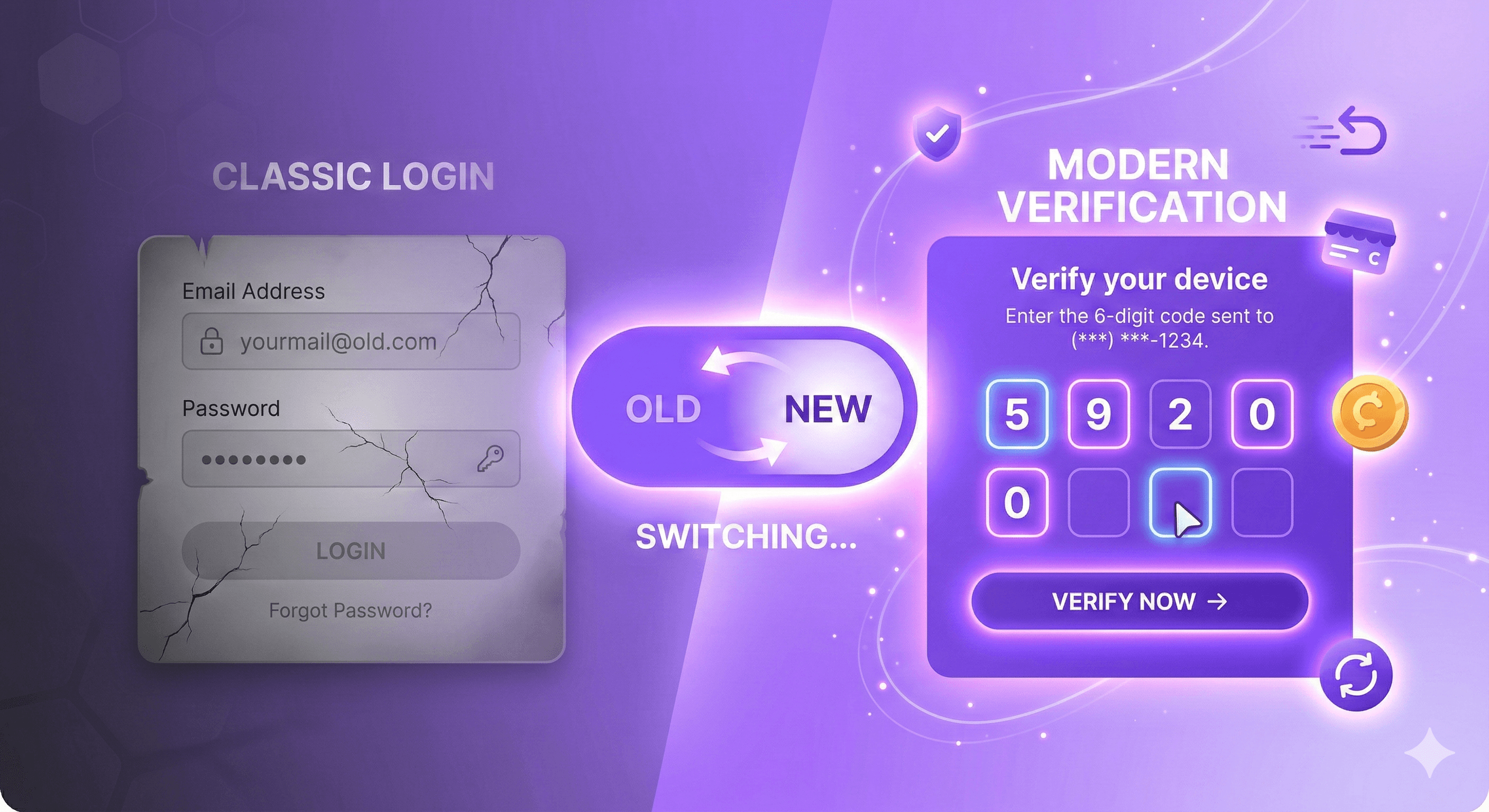
Shopify has officially deprecated legacy customer accounts as of February 2026. Legacy accounts (the email + password login system using Liquid templates like customers/account.liquid and customers/login.liquid) will no longer receive feature updates or technical support. A final sunset date will be announced later in 2026, after which legacy templates will be locked from editing and eventually removed. All merchants should upgrade to the new customer accounts, which use passwordless authentication, support 800+ app extensions, and include native features like store credit, self-serve returns, and subscriptions.
What Exactly Is Changing?
Let's cut through the noise. Here's a clear breakdown of what Shopify announced.
What's Deprecated
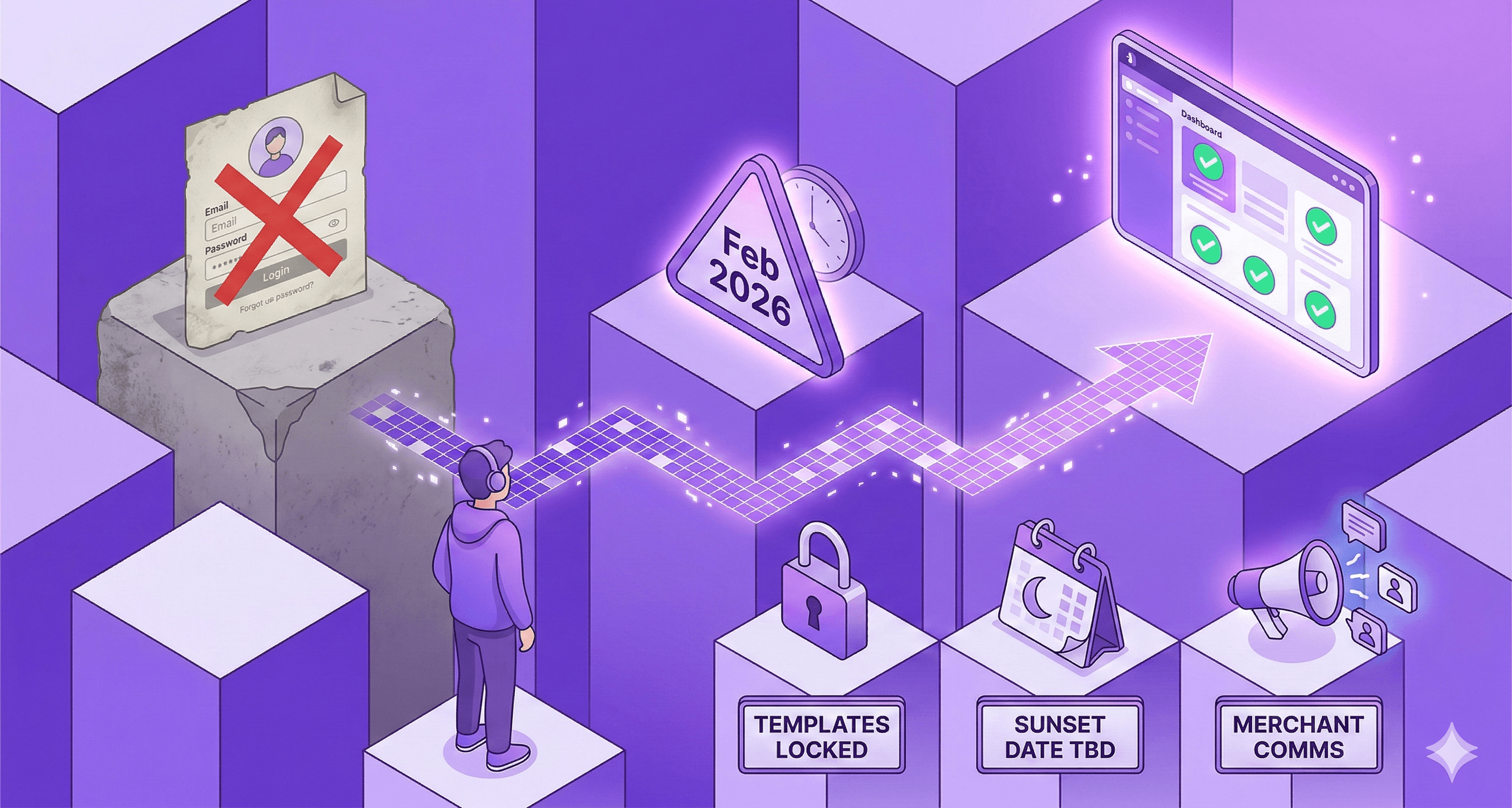
Legacy customer accounts are dead for new stores. If you're setting up a new Shopify store today, you can only use the new customer accounts. Legacy isn't an option.
Existing stores not using legacy are locked out too. If your store had legacy accounts disabled, you can't switch to them now.
No more feature updates. Shopify will not build anything new for legacy customer accounts. What you have today is all you'll ever have.
No more technical support. If something breaks on your legacy setup, Shopify's support team won't be helping you fix it.
What's Coming Next
Merchant communications are ramping up. Shopify will be actively pushing merchants to upgrade through admin banners, emails, and improved self-serve upgrade tools.
Legacy Liquid templates will be locked. Files like
customers/account.liquid,customers/login.liquid, andcustomers/register.liquidwill first be locked from editing, then removed entirely.A hard sunset date is coming in 2026. Shopify hasn't announced the exact date yet, but they've confirmed it's this year. When that date hits, legacy accounts simply stop working.
Storefront API customer mutations are being deprecated. If your custom storefront or app uses Storefront API for customer-scoped mutations (like
customerCreate,customerUpdate,customerAccessTokenCreate), those are going away. The Customer Account API is the replacement.
Legacy vs. New Customer Accounts: Side-by-Side Comparison
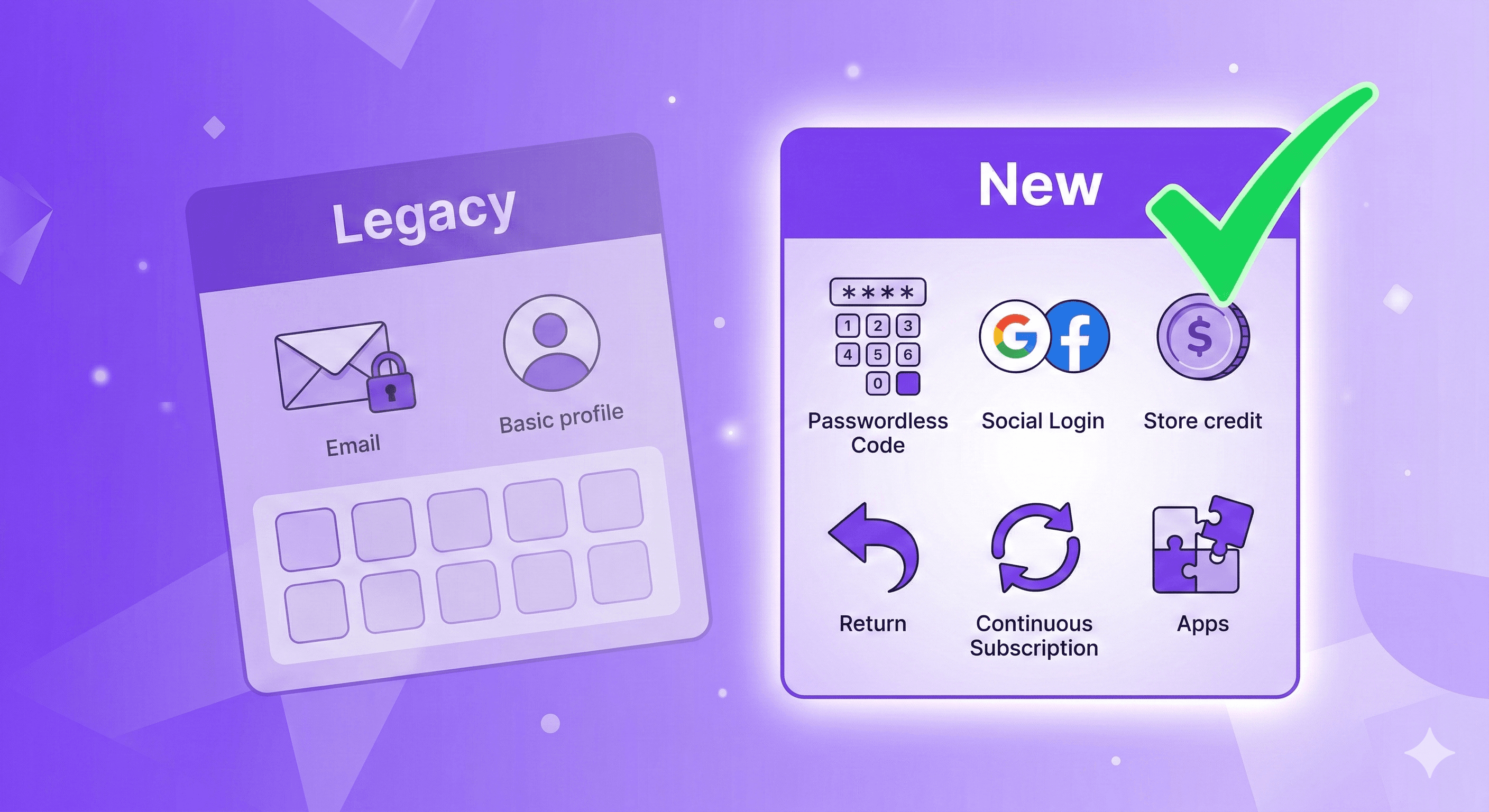
Before you upgrade, you should understand exactly what you're moving to. This isn't a lateral move — the new customer accounts are meaningfully better.
Feature | Legacy Customer Accounts | New Customer Accounts |
|---|---|---|
Sign-in method | Email + password | Passwordless (email + 6-digit code) |
Social sign-in | ✖️ Not available | ✔️ Google and Facebook |
Shop sign-in | Manual setup required | ✔️ Automatic with Shop Pay |
Self-serve returns | ✖️ Not available | ✔️ Built-in |
Store credit | ✖️ Not available | ✔️ Customers see balance and spend at checkout |
Subscription management | ✖️ Not available | ✔️ Skip, pause, cancel, update payment |
Reorder (Buy Again) | ✖️ Not available | ✔️ Built-in |
Order tracking | Basic | ✔️ Enhanced with real-time updates |
B2B support | ✖️ Not available | ✔️ Native |
App customization | Liquid template editing (fragile) | ✔️ 800+ app extensions via visual editor |
Custom identity provider | Multipass only | ✔️ Any OAuth2.0 + OIDC provider |
Theme dependency | Tightly coupled to theme templates | ✔️ Managed independently from theme |
Analytics | Limited | ✔️ Web pixel support for customer events |
Security | Password-based (reset issues, lockouts) | ✔️ Passwordless + single sign-on |
Future updates | ✖️ None. Ever. | ✔️ Automatic, continuous |
The pattern is clear. Legacy accounts were a product of their time. The new version isn't just an upgrade — it's a completely different architecture designed for modern ecommerce.
Why Shopify Is Killing Legacy Customer Accounts
This isn't arbitrary. Shopify has been building toward this for over two years, and the reasons are practical.
Password-based login is a liability. Your customers forget passwords. They submit support tickets. They abandon the login page entirely. Passwordless sign-in with a 6-digit verification code eliminates all of that. No passwords to reset. No locked-out customers. No "forgot password" support tickets.
Liquid templates are fragile and unsecurable. Legacy customer accounts live inside your theme's Liquid files. Every time you update your theme, those customizations can break. Every app that touches customer accounts needs to inject code into those templates. It's a maintenance nightmare, and it creates security vulnerabilities that Shopify can't control.
The new architecture is extensible. The new customer accounts are powered by Shopify's extensibility platform. Apps integrate through secure extension points, not by modifying template code. This means Shopify can ship new features (like store credit, self-serve returns, subscriptions) without requiring merchants to update anything.
70%+ of Shopify merchants have already switched. This isn't an early-adopter experiment. The majority of the platform is already on the new system. Maintaining two parallel systems indefinitely doesn't make sense.
The 8-Step Upgrade Guide: How to Switch to New Customer Accounts
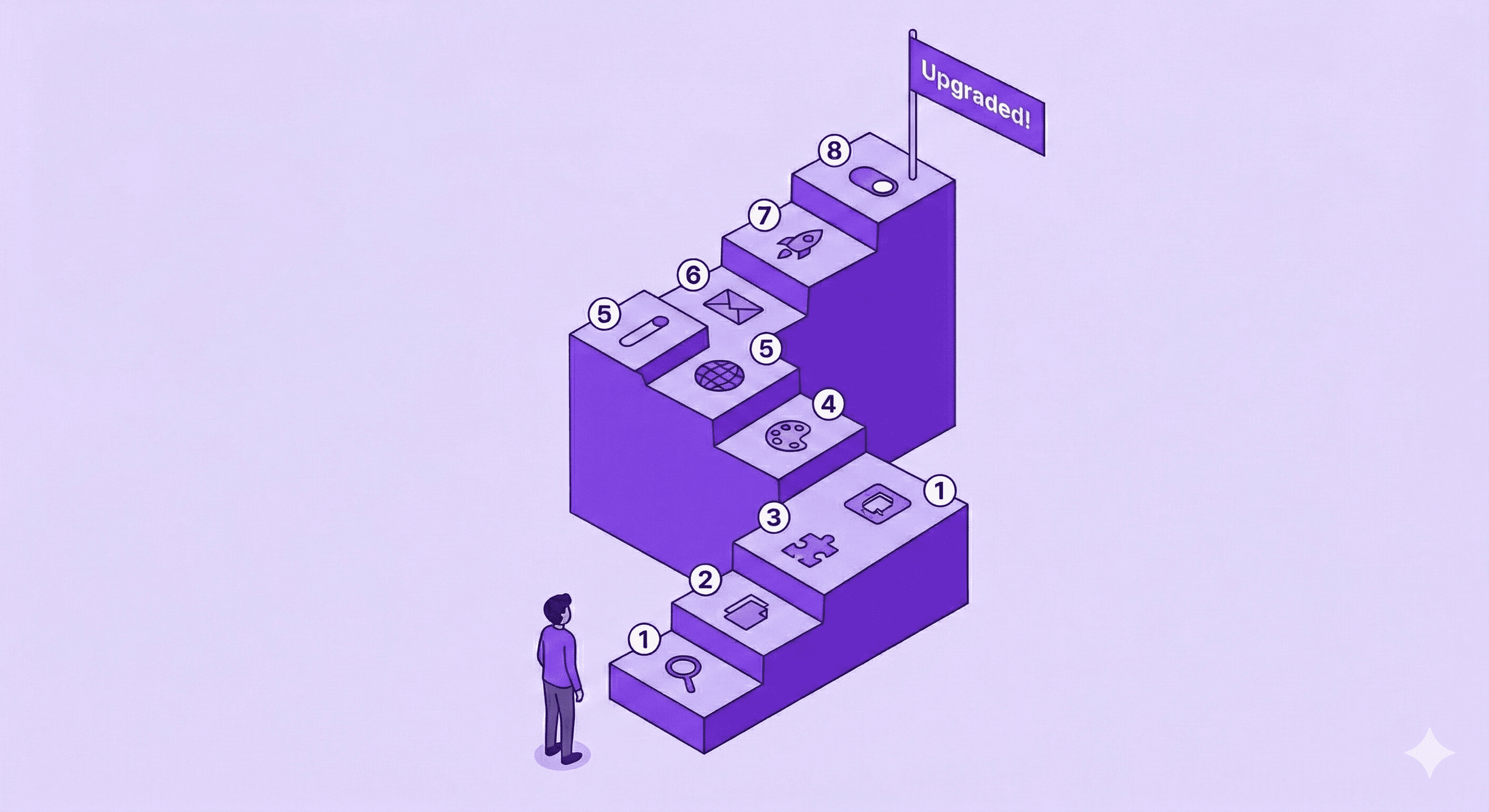
Shopify has made the upgrade process reversible — you get a 30-day window to revert if something goes wrong. But you'll avoid problems entirely if you follow these steps in order.
Step 1: Review Your Legacy Customizations
Before you touch anything, audit what you currently have.
In the theme editor:
Go to Online Store → Themes in your Shopify admin
Click Edit theme on your current theme
Click the Home page dropdown menu
Select Legacy customer accounts
Review each template: Customer account, Customer activate account, Customer addresses, Customer login, Customer order, Customer register, Customer reset password
In the code:
Go to Online Store → Themes
Click ⋯ → Edit code on your current theme
Navigate to templates → customers
Review the code in each customer template
Write down every customization you find. Links to subscription portals, loyalty program integrations, custom fields, order history modifications — all of it. Some of these will transfer over through apps, some won't. Knowing what you have is step one.
Step 2: Duplicate Your Checkout Configuration
This gives you a safe workspace to set up the new experience without affecting your live store.
Go to Settings → Checkout in your Shopify admin
Find your active configuration and click Duplicate
Rename it something clear like "New Customer Accounts Setup"
You'll work on this copy for the next few steps.
Step 3: Replace Legacy Customizations with Apps
This is the most important step. For every customization you identified in Step 1, find an app replacement.
The new customer accounts support app blocks for:
Loyalty programs
Wishlists
Order editing (this is where Revize comes in — more on that below)
Returns management
Subscriptions
Upsells and cross-sells
Forms and surveys
Digital downloads
To add app blocks:
Go to Settings → Checkout
Click Customize on your duplicated configuration
In the left sidebar, click Apps
Find your installed apps that support customer accounts
Click + to add app blocks to Orders, Order status, Profile, or Accounts pages
Configure each app block's settings
Click Save
To find new apps:
Go to the Shopify App Store
Search for the feature you need
Click Refine → Under Works with, select Customer accounts
This filters results to only show apps built for the new customer accounts platform.
Step 4: Update Your Brand Settings
Checkout and customer accounts share brand settings. Make sure your logo, colors, and fonts look right across all pages.
Go to Settings → Checkout
Click Customize on your duplicated configuration
Click Settings in the left sidebar
Navigate through checkout and customer account pages to verify your branding
Adjust and Save
Step 5: Connect a Subdomain
Customer accounts need their own subdomain (e.g., account.yourstore.com). The default is a Shopify domain, which looks unprofessional.
Set this up in Settings → Domains by connecting a subdomain based on your primary domain.
Step 6: Verify Your Sender Email
This is critical. The new passwordless login sends verification codes via email — from your sender email address. If that email is outdated or inaccessible, your customers literally can't sign in.
Check your sender email in Settings → Notifications and make sure you have active access to it.
Step 7: Publish Your Configuration
When your apps, branding, and settings are ready:
Go to Settings → Checkout
Preview your duplicated configuration one more time
Click Publish
This makes your checkout and account customizations live, but your store still links to legacy accounts until Step 8.
Step 8: Hit the Upgrade Button
The final step:
Go to Settings → Customer accounts
Click Upgrade in the banner at the top
That's it. Your store is now on the new customer accounts. You have 30 days to revert if anything breaks — but if you followed Steps 1-7, it shouldn't.
What This Means for Your Order Editing Workflow
Here's something most upgrade guides skip: what happens to post-purchase order changes when you switch to new customer accounts?
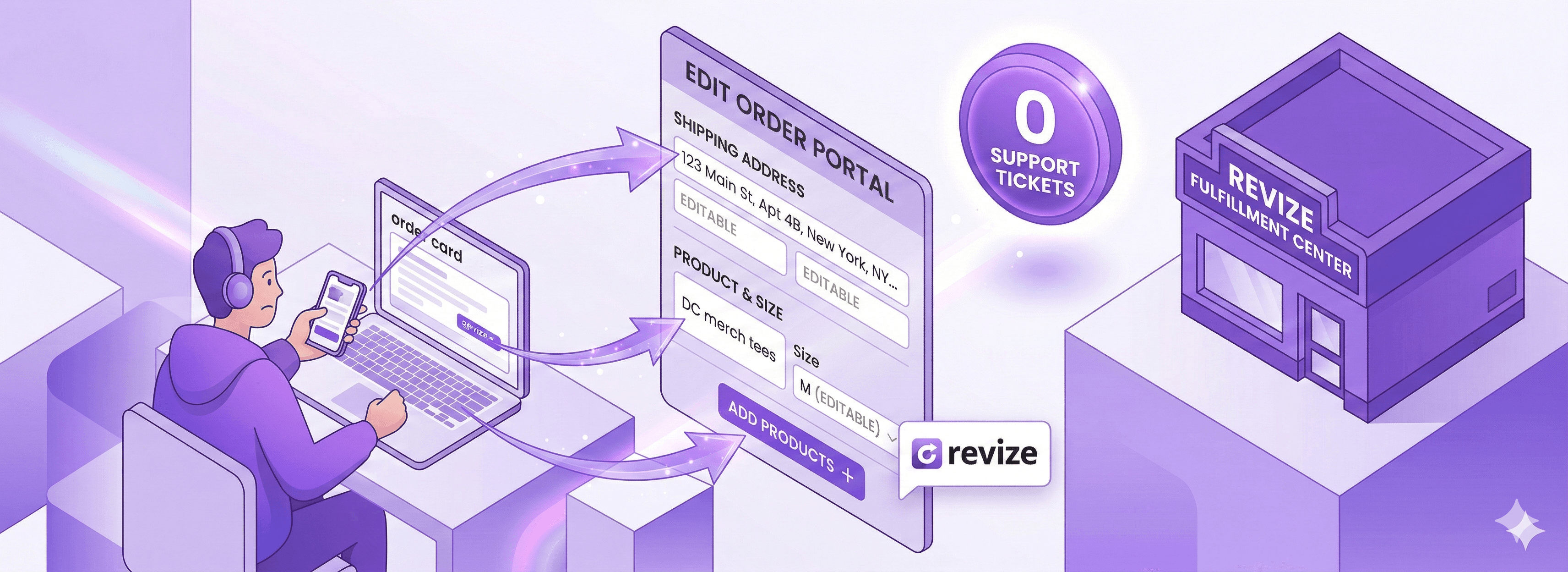
With legacy accounts, order editing was a mess. Customers couldn't change anything themselves. Every address correction, size swap, or item addition turned into a support ticket. You'd manually edit the order in the admin, send a confirmation, and hope you got it right.
The new customer accounts change the game. With the extensibility platform, apps like Revize can embed directly into the customer account experience. Your customers can edit their own orders — change addresses, swap variants, add items, cancel — without ever contacting support.
This isn't a "nice to have" anymore. With the old Liquid-based customer accounts being removed, any order editing workflow that relied on injecting code into customers/order.liquid is going away. The new extension-based approach through apps like Revize is how order editing works going forward.
If you're handling more than 20 orders a day, the support ticket reduction alone justifies the upgrade.
What Theme Developers Need to Know
If you build or maintain Shopify themes, this deprecation changes your workflow immediately.
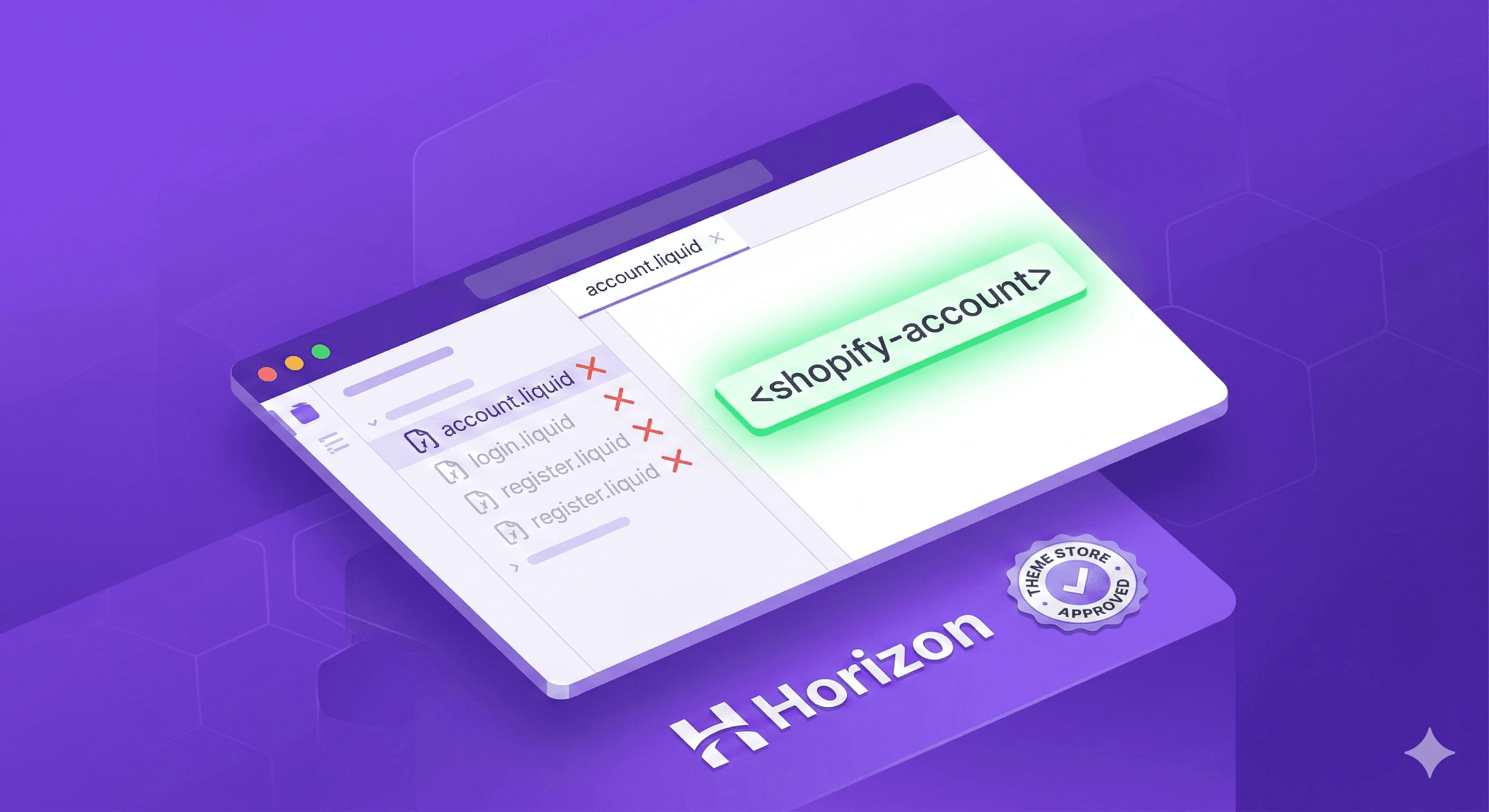
Legacy Liquid Files Are No Longer Required
You don't need to include customers/account.liquid, customers/login.liquid, or customers/register.liquid in your themes anymore. In fact, if a store on legacy accounts installs a theme without these files, they'll be automatically upgraded to the new customer accounts.
The <shopify-account> Web Component Is Coming
Shopify has released a new <shopify-account> web component that handles authentication and account navigation directly in the storefront. Here's what it provides:
Passwordless sign-in (email + one-time code)
Automatic sign-in with Shop recognition
Social sign-in with Facebook and Google
Account navigation menu with customizable quick links
CSS variable styling to match your theme's design
Automatic feature updates from Shopify — no theme updates needed
This component displays as an avatar in the store header. Signed-out customers see a default avatar that opens sign-in options. Signed-in customers see their initial or Shop profile picture with account links.
This will soon be a requirement for all themes submitted to or updated in the Shopify Theme Store. If you're a theme developer, implement it now. The developer documentation has everything you need.
The component already ships natively in all Horizon themes.
What App Developers Need to Know
If your app touches customer accounts in any way, pay attention.
Liquid-Based Apps Will Break
If your app relies on legacy customer account Liquid pages to function, it will not work for merchants on the new customer accounts. And since all merchants are being pushed to upgrade, that means your app's addressable market is shrinking every day.
Customer Account UI Extensions Are the Path Forward
Shopify's extensibility platform lets you build extensions that plug directly into the new customer accounts. You can enhance:
Order status pages — add tracking details, editing capabilities, upsells
Order list pages — surface relevant actions and information
Profile pages — add custom fields, preferences, loyalty points
Full custom pages — build entirely new pages within the customer account experience
800+ apps have already built customer account extensions. The developer guide walks you through creating your first extension.
The Storefront API Customer Mutations Are Being Deprecated
This is a big one for headless and custom storefront developers. Storefront API mutations like customerCreate, customerUpdate, and customerAccessTokenCreate are being deprecated. The Customer Account API is the replacement.
The Customer Account API provides:
Secure, scoped customer data access (orders, payments, fulfillment, discounts, refunds, metafields)
Passwordless authentication with single sign-on across storefronts, accounts, and checkout
Versioned API with quarterly releases
Works natively with Hydrogen and Oxygen
If you're building custom storefronts, start migrating to the Customer Account API now. Don't wait for the Storefront API mutations to be formally removed.
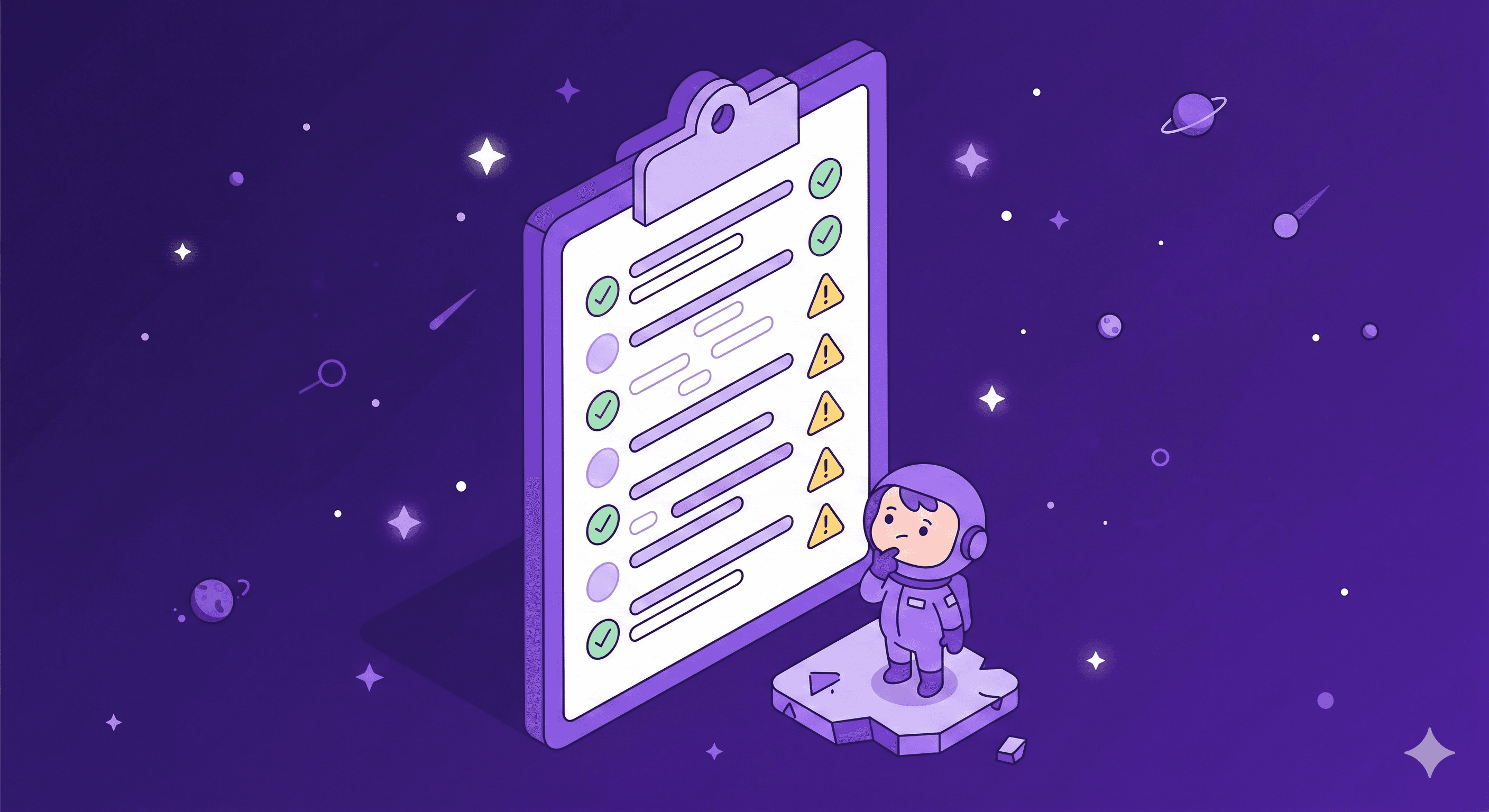
Limitations to Know Before You Upgrade
The new customer accounts are better in almost every way, but they're not identical. Know these limitations so you're not surprised.
Limitation | Details |
|---|---|
Custom sign-in modals | If you built a custom login modal (not using legacy templates), you'll need to remove it before upgrading. All legacy URLs like |
Shopify Flow triggers | Workflow triggers or automations based on legacy customer accounts can't be migrated. You'll need to rebuild them. |
Customer segments | Segments using the |
One domain for all markets | You can't set different customer account domains per market. One subdomain covers all international markets. |
Multipass | Not supported on new customer accounts. Use an OAuth2.0 + OIDC identity provider instead. |
Sign-in page customization | You can't add app blocks to the sign-in page itself. Customization starts after authentication. |
Revert window | You have 30 days to switch back. After that, it's permanent. |
None of these are dealbreakers for most stores, but if you're using Multipass or have complex Flow automations tied to customer account status, plan your migration carefully.
FAQ: Shopify Legacy Customer Accounts Deprecation
When exactly will legacy customer accounts stop working?
Shopify has confirmed a final sunset date will be announced later in 2026. The exact date hasn't been shared yet, but the deprecation is already in effect — no new features, no technical support, and new stores can't use legacy at all.
Can I still use legacy customer accounts right now?
Only if your store was already actively using them before February 2026. You won't be removed immediately, but you should upgrade proactively rather than waiting for the hard cutoff.
What happens to my customer data when I upgrade?
Your customer data stays intact. Existing customer accounts carry over to the new system. Customers will need to sign in using the new passwordless method (email + verification code) instead of their old password.
Will my customers need to create new accounts?
No. Existing customer accounts are preserved. The only change customers will notice is the sign-in method — instead of email + password, they'll enter their email and receive a 6-digit code. No new account creation needed.
What if I have a custom Liquid login page?
If you've built a custom sign-in experience outside of the standard legacy templates (like a login modal), you'll need to remove that code before upgrading. The new system handles all authentication through its own hosted sign-in flow.
What about apps that modify my customer account pages?
If those apps work by injecting code into legacy Liquid templates, they'll stop working after the upgrade. Check with the app developer — most popular apps have already built customer account extensions for the new system. If they haven't, find an alternative on the Shopify App Store and filter by "Works with Customer accounts."
Can I revert after upgrading?
Yes, for 30 days. After the 30-day window, the upgrade is permanent.
Does this affect Shopify Plus stores?
Yes. The deprecation applies to all Shopify plans. Plus stores have the same upgrade path and the same timeline.
How does this affect order editing?
Legacy customer accounts had no native order editing. Customers had to contact support for every change. The new customer accounts support app-based order editing through extensions — apps like Revize embed directly into the customer account experience, letting customers edit orders themselves.
What should headless/custom storefront developers do?
Switch from Storefront API customer mutations to the Customer Account API immediately. The Storefront API customer-scoped mutations will be deprecated, and the Customer Account API is Shopify's long-term solution for customer authentication and data access.
Your Upgrade Action Plan
Don't overthink this. Here's what to do this week:
If you're a merchant:
Audit your current legacy customizations (30 minutes)
Find app replacements for each customization (1-2 hours)
Follow the 8-step upgrade guide above (1-2 hours)
Test everything, then hit Upgrade
If you're a theme developer:
Remove legacy customer account Liquid files from your themes
Implement the
<shopify-account>web componentTest across Horizon and non-Horizon themes
If you're an app developer:
Build customer account UI extensions for your app
Stop relying on Liquid template injection
Migrate any Storefront API customer mutations to the Customer Account API
If you're a headless/custom storefront developer:
Replace Storefront API customer mutations with the Customer Account API
Implement the new authentication flow
Test passwordless sign-in across your storefront
The upgrade itself takes an afternoon. The prep work — auditing customizations, finding app replacements, testing — is what takes time. But the payoff is a faster, more secure, more feature-rich customer experience that Shopify will actually continue to improve.
Your legacy accounts are on borrowed time. The stores that upgrade now get to do it on their own schedule. The ones that wait will be doing it in a rush when the sunset date drops.
Your call.
Managing orders on Shopify? Revize lets your customers edit their own orders — change addresses, swap items, add products — directly from their account. No support tickets. No manual admin edits. Works natively with the new Shopify customer accounts. Try Revize free →
Related Resources
If you logged into your Shopify admin this week and saw a banner about "legacy customer accounts," you're not imagining things.
Shopify just made it official. As of February 2026, legacy customer accounts are deprecated. Not "being considered for deprecation." Not "might change eventually." Deprecated. Right now.
New stores can't even use the old version anymore. Existing stores that weren't actively using it? Locked out. And for everyone still running legacy customer accounts, Shopify has announced that a final sunset date is coming later this year.
Translation: the clock is ticking, and the old email-plus-password login your customers have been using is on borrowed time.
Here's the good news — the new version of Shopify customer accounts is genuinely better. Passwordless sign-in. Built-in store credit. Self-serve returns. 800+ apps already integrated. The upgrade path is straightforward if you know what to do.
This guide walks you through everything: what's actually changing, what breaks if you don't act, the exact steps to upgrade, and what this means for your apps, theme, and customer experience.
Quick Answer: What's Happening with Shopify Legacy Customer Accounts?
Shopify has officially deprecated legacy customer accounts as of February 2026. Legacy accounts (the email + password login system using Liquid templates like customers/account.liquid and customers/login.liquid) will no longer receive feature updates or technical support. A final sunset date will be announced later in 2026, after which legacy templates will be locked from editing and eventually removed. All merchants should upgrade to the new customer accounts, which use passwordless authentication, support 800+ app extensions, and include native features like store credit, self-serve returns, and subscriptions.
What Exactly Is Changing?
Let's cut through the noise. Here's a clear breakdown of what Shopify announced.
What's Deprecated
Legacy customer accounts are dead for new stores. If you're setting up a new Shopify store today, you can only use the new customer accounts. Legacy isn't an option.
Existing stores not using legacy are locked out too. If your store had legacy accounts disabled, you can't switch to them now.
No more feature updates. Shopify will not build anything new for legacy customer accounts. What you have today is all you'll ever have.
No more technical support. If something breaks on your legacy setup, Shopify's support team won't be helping you fix it.
What's Coming Next
Merchant communications are ramping up. Shopify will be actively pushing merchants to upgrade through admin banners, emails, and improved self-serve upgrade tools.
Legacy Liquid templates will be locked. Files like
customers/account.liquid,customers/login.liquid, andcustomers/register.liquidwill first be locked from editing, then removed entirely.A hard sunset date is coming in 2026. Shopify hasn't announced the exact date yet, but they've confirmed it's this year. When that date hits, legacy accounts simply stop working.
Storefront API customer mutations are being deprecated. If your custom storefront or app uses Storefront API for customer-scoped mutations (like
customerCreate,customerUpdate,customerAccessTokenCreate), those are going away. The Customer Account API is the replacement.
Legacy vs. New Customer Accounts: Side-by-Side Comparison
Before you upgrade, you should understand exactly what you're moving to. This isn't a lateral move — the new customer accounts are meaningfully better.
Feature | Legacy Customer Accounts | New Customer Accounts |
|---|---|---|
Sign-in method | Email + password | Passwordless (email + 6-digit code) |
Social sign-in | ✖️ Not available | ✔️ Google and Facebook |
Shop sign-in | Manual setup required | ✔️ Automatic with Shop Pay |
Self-serve returns | ✖️ Not available | ✔️ Built-in |
Store credit | ✖️ Not available | ✔️ Customers see balance and spend at checkout |
Subscription management | ✖️ Not available | ✔️ Skip, pause, cancel, update payment |
Reorder (Buy Again) | ✖️ Not available | ✔️ Built-in |
Order tracking | Basic | ✔️ Enhanced with real-time updates |
B2B support | ✖️ Not available | ✔️ Native |
App customization | Liquid template editing (fragile) | ✔️ 800+ app extensions via visual editor |
Custom identity provider | Multipass only | ✔️ Any OAuth2.0 + OIDC provider |
Theme dependency | Tightly coupled to theme templates | ✔️ Managed independently from theme |
Analytics | Limited | ✔️ Web pixel support for customer events |
Security | Password-based (reset issues, lockouts) | ✔️ Passwordless + single sign-on |
Future updates | ✖️ None. Ever. | ✔️ Automatic, continuous |
The pattern is clear. Legacy accounts were a product of their time. The new version isn't just an upgrade — it's a completely different architecture designed for modern ecommerce.
Why Shopify Is Killing Legacy Customer Accounts
This isn't arbitrary. Shopify has been building toward this for over two years, and the reasons are practical.
Password-based login is a liability. Your customers forget passwords. They submit support tickets. They abandon the login page entirely. Passwordless sign-in with a 6-digit verification code eliminates all of that. No passwords to reset. No locked-out customers. No "forgot password" support tickets.
Liquid templates are fragile and unsecurable. Legacy customer accounts live inside your theme's Liquid files. Every time you update your theme, those customizations can break. Every app that touches customer accounts needs to inject code into those templates. It's a maintenance nightmare, and it creates security vulnerabilities that Shopify can't control.
The new architecture is extensible. The new customer accounts are powered by Shopify's extensibility platform. Apps integrate through secure extension points, not by modifying template code. This means Shopify can ship new features (like store credit, self-serve returns, subscriptions) without requiring merchants to update anything.
70%+ of Shopify merchants have already switched. This isn't an early-adopter experiment. The majority of the platform is already on the new system. Maintaining two parallel systems indefinitely doesn't make sense.
The 8-Step Upgrade Guide: How to Switch to New Customer Accounts
Shopify has made the upgrade process reversible — you get a 30-day window to revert if something goes wrong. But you'll avoid problems entirely if you follow these steps in order.
Step 1: Review Your Legacy Customizations
Before you touch anything, audit what you currently have.
In the theme editor:
Go to Online Store → Themes in your Shopify admin
Click Edit theme on your current theme
Click the Home page dropdown menu
Select Legacy customer accounts
Review each template: Customer account, Customer activate account, Customer addresses, Customer login, Customer order, Customer register, Customer reset password
In the code:
Go to Online Store → Themes
Click ⋯ → Edit code on your current theme
Navigate to templates → customers
Review the code in each customer template
Write down every customization you find. Links to subscription portals, loyalty program integrations, custom fields, order history modifications — all of it. Some of these will transfer over through apps, some won't. Knowing what you have is step one.
Step 2: Duplicate Your Checkout Configuration
This gives you a safe workspace to set up the new experience without affecting your live store.
Go to Settings → Checkout in your Shopify admin
Find your active configuration and click Duplicate
Rename it something clear like "New Customer Accounts Setup"
You'll work on this copy for the next few steps.
Step 3: Replace Legacy Customizations with Apps
This is the most important step. For every customization you identified in Step 1, find an app replacement.
The new customer accounts support app blocks for:
Loyalty programs
Wishlists
Order editing (this is where Revize comes in — more on that below)
Returns management
Subscriptions
Upsells and cross-sells
Forms and surveys
Digital downloads
To add app blocks:
Go to Settings → Checkout
Click Customize on your duplicated configuration
In the left sidebar, click Apps
Find your installed apps that support customer accounts
Click + to add app blocks to Orders, Order status, Profile, or Accounts pages
Configure each app block's settings
Click Save
To find new apps:
Go to the Shopify App Store
Search for the feature you need
Click Refine → Under Works with, select Customer accounts
This filters results to only show apps built for the new customer accounts platform.
Step 4: Update Your Brand Settings
Checkout and customer accounts share brand settings. Make sure your logo, colors, and fonts look right across all pages.
Go to Settings → Checkout
Click Customize on your duplicated configuration
Click Settings in the left sidebar
Navigate through checkout and customer account pages to verify your branding
Adjust and Save
Step 5: Connect a Subdomain
Customer accounts need their own subdomain (e.g., account.yourstore.com). The default is a Shopify domain, which looks unprofessional.
Set this up in Settings → Domains by connecting a subdomain based on your primary domain.
Step 6: Verify Your Sender Email
This is critical. The new passwordless login sends verification codes via email — from your sender email address. If that email is outdated or inaccessible, your customers literally can't sign in.
Check your sender email in Settings → Notifications and make sure you have active access to it.
Step 7: Publish Your Configuration
When your apps, branding, and settings are ready:
Go to Settings → Checkout
Preview your duplicated configuration one more time
Click Publish
This makes your checkout and account customizations live, but your store still links to legacy accounts until Step 8.
Step 8: Hit the Upgrade Button
The final step:
Go to Settings → Customer accounts
Click Upgrade in the banner at the top
That's it. Your store is now on the new customer accounts. You have 30 days to revert if anything breaks — but if you followed Steps 1-7, it shouldn't.
What This Means for Your Order Editing Workflow
Here's something most upgrade guides skip: what happens to post-purchase order changes when you switch to new customer accounts?
With legacy accounts, order editing was a mess. Customers couldn't change anything themselves. Every address correction, size swap, or item addition turned into a support ticket. You'd manually edit the order in the admin, send a confirmation, and hope you got it right.
The new customer accounts change the game. With the extensibility platform, apps like Revize can embed directly into the customer account experience. Your customers can edit their own orders — change addresses, swap variants, add items, cancel — without ever contacting support.
This isn't a "nice to have" anymore. With the old Liquid-based customer accounts being removed, any order editing workflow that relied on injecting code into customers/order.liquid is going away. The new extension-based approach through apps like Revize is how order editing works going forward.
If you're handling more than 20 orders a day, the support ticket reduction alone justifies the upgrade.
What Theme Developers Need to Know
If you build or maintain Shopify themes, this deprecation changes your workflow immediately.
Legacy Liquid Files Are No Longer Required
You don't need to include customers/account.liquid, customers/login.liquid, or customers/register.liquid in your themes anymore. In fact, if a store on legacy accounts installs a theme without these files, they'll be automatically upgraded to the new customer accounts.
The <shopify-account> Web Component Is Coming
Shopify has released a new <shopify-account> web component that handles authentication and account navigation directly in the storefront. Here's what it provides:
Passwordless sign-in (email + one-time code)
Automatic sign-in with Shop recognition
Social sign-in with Facebook and Google
Account navigation menu with customizable quick links
CSS variable styling to match your theme's design
Automatic feature updates from Shopify — no theme updates needed
This component displays as an avatar in the store header. Signed-out customers see a default avatar that opens sign-in options. Signed-in customers see their initial or Shop profile picture with account links.
This will soon be a requirement for all themes submitted to or updated in the Shopify Theme Store. If you're a theme developer, implement it now. The developer documentation has everything you need.
The component already ships natively in all Horizon themes.
What App Developers Need to Know
If your app touches customer accounts in any way, pay attention.
Liquid-Based Apps Will Break
If your app relies on legacy customer account Liquid pages to function, it will not work for merchants on the new customer accounts. And since all merchants are being pushed to upgrade, that means your app's addressable market is shrinking every day.
Customer Account UI Extensions Are the Path Forward
Shopify's extensibility platform lets you build extensions that plug directly into the new customer accounts. You can enhance:
Order status pages — add tracking details, editing capabilities, upsells
Order list pages — surface relevant actions and information
Profile pages — add custom fields, preferences, loyalty points
Full custom pages — build entirely new pages within the customer account experience
800+ apps have already built customer account extensions. The developer guide walks you through creating your first extension.
The Storefront API Customer Mutations Are Being Deprecated
This is a big one for headless and custom storefront developers. Storefront API mutations like customerCreate, customerUpdate, and customerAccessTokenCreate are being deprecated. The Customer Account API is the replacement.
The Customer Account API provides:
Secure, scoped customer data access (orders, payments, fulfillment, discounts, refunds, metafields)
Passwordless authentication with single sign-on across storefronts, accounts, and checkout
Versioned API with quarterly releases
Works natively with Hydrogen and Oxygen
If you're building custom storefronts, start migrating to the Customer Account API now. Don't wait for the Storefront API mutations to be formally removed.
Limitations to Know Before You Upgrade
The new customer accounts are better in almost every way, but they're not identical. Know these limitations so you're not surprised.
Limitation | Details |
|---|---|
Custom sign-in modals | If you built a custom login modal (not using legacy templates), you'll need to remove it before upgrading. All legacy URLs like |
Shopify Flow triggers | Workflow triggers or automations based on legacy customer accounts can't be migrated. You'll need to rebuild them. |
Customer segments | Segments using the |
One domain for all markets | You can't set different customer account domains per market. One subdomain covers all international markets. |
Multipass | Not supported on new customer accounts. Use an OAuth2.0 + OIDC identity provider instead. |
Sign-in page customization | You can't add app blocks to the sign-in page itself. Customization starts after authentication. |
Revert window | You have 30 days to switch back. After that, it's permanent. |
None of these are dealbreakers for most stores, but if you're using Multipass or have complex Flow automations tied to customer account status, plan your migration carefully.
FAQ: Shopify Legacy Customer Accounts Deprecation
When exactly will legacy customer accounts stop working?
Shopify has confirmed a final sunset date will be announced later in 2026. The exact date hasn't been shared yet, but the deprecation is already in effect — no new features, no technical support, and new stores can't use legacy at all.
Can I still use legacy customer accounts right now?
Only if your store was already actively using them before February 2026. You won't be removed immediately, but you should upgrade proactively rather than waiting for the hard cutoff.
What happens to my customer data when I upgrade?
Your customer data stays intact. Existing customer accounts carry over to the new system. Customers will need to sign in using the new passwordless method (email + verification code) instead of their old password.
Will my customers need to create new accounts?
No. Existing customer accounts are preserved. The only change customers will notice is the sign-in method — instead of email + password, they'll enter their email and receive a 6-digit code. No new account creation needed.
What if I have a custom Liquid login page?
If you've built a custom sign-in experience outside of the standard legacy templates (like a login modal), you'll need to remove that code before upgrading. The new system handles all authentication through its own hosted sign-in flow.
What about apps that modify my customer account pages?
If those apps work by injecting code into legacy Liquid templates, they'll stop working after the upgrade. Check with the app developer — most popular apps have already built customer account extensions for the new system. If they haven't, find an alternative on the Shopify App Store and filter by "Works with Customer accounts."
Can I revert after upgrading?
Yes, for 30 days. After the 30-day window, the upgrade is permanent.
Does this affect Shopify Plus stores?
Yes. The deprecation applies to all Shopify plans. Plus stores have the same upgrade path and the same timeline.
How does this affect order editing?
Legacy customer accounts had no native order editing. Customers had to contact support for every change. The new customer accounts support app-based order editing through extensions — apps like Revize embed directly into the customer account experience, letting customers edit orders themselves.
What should headless/custom storefront developers do?
Switch from Storefront API customer mutations to the Customer Account API immediately. The Storefront API customer-scoped mutations will be deprecated, and the Customer Account API is Shopify's long-term solution for customer authentication and data access.
Your Upgrade Action Plan
Don't overthink this. Here's what to do this week:
If you're a merchant:
Audit your current legacy customizations (30 minutes)
Find app replacements for each customization (1-2 hours)
Follow the 8-step upgrade guide above (1-2 hours)
Test everything, then hit Upgrade
If you're a theme developer:
Remove legacy customer account Liquid files from your themes
Implement the
<shopify-account>web componentTest across Horizon and non-Horizon themes
If you're an app developer:
Build customer account UI extensions for your app
Stop relying on Liquid template injection
Migrate any Storefront API customer mutations to the Customer Account API
If you're a headless/custom storefront developer:
Replace Storefront API customer mutations with the Customer Account API
Implement the new authentication flow
Test passwordless sign-in across your storefront
The upgrade itself takes an afternoon. The prep work — auditing customizations, finding app replacements, testing — is what takes time. But the payoff is a faster, more secure, more feature-rich customer experience that Shopify will actually continue to improve.
Your legacy accounts are on borrowed time. The stores that upgrade now get to do it on their own schedule. The ones that wait will be doing it in a rush when the sunset date drops.
Your call.
Managing orders on Shopify? Revize lets your customers edit their own orders — change addresses, swap items, add products — directly from their account. No support tickets. No manual admin edits. Works natively with the new Shopify customer accounts. Try Revize free →
Related Resources
Revize your Shopify store. Lead with customer experience.

© Copyright 2024, All Rights Reserved
Revize your Shopify store. Lead with customer experience.
© Copyright 2024, All Rights Reserved
Revize your Shopify store. Lead with customer experience.
© Copyright 2024, All Rights Reserved
Revize your Shopify store. Lead with customer experience.
© Copyright 2024, All Rights Reserved