
Shopify Advanced to Plus 2026: When to Upgrade, What Breaks, and the 90-Day Operational Playbook
Shopify Advanced to Plus 2026: When to Upgrade, What Breaks, and the 90-Day Operational Playbook
Shopify Advanced to Plus 2026: When to Upgrade, What Breaks, and the 90-Day Operational Playbook
Shopify Advanced to Plus 2026 — what merchants need to know in 15 seconds
The decision changed in 2026. April 2 made B2B available on every paid plan. April 15 locked Shopify Scripts editing. June 30 kills Scripts entirely. Pre-2026 upgrade calculators are now wrong.
The new revenue threshold is $1.5M-$2M/year, not $1M like older guides. Above $2M, transaction fee savings alone usually justify the jump.
What actually breaks in migration: Scripts-based discounts, custom theme apps, third-party checkout pixels, subscription apps with hardcoded URLs, and B2B workarounds built on customer tags.
The 90-day post-migration checklist is where most stores fail — not the migration itself. Admin verification, Functions deployment, B2B reconfiguration, and customer-account migration each need to happen in a specific order.
If you're still on Advanced with active Scripts, you're already in the danger zone. Functions migration takes 4-8 weeks; you have less than 8 weeks until June 30.
If you're running an Advanced-plan store doing $1.5M+/year and you've been wondering whether the jump to Plus is worth it: the answer in May 2026 is less obvious than it was six months ago, and the reasons are the opposite of what you'd expect.
Most Shopify Advanced to Plus upgrade guides on the internet were written when Plus's biggest selling point was native B2B — company accounts, payment terms, custom catalogs, all gated to the $2,300/month plan. That gate fell on April 2, 2026. B2B is now available on Basic, Grow, and Advanced. If "we need B2B" was your primary upgrade trigger, the calculus just got more complicated.
Meanwhile, two other 2026 changes pulled the upgrade forward for a different group of merchants: Shopify Scripts editing locked on April 15, 2026, and the entire Scripts engine sunsets on June 30. Any Advanced merchant still running Scripts-based discount or shipping logic is on a clock — and the migration to Shopify Functions runs 4-8 weeks for non-trivial setups.
This guide is for Advanced-plan operators who need a clean answer to should I upgrade, the math behind that answer, the specific things that break in migration, and — uniquely — a 90-day operational playbook for what happens after you cross over. Most upgrade guides stop at "your store is on Plus now, congrats." That's where the real work begins.

The 2026 Decision Tree: Three Forces Pulling Different Directions
Three platform changes in 2026 fundamentally reshaped the Advanced-to-Plus upgrade decision, and they pull in opposite directions depending on what your store does. Treating them as one decision is the most common planning mistake.
Force 1 — B2B on all paid plans (April 2, 2026). Pre-April, "we need company accounts and payment terms" was the #1 upgrade trigger. Post-April, Basic/Grow/Advanced get the foundational B2B set: company profiles, payment terms, vaulted cards, ACH, and up to 3 catalogs via Markets. The B2B argument for Plus is now a scale argument, not an access argument — you upgrade when you outgrow the 3-catalog cap or need partial payments, deposits, or sales rep permission scoping. For deeper context, see our Shopify B2B 2026 Guide.
Force 2 — Shopify Scripts sunset (June 30, 2026). Scripts editing locked April 15. The runtime kills June 30. If your Advanced store has discount logic, shipping rules, or cart transformation built in Scripts, you must migrate to Shopify Functions before June 30. Functions deployment is straightforward on either plan, but at scale the operational lift makes Plus more attractive. The Functions Migration Tutorial walks the technical path.
Force 3 — Checkout Extensibility (deadline passed August 2025). If you migrated checkout already, this is behind you. If you haven't, Shopify is auto-upgrading you, and your tracking is broken in the interim. Checkout customization at the level Plus affords (Checkout UI Extensions, custom branding, post-purchase pages) is increasingly the differentiator non-Plus stores can't match.
The right upgrade decision in 2026 weighs all three. The wrong decision weighs only one.
The Real TCO Math: $1.5M, $3M, $5M Tiers
The honest cost comparison depends on transaction volume and your existing app stack, not sticker prices. Actual math at three revenue tiers:
Annual Revenue | Advanced Total Monthly Cost | Plus Total Monthly Cost | Plus Savings |
|---|---|---|---|
$1.5M | ~$2,000 (subscription + transaction fees + apps) | ~$3,500 (Plus base + lower transaction fees + apps) | Net cost: -$1,500/mo |
$3M | ~$3,500 | ~$3,800 | Net cost: -$300/mo (close to break-even) |
$5M | ~$5,500 | ~$4,500 | Net savings: +$1,000/mo |
Two adjustments to that table that most calculators miss:
Plus negotiates the base. The published $2,300/month is a starting price. Plus contracts at $3M+ commonly land in the $1,800-$2,000/month range when negotiated, especially with annual commitments.
App stack consolidation. Plus stores typically replace 3-5 paid apps with native features (B2B apps, custom checkout apps, multi-store apps). On a typical Advanced store paying $400-$800/month in apps, this consolidation alone saves $200-$500/month post-migration.
The break-even is roughly $2M-$2.5M in annual revenue when you factor in transaction fee deltas (0.4% on Advanced vs 0.15% on Plus, depending on payment processor and region) plus app consolidation. Below that, Advanced is the right call. Above $3M, the math is decisively in Plus's favor.

What Actually Breaks in Migration
Eight concrete failure modes hit nearly every Advanced-to-Plus migration in 2026. Identifying them upfront makes the difference between a one-week migration and a six-week firefight.
Shopify Scripts. Locked since April 15. They run until June 30, then die. Migrate to Functions before the cutover, not after — running on Plus with broken Scripts is worse than waiting.
Custom Liquid in checkout. If you have legacy
checkout.liquidcustomizations, Checkout Extensibility migration is a prerequisite, not a parallel task.Third-party checkout pixels and tracking. Pixels in the Additional Scripts field don't carry to the new checkout. You'll rebuild them in Customer Events as Custom Pixels.
Subscription apps with hardcoded URLs. Recharge, Loop, and similar apps frequently have storefront URLs hardcoded into customer-facing emails and redirect logic. Audit before cutover.
B2B workarounds built on customer tags. If you faked B2B with customer tags + price-list logic, that infrastructure has to be rebuilt as native B2B (Companies/Locations/Catalogs).
Theme app embeds. App embeds set in Online Store → Themes → Customize need to be re-verified. Most carry over; some break silently.
Discount codes with Scripts dependencies. Anything calling Scripts via deep linking or POS extensions stops working when Scripts dies.
Email flow shipping links. Klaviyo, Drip, and built-in Shopify email automation often link to checkout pages with embedded session data. Verify these post-migration.
For a complete checklist of Checkout Extensibility issues specifically, see our Checkout Extensibility 2026 Guide.
The Pre-Migration Audit (Week -4 to -1)
Data audit. Export everything: customer records, product catalog, 12-month order history, discount codes, and metafields. Snapshot your current setup so rollback is possible.
Technical audit. Document every app, custom theme modification, Liquid file with custom code, Scripts in use, third-party pixel, and webhook endpoint. If you don't have your theme in git, that's the first thing to fix.
Operational audit. List every workflow your team runs in the admin: order editing, refunds, customer service, fulfillment routing, B2B order handling. The 90-day playbook (below) maps to these.
The most common audit miss: undocumented apps a previous developer installed. Audit every staff member's app permissions and anything you don't recognize.
Migration Week (Day 0)
The actual cutover is the smallest part of the project. With audits done, the migration week sequence is straightforward:
Day -3 to -1: Final data exports, freeze theme changes, schedule Plus activation with your Merchant Success Manager.
Day 0 morning: Plus activation. Settings → Plan → upgrade. Within 1-2 hours your account flips.
Day 0 afternoon: Verify checkout flow with test transactions. Verify pixels firing in Meta Events Manager and GA4. Confirm B2B menu appears under Customers if you've contracted for it.
Day 0 evening: Notify your team that Plus features are accessible. Don't deploy new logic same-day; let it bake.
Don't migrate on Friday. Mid-week leaves time for fixes; the first 72 hours surface most issues.
The 90-Day Operational Playbook
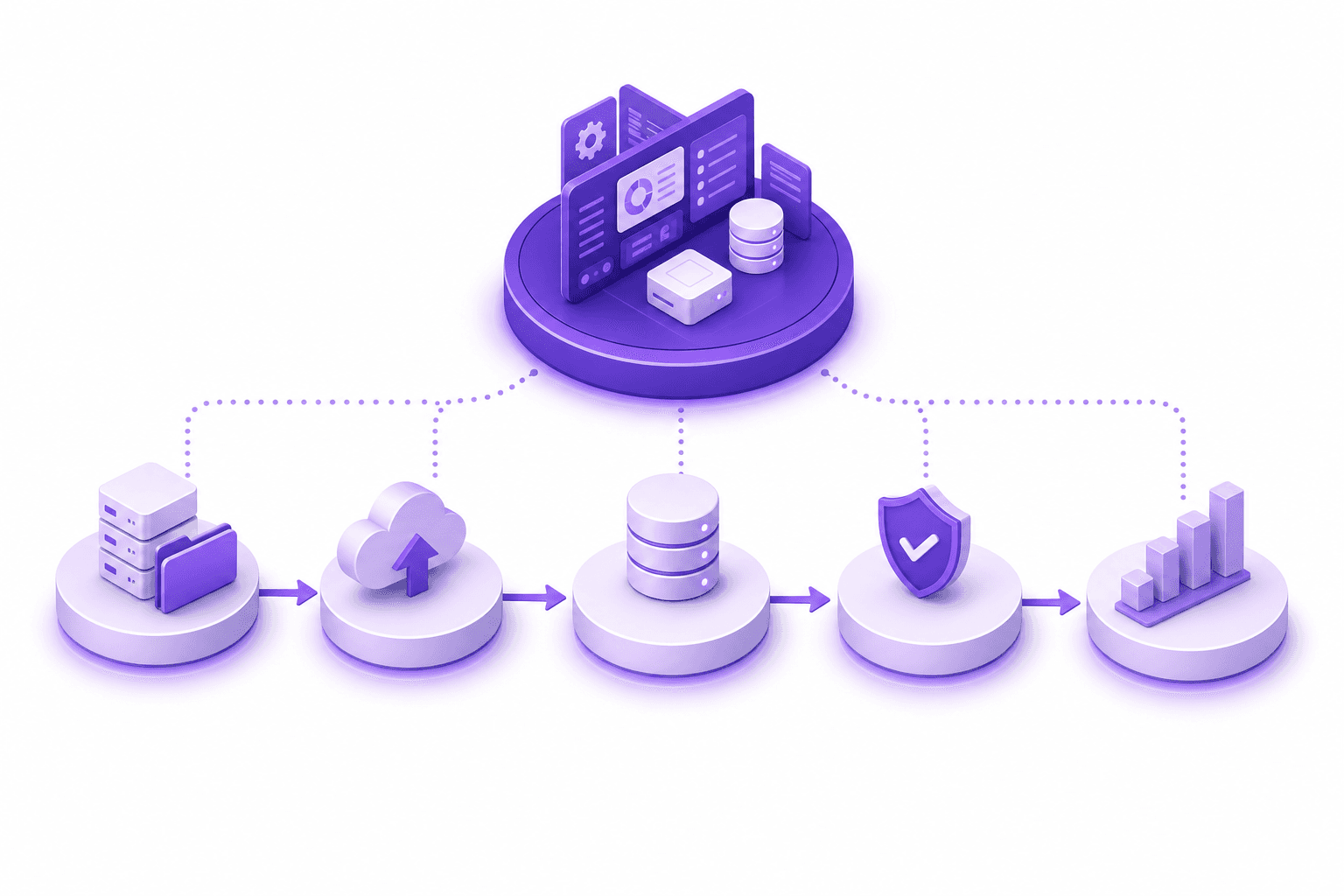
This is the section most upgrade guides skip entirely — and it's where your Plus investment actually pays back or stalls. The 90 days after activation are when Plus features get configured, customer experience improvements get deployed, and the operational gains start showing in the metrics.
Week 1 — Admin verification (do this in the first 5 business days).
Walk through every admin section and verify configuration carried over correctly:
Settings → Checkout → confirm Checkout Extensibility status, verify Customer Events pixels firing
Settings → Customer Accounts → if migrating from legacy accounts, plan the cutover (legacy accounts are deprecated as of February 26, 2026)
Settings → Customers → verify the B2B menu appears, configure your first test company
Settings → Shipping and delivery → re-verify all rates work; some Scripts-based shipping rules will be missing
Online Store → Themes → confirm app embeds are intact; document any that broke
Week 2-3 — Functions deployment.
If you migrated Scripts logic, this is where you actually deploy the Functions. Use the Shopify CLI: shopify app generate extension --type=function. Test in a dev store first. Functions for discount/shipping/cart-transform run identically on Plus as on lower plans, but the operational pace at Plus volume requires test runs and careful staged rollouts. The Functions Migration Tutorial covers the code path.
Week 4-6 — B2B reconfiguration.
If you upgraded for B2B, this is the heaviest workstream. Set up Companies and Locations for each wholesale customer. Build out catalogs for each pricing tier or per-customer (unlimited on Plus). Configure payment terms (Net 15/30/60/90). Test draft orders with sales reps. Verify scoped staff permissions for sales reps so they only see assigned accounts.
Week 7-8 — Customer accounts migration.
If you were on legacy customer accounts (deprecated February 26, 2026), now is the cutover window. The new customer accounts handle B2B buyer logins, order history, and post-purchase access. Plan the email migration carefully — your existing customers will get a one-time prompt to log in via the new flow.
Week 9-12 — Operational rhythm.
Build the Flow workflows that make Plus volume manageable: auto-route B2B orders to a dedicated queue, alert on inventory transfers, tag high-value orders for priority review, monitor edited orders. Layer in your post-purchase apps. Establish your weekly operational review covering Functions execution, Flow workflow alerts, B2B order status, and the post-purchase support ticket trend.
The merchants who get Plus's full value treat day 1 as the start of operational ramp, not the finish line.
Post-Purchase Operations at Plus Scale
At Plus volume, post-purchase order operations become a measurable line item — and it's the workflow most merchants don't budget for in the upgrade decision. Routine post-checkout changes (address corrections, quantity adjustments before fulfillment, PO number updates on B2B orders) accumulate as 5-10% of total order volume in support load. At Plus scale that's 50-150 hours per month of manual ticket handling.
Native Shopify order editing handles structural changes, but doesn't provide buyer-facing self-service editing or recalculate around discount-affecting changes. Apps like Revize close that gap with self-service order editing for buyers, including support for orders on payment terms — which matters more on Plus once you've configured B2B. For a deeper view of order operations architecture, see our Order Management Guide.

The Bottom Line
Shopify Advanced to Plus in 2026 is no longer a single decision driven by B2B access. It's a three-force calculation balancing the April 2 B2B rollout (which removed an old reason to upgrade), the June 30 Scripts deadline (which created a new urgency), and the operational scale at which Plus's flexibility starts paying back.
Action plan for this week:
Calculate your real TCO at current volume (not the published Plus sticker price)
Audit whether you have active Shopify Scripts — if yes, project Functions migration timeline against June 30
Map your current B2B workflows to native Plus B2B (or stay on Advanced if 3 catalogs is enough)
Document your current admin state so post-migration verification has a baseline
If migrating: schedule the cutover for a Tuesday or Wednesday, never Friday
Frequently Asked Questions
When should I upgrade from Shopify Advanced to Plus in 2026?
The honest threshold in 2026 is $1.5M-$2M annual revenue, with the upgrade becoming clearly worth it at $3M+. Below $1.5M, Advanced + apps almost always wins on TCO. Above $3M, transaction fee savings plus app stack consolidation typically pay for Plus by themselves. The middle band ($1.5M-$3M) requires a real calculation against your specific app stack and B2B needs.
How much does Shopify Plus actually cost in 2026?
Published price is $2,300/month, but contracts at $3M+ revenue commonly negotiate to $1,800-$2,000/month with annual commitments. Total cost of ownership including transaction fees, apps, and occasional development averages $4,000-$6,000/month for a $2M-$3M store and $5,500-$8,000/month for $5M+ stores.
Did the April 2026 B2B rollout change the upgrade calculation?
Yes — significantly. Before April 2, 2026, B2B access was the #1 reason most Advanced merchants upgraded. Now that company accounts, payment terms, and 3 catalogs are available on every paid plan, the B2B argument for Plus is a scale argument, not an access argument. Upgrade for B2B only if you need unlimited catalogs, partial payments, deposits, or sales rep scoping.
What happens to my Shopify Scripts if I don't migrate to Plus?
Scripts editing locked April 15, 2026, regardless of plan. The runtime sunsets June 30, 2026. Whether you stay on Advanced or move to Plus, Scripts must migrate to Shopify Functions by June 30 or the logic stops running. Plus doesn't change this — Functions deployment is plan-agnostic.
How long does Advanced to Plus migration take?
Most stores complete the migration in 2-4 weeks prep plus a one-week cutover, then 4-12 weeks of operational ramp. The migration itself is fast; the audit prep and the 90-day operational playbook are where the real time goes. Add 2-4 weeks per parallel workstream (legacy customer accounts, Scripts).
What breaks during Advanced to Plus migration?
Is Shopify Plus worth it just for B2B in 2026?
Probably not anymore — non-Plus B2B covers most small-to-mid wholesale operations now. Plus B2B is worth it specifically when you outgrow the 3-catalog cap (typically 50+ wholesale customers with negotiated pricing), need partial payments or deposits, or need scoped sales rep permissions. Below those thresholds, stay on Advanced and use native B2B.
What's the 90-day post-migration playbook?
Week 1 is admin verification, weeks 2-3 are Functions deployment, weeks 4-6 are B2B reconfiguration, weeks 7-8 are customer account migration, weeks 9-12 are operational rhythm — Flow workflows, post-purchase apps, and the weekly operational review. Each phase has specific Shopify admin paths and verification steps. Skipping the 90-day plan is the most common reason Plus stores don't see immediate ROI.
Do I need an agency for Shopify Advanced to Plus migration?
Under $3M with a simple app stack, in-house is feasible if you have a developer. Above $3M with complex integrations, custom theme work, or multi-store ambitions, an agency is usually worth it. Cost ranges $15,000-$80,000 depending on complexity.
Will my SEO get hurt by migrating to Shopify Plus?
No, if you preserve URLs and don't change the storefront domain. Plus uses the same URL structure as Advanced. SEO risks come from concurrent changes (theme redesign, URL restructure) rather than from the platform upgrade itself.
Can I roll back from Plus to Advanced if it doesn't work out?
Technically yes, but practically no — once you've configured B2B, deployed Functions, and migrated customer accounts, rollback means rebuilding all of that on Advanced. Plus contracts also typically include annual commitments. Plan the upgrade as one-way; validate fit before signing.
What's the single biggest mistake in Shopify Plus migration?
Treating migration day as the finish line instead of day 1 of a 90-day operational ramp. The merchants who get Plus's full value invest in the post-migration Functions deployment, B2B configuration, and operational workflow setup. The ones who don't pay $4,000+/month for features they never configured.
Related Articles
Shopify B2B 2026 Complete Guide — operational architecture for B2B post April 2026 rollout, especially for Plus stores
Shopify Scripts to Functions Migration Tutorial — the technical path for the June 30 deadline
Shopify Checkout Extensibility 2026 — the checkout migration that often runs alongside Plus migration
Shopify Order Management 2026 — the operations layer Plus enables for shopify advanced to plus operators
Shopify Legacy Customer Accounts Deprecated — the customer-account migration that runs in your week 7-8
Shopify Advanced to Plus 2026 — what merchants need to know in 15 seconds
The decision changed in 2026. April 2 made B2B available on every paid plan. April 15 locked Shopify Scripts editing. June 30 kills Scripts entirely. Pre-2026 upgrade calculators are now wrong.
The new revenue threshold is $1.5M-$2M/year, not $1M like older guides. Above $2M, transaction fee savings alone usually justify the jump.
What actually breaks in migration: Scripts-based discounts, custom theme apps, third-party checkout pixels, subscription apps with hardcoded URLs, and B2B workarounds built on customer tags.
The 90-day post-migration checklist is where most stores fail — not the migration itself. Admin verification, Functions deployment, B2B reconfiguration, and customer-account migration each need to happen in a specific order.
If you're still on Advanced with active Scripts, you're already in the danger zone. Functions migration takes 4-8 weeks; you have less than 8 weeks until June 30.
If you're running an Advanced-plan store doing $1.5M+/year and you've been wondering whether the jump to Plus is worth it: the answer in May 2026 is less obvious than it was six months ago, and the reasons are the opposite of what you'd expect.
Most Shopify Advanced to Plus upgrade guides on the internet were written when Plus's biggest selling point was native B2B — company accounts, payment terms, custom catalogs, all gated to the $2,300/month plan. That gate fell on April 2, 2026. B2B is now available on Basic, Grow, and Advanced. If "we need B2B" was your primary upgrade trigger, the calculus just got more complicated.
Meanwhile, two other 2026 changes pulled the upgrade forward for a different group of merchants: Shopify Scripts editing locked on April 15, 2026, and the entire Scripts engine sunsets on June 30. Any Advanced merchant still running Scripts-based discount or shipping logic is on a clock — and the migration to Shopify Functions runs 4-8 weeks for non-trivial setups.
This guide is for Advanced-plan operators who need a clean answer to should I upgrade, the math behind that answer, the specific things that break in migration, and — uniquely — a 90-day operational playbook for what happens after you cross over. Most upgrade guides stop at "your store is on Plus now, congrats." That's where the real work begins.
The 2026 Decision Tree: Three Forces Pulling Different Directions
Three platform changes in 2026 fundamentally reshaped the Advanced-to-Plus upgrade decision, and they pull in opposite directions depending on what your store does. Treating them as one decision is the most common planning mistake.
Force 1 — B2B on all paid plans (April 2, 2026). Pre-April, "we need company accounts and payment terms" was the #1 upgrade trigger. Post-April, Basic/Grow/Advanced get the foundational B2B set: company profiles, payment terms, vaulted cards, ACH, and up to 3 catalogs via Markets. The B2B argument for Plus is now a scale argument, not an access argument — you upgrade when you outgrow the 3-catalog cap or need partial payments, deposits, or sales rep permission scoping. For deeper context, see our Shopify B2B 2026 Guide.
Force 2 — Shopify Scripts sunset (June 30, 2026). Scripts editing locked April 15. The runtime kills June 30. If your Advanced store has discount logic, shipping rules, or cart transformation built in Scripts, you must migrate to Shopify Functions before June 30. Functions deployment is straightforward on either plan, but at scale the operational lift makes Plus more attractive. The Functions Migration Tutorial walks the technical path.
Force 3 — Checkout Extensibility (deadline passed August 2025). If you migrated checkout already, this is behind you. If you haven't, Shopify is auto-upgrading you, and your tracking is broken in the interim. Checkout customization at the level Plus affords (Checkout UI Extensions, custom branding, post-purchase pages) is increasingly the differentiator non-Plus stores can't match.
The right upgrade decision in 2026 weighs all three. The wrong decision weighs only one.
The Real TCO Math: $1.5M, $3M, $5M Tiers
The honest cost comparison depends on transaction volume and your existing app stack, not sticker prices. Actual math at three revenue tiers:
Annual Revenue | Advanced Total Monthly Cost | Plus Total Monthly Cost | Plus Savings |
|---|---|---|---|
$1.5M | ~$2,000 (subscription + transaction fees + apps) | ~$3,500 (Plus base + lower transaction fees + apps) | Net cost: -$1,500/mo |
$3M | ~$3,500 | ~$3,800 | Net cost: -$300/mo (close to break-even) |
$5M | ~$5,500 | ~$4,500 | Net savings: +$1,000/mo |
Two adjustments to that table that most calculators miss:
Plus negotiates the base. The published $2,300/month is a starting price. Plus contracts at $3M+ commonly land in the $1,800-$2,000/month range when negotiated, especially with annual commitments.
App stack consolidation. Plus stores typically replace 3-5 paid apps with native features (B2B apps, custom checkout apps, multi-store apps). On a typical Advanced store paying $400-$800/month in apps, this consolidation alone saves $200-$500/month post-migration.
The break-even is roughly $2M-$2.5M in annual revenue when you factor in transaction fee deltas (0.4% on Advanced vs 0.15% on Plus, depending on payment processor and region) plus app consolidation. Below that, Advanced is the right call. Above $3M, the math is decisively in Plus's favor.
What Actually Breaks in Migration
Eight concrete failure modes hit nearly every Advanced-to-Plus migration in 2026. Identifying them upfront makes the difference between a one-week migration and a six-week firefight.
Shopify Scripts. Locked since April 15. They run until June 30, then die. Migrate to Functions before the cutover, not after — running on Plus with broken Scripts is worse than waiting.
Custom Liquid in checkout. If you have legacy
checkout.liquidcustomizations, Checkout Extensibility migration is a prerequisite, not a parallel task.Third-party checkout pixels and tracking. Pixels in the Additional Scripts field don't carry to the new checkout. You'll rebuild them in Customer Events as Custom Pixels.
Subscription apps with hardcoded URLs. Recharge, Loop, and similar apps frequently have storefront URLs hardcoded into customer-facing emails and redirect logic. Audit before cutover.
B2B workarounds built on customer tags. If you faked B2B with customer tags + price-list logic, that infrastructure has to be rebuilt as native B2B (Companies/Locations/Catalogs).
Theme app embeds. App embeds set in Online Store → Themes → Customize need to be re-verified. Most carry over; some break silently.
Discount codes with Scripts dependencies. Anything calling Scripts via deep linking or POS extensions stops working when Scripts dies.
Email flow shipping links. Klaviyo, Drip, and built-in Shopify email automation often link to checkout pages with embedded session data. Verify these post-migration.
For a complete checklist of Checkout Extensibility issues specifically, see our Checkout Extensibility 2026 Guide.
The Pre-Migration Audit (Week -4 to -1)
Data audit. Export everything: customer records, product catalog, 12-month order history, discount codes, and metafields. Snapshot your current setup so rollback is possible.
Technical audit. Document every app, custom theme modification, Liquid file with custom code, Scripts in use, third-party pixel, and webhook endpoint. If you don't have your theme in git, that's the first thing to fix.
Operational audit. List every workflow your team runs in the admin: order editing, refunds, customer service, fulfillment routing, B2B order handling. The 90-day playbook (below) maps to these.
The most common audit miss: undocumented apps a previous developer installed. Audit every staff member's app permissions and anything you don't recognize.
Migration Week (Day 0)
The actual cutover is the smallest part of the project. With audits done, the migration week sequence is straightforward:
Day -3 to -1: Final data exports, freeze theme changes, schedule Plus activation with your Merchant Success Manager.
Day 0 morning: Plus activation. Settings → Plan → upgrade. Within 1-2 hours your account flips.
Day 0 afternoon: Verify checkout flow with test transactions. Verify pixels firing in Meta Events Manager and GA4. Confirm B2B menu appears under Customers if you've contracted for it.
Day 0 evening: Notify your team that Plus features are accessible. Don't deploy new logic same-day; let it bake.
Don't migrate on Friday. Mid-week leaves time for fixes; the first 72 hours surface most issues.
The 90-Day Operational Playbook
This is the section most upgrade guides skip entirely — and it's where your Plus investment actually pays back or stalls. The 90 days after activation are when Plus features get configured, customer experience improvements get deployed, and the operational gains start showing in the metrics.
Week 1 — Admin verification (do this in the first 5 business days).
Walk through every admin section and verify configuration carried over correctly:
Settings → Checkout → confirm Checkout Extensibility status, verify Customer Events pixels firing
Settings → Customer Accounts → if migrating from legacy accounts, plan the cutover (legacy accounts are deprecated as of February 26, 2026)
Settings → Customers → verify the B2B menu appears, configure your first test company
Settings → Shipping and delivery → re-verify all rates work; some Scripts-based shipping rules will be missing
Online Store → Themes → confirm app embeds are intact; document any that broke
Week 2-3 — Functions deployment.
If you migrated Scripts logic, this is where you actually deploy the Functions. Use the Shopify CLI: shopify app generate extension --type=function. Test in a dev store first. Functions for discount/shipping/cart-transform run identically on Plus as on lower plans, but the operational pace at Plus volume requires test runs and careful staged rollouts. The Functions Migration Tutorial covers the code path.
Week 4-6 — B2B reconfiguration.
If you upgraded for B2B, this is the heaviest workstream. Set up Companies and Locations for each wholesale customer. Build out catalogs for each pricing tier or per-customer (unlimited on Plus). Configure payment terms (Net 15/30/60/90). Test draft orders with sales reps. Verify scoped staff permissions for sales reps so they only see assigned accounts.
Week 7-8 — Customer accounts migration.
If you were on legacy customer accounts (deprecated February 26, 2026), now is the cutover window. The new customer accounts handle B2B buyer logins, order history, and post-purchase access. Plan the email migration carefully — your existing customers will get a one-time prompt to log in via the new flow.
Week 9-12 — Operational rhythm.
Build the Flow workflows that make Plus volume manageable: auto-route B2B orders to a dedicated queue, alert on inventory transfers, tag high-value orders for priority review, monitor edited orders. Layer in your post-purchase apps. Establish your weekly operational review covering Functions execution, Flow workflow alerts, B2B order status, and the post-purchase support ticket trend.
The merchants who get Plus's full value treat day 1 as the start of operational ramp, not the finish line.
Post-Purchase Operations at Plus Scale
At Plus volume, post-purchase order operations become a measurable line item — and it's the workflow most merchants don't budget for in the upgrade decision. Routine post-checkout changes (address corrections, quantity adjustments before fulfillment, PO number updates on B2B orders) accumulate as 5-10% of total order volume in support load. At Plus scale that's 50-150 hours per month of manual ticket handling.
Native Shopify order editing handles structural changes, but doesn't provide buyer-facing self-service editing or recalculate around discount-affecting changes. Apps like Revize close that gap with self-service order editing for buyers, including support for orders on payment terms — which matters more on Plus once you've configured B2B. For a deeper view of order operations architecture, see our Order Management Guide.
The Bottom Line
Shopify Advanced to Plus in 2026 is no longer a single decision driven by B2B access. It's a three-force calculation balancing the April 2 B2B rollout (which removed an old reason to upgrade), the June 30 Scripts deadline (which created a new urgency), and the operational scale at which Plus's flexibility starts paying back.
Action plan for this week:
Calculate your real TCO at current volume (not the published Plus sticker price)
Audit whether you have active Shopify Scripts — if yes, project Functions migration timeline against June 30
Map your current B2B workflows to native Plus B2B (or stay on Advanced if 3 catalogs is enough)
Document your current admin state so post-migration verification has a baseline
If migrating: schedule the cutover for a Tuesday or Wednesday, never Friday
Frequently Asked Questions
When should I upgrade from Shopify Advanced to Plus in 2026?
The honest threshold in 2026 is $1.5M-$2M annual revenue, with the upgrade becoming clearly worth it at $3M+. Below $1.5M, Advanced + apps almost always wins on TCO. Above $3M, transaction fee savings plus app stack consolidation typically pay for Plus by themselves. The middle band ($1.5M-$3M) requires a real calculation against your specific app stack and B2B needs.
How much does Shopify Plus actually cost in 2026?
Published price is $2,300/month, but contracts at $3M+ revenue commonly negotiate to $1,800-$2,000/month with annual commitments. Total cost of ownership including transaction fees, apps, and occasional development averages $4,000-$6,000/month for a $2M-$3M store and $5,500-$8,000/month for $5M+ stores.
Did the April 2026 B2B rollout change the upgrade calculation?
Yes — significantly. Before April 2, 2026, B2B access was the #1 reason most Advanced merchants upgraded. Now that company accounts, payment terms, and 3 catalogs are available on every paid plan, the B2B argument for Plus is a scale argument, not an access argument. Upgrade for B2B only if you need unlimited catalogs, partial payments, deposits, or sales rep scoping.
What happens to my Shopify Scripts if I don't migrate to Plus?
Scripts editing locked April 15, 2026, regardless of plan. The runtime sunsets June 30, 2026. Whether you stay on Advanced or move to Plus, Scripts must migrate to Shopify Functions by June 30 or the logic stops running. Plus doesn't change this — Functions deployment is plan-agnostic.
How long does Advanced to Plus migration take?
Most stores complete the migration in 2-4 weeks prep plus a one-week cutover, then 4-12 weeks of operational ramp. The migration itself is fast; the audit prep and the 90-day operational playbook are where the real time goes. Add 2-4 weeks per parallel workstream (legacy customer accounts, Scripts).
What breaks during Advanced to Plus migration?
Is Shopify Plus worth it just for B2B in 2026?
Probably not anymore — non-Plus B2B covers most small-to-mid wholesale operations now. Plus B2B is worth it specifically when you outgrow the 3-catalog cap (typically 50+ wholesale customers with negotiated pricing), need partial payments or deposits, or need scoped sales rep permissions. Below those thresholds, stay on Advanced and use native B2B.
What's the 90-day post-migration playbook?
Week 1 is admin verification, weeks 2-3 are Functions deployment, weeks 4-6 are B2B reconfiguration, weeks 7-8 are customer account migration, weeks 9-12 are operational rhythm — Flow workflows, post-purchase apps, and the weekly operational review. Each phase has specific Shopify admin paths and verification steps. Skipping the 90-day plan is the most common reason Plus stores don't see immediate ROI.
Do I need an agency for Shopify Advanced to Plus migration?
Under $3M with a simple app stack, in-house is feasible if you have a developer. Above $3M with complex integrations, custom theme work, or multi-store ambitions, an agency is usually worth it. Cost ranges $15,000-$80,000 depending on complexity.
Will my SEO get hurt by migrating to Shopify Plus?
No, if you preserve URLs and don't change the storefront domain. Plus uses the same URL structure as Advanced. SEO risks come from concurrent changes (theme redesign, URL restructure) rather than from the platform upgrade itself.
Can I roll back from Plus to Advanced if it doesn't work out?
Technically yes, but practically no — once you've configured B2B, deployed Functions, and migrated customer accounts, rollback means rebuilding all of that on Advanced. Plus contracts also typically include annual commitments. Plan the upgrade as one-way; validate fit before signing.
What's the single biggest mistake in Shopify Plus migration?
Treating migration day as the finish line instead of day 1 of a 90-day operational ramp. The merchants who get Plus's full value invest in the post-migration Functions deployment, B2B configuration, and operational workflow setup. The ones who don't pay $4,000+/month for features they never configured.
Related Articles
Shopify B2B 2026 Complete Guide — operational architecture for B2B post April 2026 rollout, especially for Plus stores
Shopify Scripts to Functions Migration Tutorial — the technical path for the June 30 deadline
Shopify Checkout Extensibility 2026 — the checkout migration that often runs alongside Plus migration
Shopify Order Management 2026 — the operations layer Plus enables for shopify advanced to plus operators
Shopify Legacy Customer Accounts Deprecated — the customer-account migration that runs in your week 7-8

Revize your Shopify store, and lead with
customer experience

© Copyright 2024, All Rights Reserved
Revize your Shopify store, and lead with
customer experience
© Copyright 2024, All Rights Reserved
Revize your Shopify store, and lead with
customer experience
© Copyright 2024, All Rights Reserved
Revize your Shopify store, and lead with
customer experience
© Copyright 2024, All Rights Reserved